Sales tax software for QuickBooks Online
QuickBooks Online calculates sales tax on your invoices and e-files in 17 states. Registering, measuring physical presence, amending a return, and filing everywhere else sit outside it. Commenda does those from the same QuickBooks data, across all 50 states and 70+ countries.
Trusted by global businesses

































Monitor exposure past the nexus page
QuickBooks flags where your sales or transaction count met a state's threshold. Commenda adds physical presence, every EU member state, and 70+ countries, and alerts at 80% of a threshold rather than after you cross.
Calculate tax without changing your workflow
Your team raises the invoice in QuickBooks the way it always has. Tax comes back onto the invoice from the ship-to address and the product tax code, and the sync writes it into your ledger.
File in all 50 states, and amend when needed
QuickBooks e-files in 17 states and does not support amended returns. Commenda files across all 50 on each state's own frequency, and corrects a period when it needs correcting.
Coverage comparison
What Commenda covers that QuickBooks does not
QuickBooks Online calculates sales tax on invoices and sales receipts, and e-files in 17 states. Everything around that calculation is a separate job, and these are the seven that matter. QuickBooks' figures come from Intuit's Help articles on how it calculates sales tax, the economic nexus page, filing and paying sales tax, recording the payment, and custom rates, plus its UK Making Tax Digital guide, checked on July 29, 2026.
Registrations for collecting tax
- QuickBooks Online
- Not handled. It tells you to register with the state, then add the agency yourself
- Commenda
- Permits in all 50 states, EU VAT with OSS and IOSS, and GST across APAC and Canada
Filing your US returns
- QuickBooks Online
- Partly. 17 states, monthly or quarterly only, on a paid add-on
- Commenda
- Filed in all 50 states on each state's own required frequency
Remitting what you collected
- QuickBooks Online
- Partly. ACH debit in those 17 states. Elsewhere you pay, then record it
- Commenda
- Tracked per jurisdiction, every filing
Correcting a period you already filed
- QuickBooks Online
- Not handled. Intuit says to contact your tax agency instead
- Commenda
- Amended returns filed from the same transaction data
Exposure monitoring
- QuickBooks Online
- Partly. A nexus page flags where a state's threshold is met
- Commenda
- Economic and physical thresholds in 50 states and 70+ countries, with alerts before you cross
Exemption certificates
- QuickBooks Online
- Stored, not collected. Intuit says you obtain the certificate yourself
- Commenda
- Collected, validated, stored, and applied automatically where valid
Tax outside the United States
- QuickBooks Online
- Partly. UK VAT to HMRC, in GBP only. Other countries use rates you set
- Commenda
- VAT, GST, and sales tax across 70+ countries from one platform
| QuickBooks Online |  | |
|---|---|---|
| Registrations for collecting tax | Not handled. It tells you to register with the state, then add the agency yourself | Permits in all 50 states, EU VAT with OSS and IOSS, and GST across APAC and Canada |
| Filing your US returns | Partly. 17 states, monthly or quarterly only, on a paid add-on | Filed in all 50 states on each state's own required frequency |
| Remitting what you collected | Partly. ACH debit in those 17 states. Elsewhere you pay, then record it | Tracked per jurisdiction, every filing |
| Correcting a period you already filed | Not handled. Intuit says to contact your tax agency instead | Amended returns filed from the same transaction data |
| Exposure monitoring | Partly. A nexus page flags where a state's threshold is met | Economic and physical thresholds in 50 states and 70+ countries, with alerts before you cross |
| Exemption certificates | Stored, not collected. Intuit says you obtain the certificate yourself | Collected, validated, stored, and applied automatically where valid |
| Tax outside the United States | Partly. UK VAT to HMRC, in GBP only. Other countries use rates you set | VAT, GST, and sales tax across 70+ countries from one platform |
Setup
How to setup the QuickBooks integration
Open Integrations, pick QuickBooks, and authorize the connection. Transactions sync from there without anyone exporting a file, and your exposure summary populates from the history already in the ledger.
Calculate taxes globally on QuickBooks using Commenda
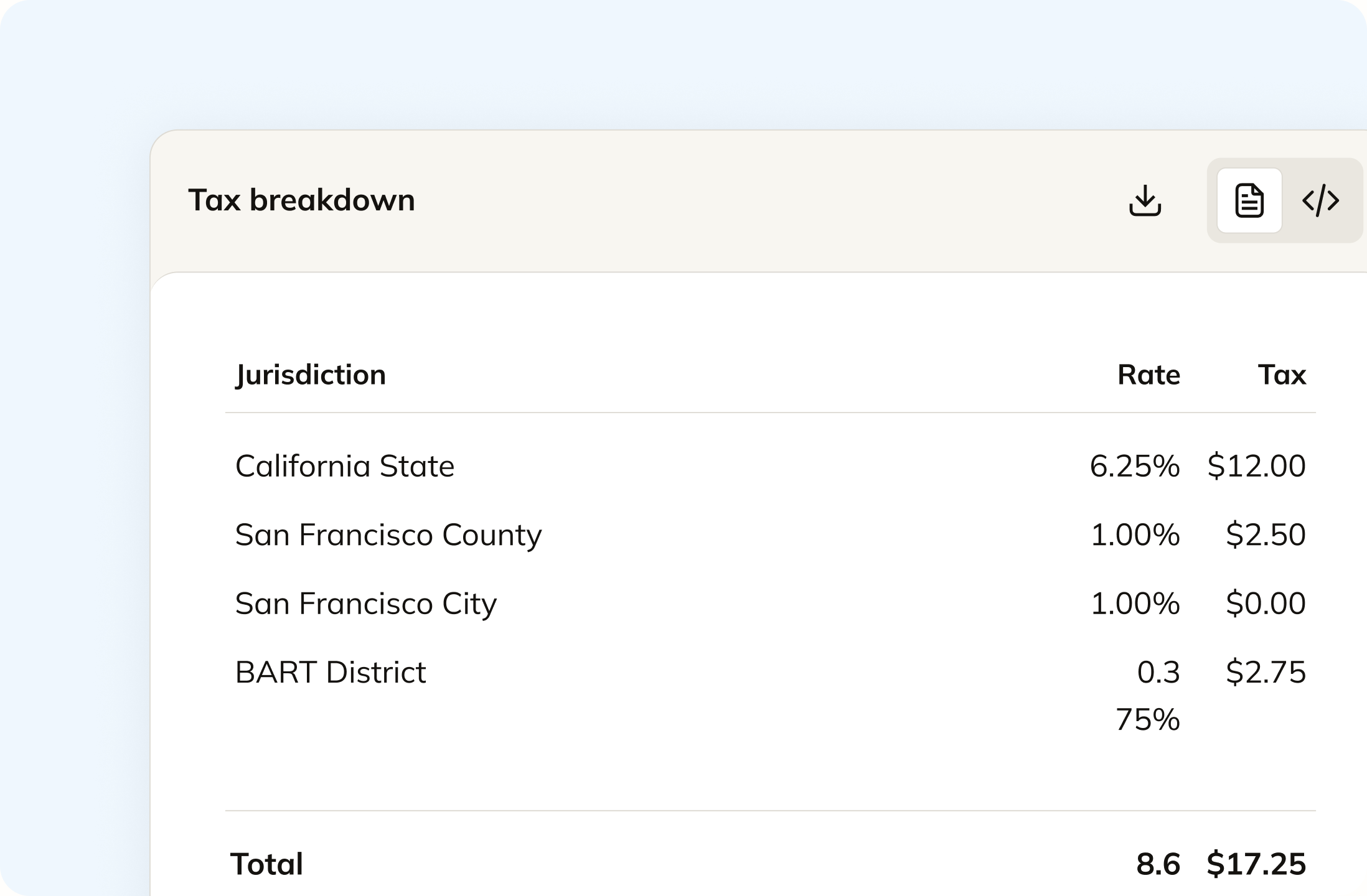
Your team raises the invoice in QuickBooks the way it always has. Tax comes back onto it line by line, from the ship-to address and the product code, so one invoice can carry a taxable line and an exempt line. Your product catalogue is mapped to tax codes by our in-house tax team, so software, a service, and a physical good are not all treated the same. The sync runs both ways, so the tax and the liability write back into QuickBooks.
Track your global exposure from QuickBooks
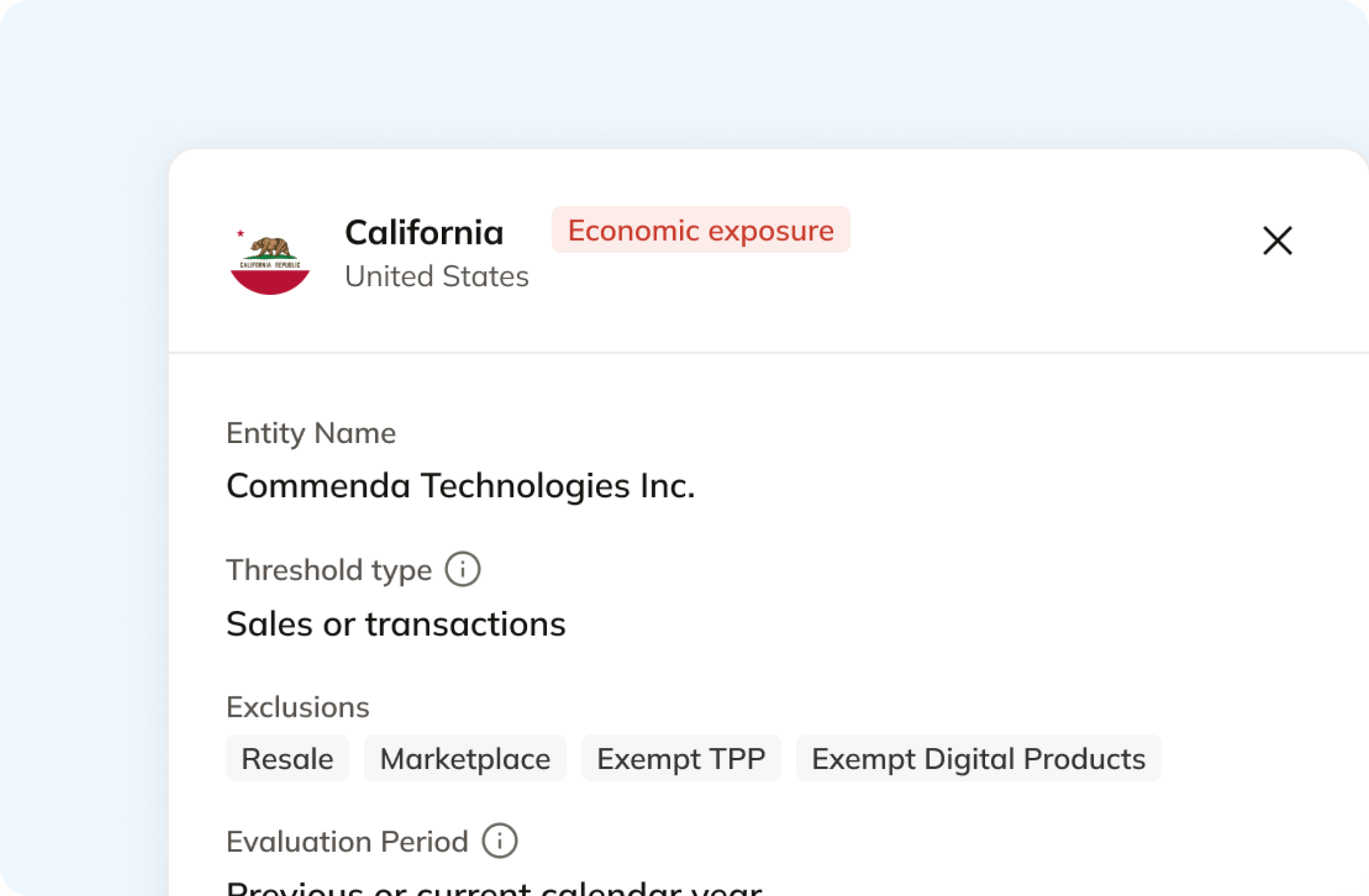
QuickBooks has an economic nexus page. It flags where a threshold is met, then tells you to go and register. Commenda measures the same transactions against thresholds in all 50 states and 70+ countries and tells you at 80%, before you cross. A short questionnaire covers physical presence too, because a warehouse or a remote employee never shows up on an invoice. Connecting QuickBooks backfills your history, which also finds states you registered in years ago and no longer sell into.
Automatically remit transactions around the world
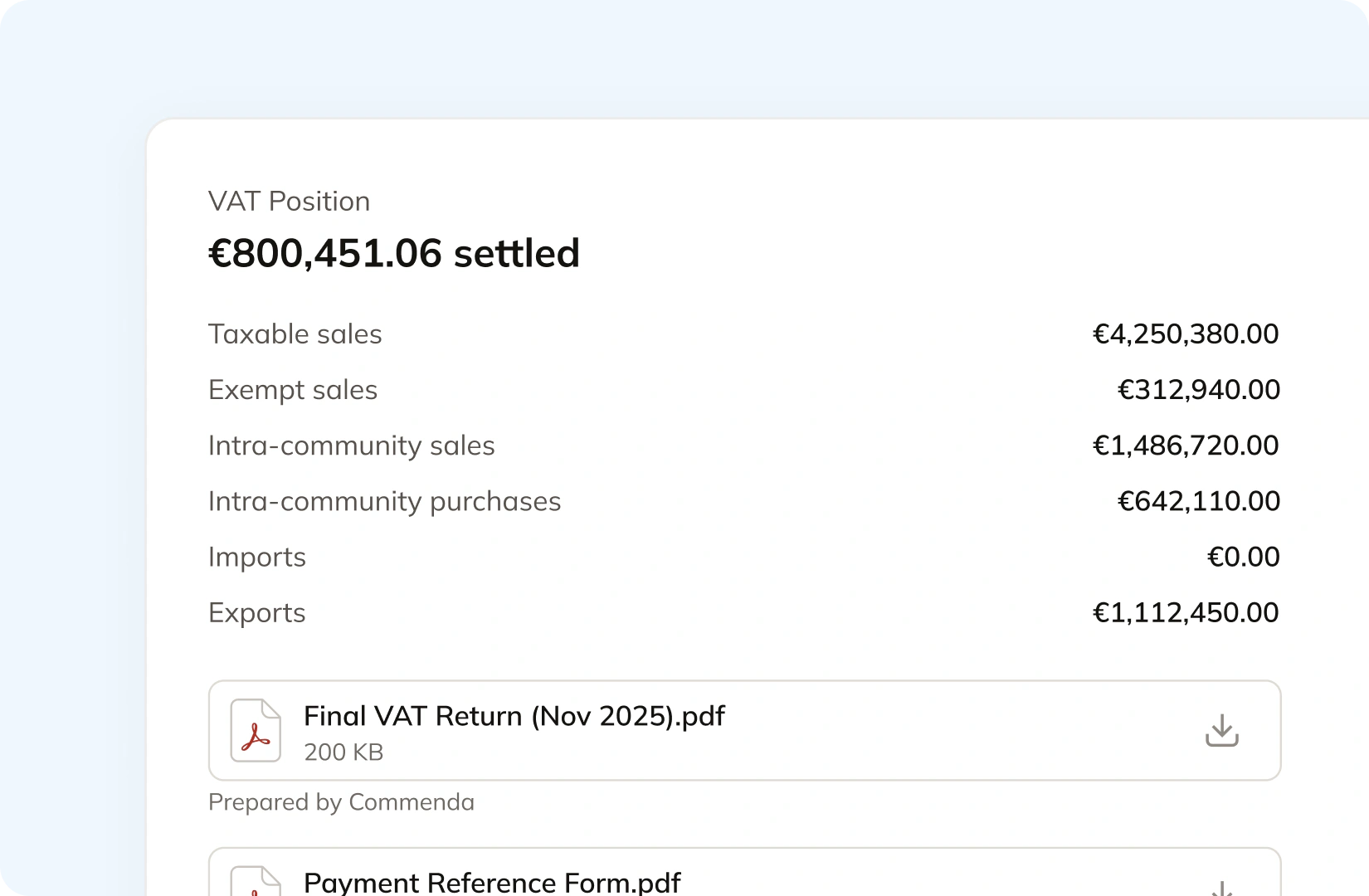
QuickBooks e-files in 17 states, on monthly or quarterly frequencies only, and does not support amended returns at all. Commenda builds the return from the same synced data, so nothing gets exported or re-keyed. Returns go out across all 50 states, plus EU VAT with OSS and GST in APAC and Canada, with amendments where a period needs correcting. The liability posts back to your ledger with the filing confirmation attached.
Manage your customers and exemptions in one place
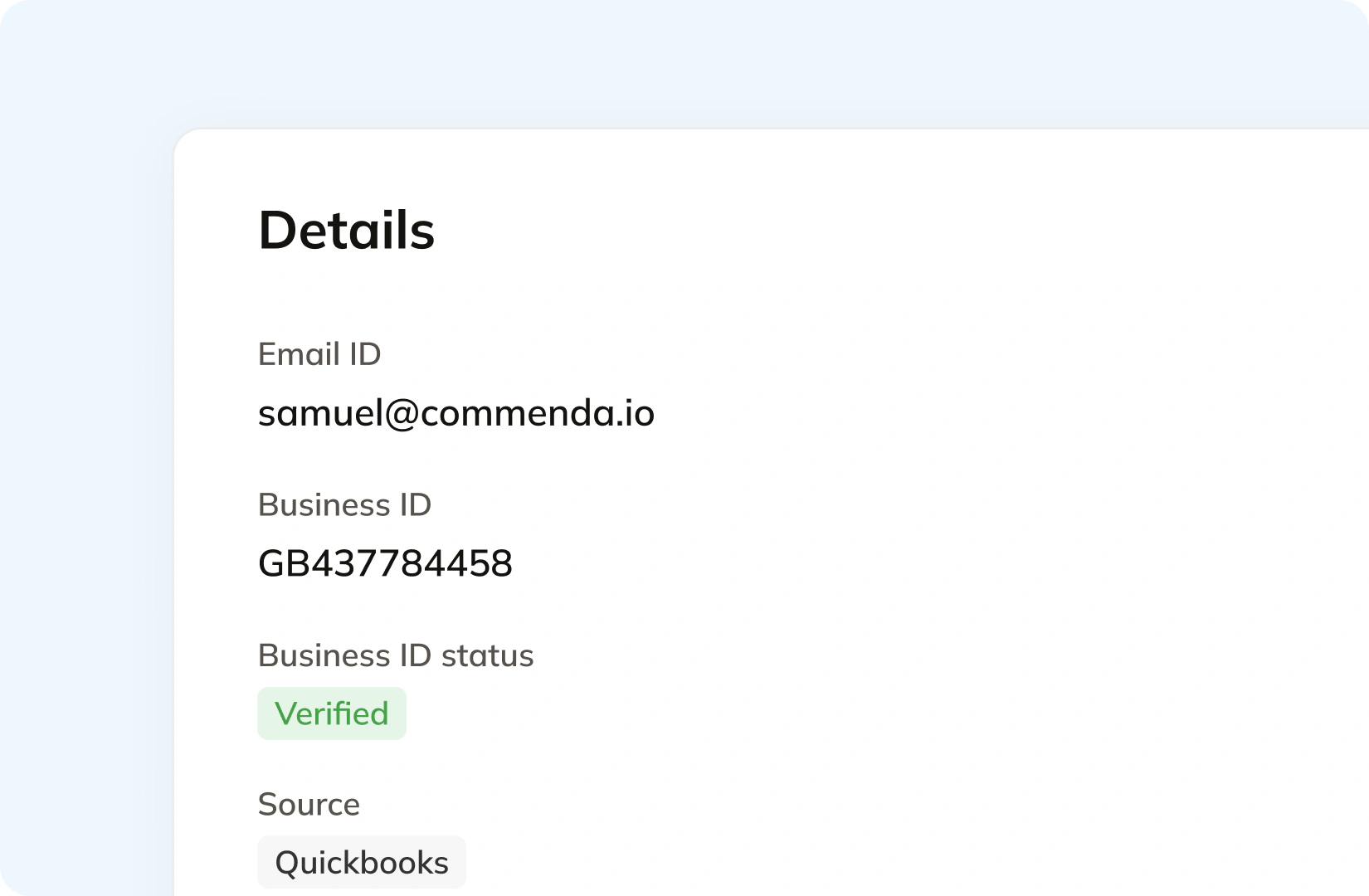
QuickBooks gives a customer a tax exempt checkbox and a reason. Intuit's guidance is that you obtain the certificate yourself. Commenda does that part. Your customers upload through a portal that can carry your branding, each certificate is validated on upload, and it applies automatically in the states where it is valid. Multi-state SST and MTC forms are accepted. Expiries are tracked and chased.
Consolidation
Commenda consolidates multiple integrations in one platform
A cross-border business runs QuickBooks, a storefront, a billing platform, and often a marketplace. Filing one return means pulling transactions from all of them, working out which tax someone else already remitted, and filing once. Commenda solves that.
Your ledger holds tax that is not yours to file
Intuit documents that its Shopify connector imports the marketplace sales tax and charges it to the Sales Tax Payable chart of accounts. Intuit also notes that a large platform is often legally required to collect and remit on your behalf. So your liability account holds tax a marketplace already remitted next to tax you still owe, and the ledger cannot tell them apart.
The liability report is not the whole period
Intuit states that transactions which are not sales forms, like bank deposits and journal entries, are not included on the sales tax liability report, and that its Gross total, Non-taxable, and Taxable columns cannot be summed because a fully taxable sale appears at state, county, and city level. Intuit's own guidance is that tax information needs to be validated before you file.
Thresholds moved again this year
Intuit's nexus guide records that many states have dropped the 200-transaction rule for a revenue-only threshold, typically $100,000, and that Illinois removed its transaction threshold on January 1, 2026. It also warns that one remote employee or a local warehouse, Amazon FBA included, can trigger nexus at any sales volume, and that states now use automated data sharing to find sellers with quiet nexus through third-party warehouses.
One ledger behind every channel
Every source connects to one ledger, across 100+ supported integrations. Each transaction carries its origin, product tax code, and any tax already collected, so marketplace revenue stays separate from revenue that still needs tax. The result is one exposure figure per state, one return per period, and every line traceable back to the invoice it came from.
Cost of growth
What cross-border tax costs on top of QuickBooks
Automated sales tax comes with every paid QuickBooks plan. The pieces a cross-border business needs sit outside it: e-filing on a separate subscription, multi-currency from Essentials up, and a second subscription per entity. Commenda is priced as a subscription that covers all of it.
| What you need | Where QuickBooks puts it |
|---|---|
| Automatic sales tax and economic nexus tracking | Every paid plan, from Simple Start at $38 a month. Essentials is $75, Plus $115, and Advanced $275 |
| Sales Tax AI, which flags discrepancies before filing | Plus at $115 a month and Advanced at $275. Not on Simple Start or Essentials |
| Automated US e-filing | A separate Sales Tax Essentials subscription on top of your plan. Intuit publishes no price for it |
| States it e-files in | 17, on monthly or quarterly frequencies only, and limited to returns without adjustments |
| Where multi-currency starts | Essentials. Not available on Simple Start, and once it is on it cannot be turned off or its home currency changed |
| Cost of a second entity | Each company you create requires its own separate paid subscription |
| Prices are moving | Intuit is changing Essentials, Plus, and Advanced pricing for renewals on or after August 1, 2026 |
Automatic sales tax and economic nexus tracking
Every paid plan, from Simple Start at $38 a month. Essentials is $75, Plus $115, and Advanced $275
Sales Tax AI, which flags discrepancies before filing
Plus at $115 a month and Advanced at $275. Not on Simple Start or Essentials
Automated US e-filing
A separate Sales Tax Essentials subscription on top of your plan. Intuit publishes no price for it
States it e-files in
17, on monthly or quarterly frequencies only, and limited to returns without adjustments
Where multi-currency starts
Essentials. Not available on Simple Start, and once it is on it cannot be turned off or its home currency changed
Cost of a second entity
Each company you create requires its own separate paid subscription
Prices are moving
Intuit is changing Essentials, Plus, and Advanced pricing for renewals on or after August 1, 2026
Figures verified on July 29, 2026 against QuickBooks Online pricing, Intuit filing and paying FAQ, Intuit multicurrency guide, Intuit multi-company guide and Intuit price change notice.
From the field
Trusted by businesses across the globe


“The platform works exactly the way I need it to. I have one team member who manages all of our exemption certificates, and that functionality has been particularly efficient for us. It allows him to handle everything seamlessly, making the handoff significantly easier.”
VP of Finance, TRX






Compare Commenda sales tax software with competitors
Ten alternatives, side by side on coverage, ratings, and real pricing. We say where each one wins, including where a point solution is enough and you do not need us.
More sales tax resources
Guides from the Commenda team on nexus, registration, remittance, and marketplace rules.
Frequently asked questions
In 17 states, yes. Intuit's sales tax e-file service covers Arkansas, Indiana, Iowa, Kentucky, Michigan, Minnesota, Nebraska, Nevada, New Jersey, North Carolina, North Dakota, Rhode Island, South Dakota, Texas, Vermont, West Virginia, and Wisconsin. It needs a separate Sales Tax Essentials subscription, handles monthly and quarterly frequencies only, and Intuit documents it as limited to sales and use tax without any adjustments. In every other state you go to the agency's website yourself, or file by mail. Commenda files across all 50 states on each state's own required frequency, tracks remittance per jurisdiction, and files amended returns where a period needs correcting. The liability and the filing confirmation post back to your QuickBooks ledger with reference numbers, so a return traces to the transactions behind it.
Yes, for economic nexus, and it is a real feature. QuickBooks has an economic nexus page that shows your sales and transaction count per state and flags with a red exclamation point where you have met the state's threshold. What it does next is hand the problem back: Intuit's own instruction is to register with the state, then add the agency in QuickBooks so it starts collecting. Its columns are sales and transaction count, so a warehouse, a remote employee, or a trade show does not appear there. Commenda measures the same QuickBooks transactions against economic and physical thresholds in all 50 states, every EU member state, and 70+ countries, notifies you at 80% of a registration threshold, then handles the registration itself.
No. Intuit states plainly that QuickBooks Online does not support amended sales or use tax reporting, and that you should contact your tax agency to correct a filing. Commenda files the amended return itself, in any state, built from the corrected transactions in your ledger rather than from a re-keyed form.
Because the report only counts sales forms. Intuit documents that transactions which are not sales forms, like bank deposits and journal entries, are excluded from the sales tax liability report. Intuit also documents that the Gross total, Non-taxable, and Taxable columns cannot be summed, because a fully taxable sale appears once at state, county, and city level. Its own guidance is that tax information needs to be validated prior to filing. Commenda builds the return from every transaction in the period, including the ones never raised on a sales form, and reconciles what you collected against what each jurisdiction is owed before the return goes out.
Yes, and your invoicing workflow does not change. Your team raises the invoice in QuickBooks the way it always has. It syncs to Commenda, which reads the ship-to address, the products on each line, and whether you hold an active registration in that state, then returns the tax amount onto the invoice. The sync is bi-directional, so the calculated tax and the tax liability write back to QuickBooks. Tax is only calculated where a registration exists, which is the correct behaviour: you should not be collecting in a state you are not registered in.
Yes, and it matters more than it sounds. Intuit's own Shopify connector posts marketplace sales tax that Shopify already remitted into your Sales Tax Payable account, so your ledger holds tax someone else owes alongside tax you owe. Commenda connects your other channels directly instead of relying on the ledger to tell them apart. Commenda supports 100+ integrations, with native connectors covering NetSuite, Xero, and Sage Intacct alongside Stripe, Chargebee, Recurly, and Zuora, a REST API for a custom stack, and a mapped monthly CSV where no connector exists. Every transaction carries its origin and any tax already collected, so marketplace facilitator rules keep marketplace revenue separate from direct-channel revenue and you file on one number per state.
In the UK, yes. QuickBooks prepares and submits VAT returns directly to HMRC through Making Tax Digital, supporting Standard, Cash, and Flat Rate schemes, though Intuit documents that MTD is not supported where the home currency is not GBP. Beyond that, Intuit lists selling to other countries as a reason to create a custom rate, which means you set and maintain the rate yourself. Multi-currency starts on Essentials and is not available on Simple Start, and a second entity needs its own paid subscription. Commenda covers VAT, GST, and sales tax across 70+ countries from one platform, including EU VAT with OSS and IOSS. US sales tax and UK VAT route to separate accounts, so they do not aggregate onto one line your team then unpicks.
Custom integration support for your business
Every business runs its accounting differently, and those processes exist for good reasons. We map how yours works and build the integration to match, rather than asking you to work around ours.
Indirect Tax
Monitor nexus exposure, register, file, and remit sales tax and VAT in one platform. Commenda keeps you compliant across 100+ jurisdictions.
Explore the product
