Sales tax and VAT software for PayPal
PayPal applies a sales tax rate table you build yourself, and its user agreement puts assessing, collecting, reporting, and remitting on you. The address on a payment is a pass-through of whatever the payer gave it, which is not always the state a return belongs to. Commenda turns PayPal payments into a filing record across all 50 states and 70+ countries.
Trusted by global businesses

































Monitor your global exposure
PayPal tells you money arrived. Commenda measures the same transactions against economic and physical thresholds in all 50 states and 70+ countries, and notifies you at 80% of a threshold.
Calculate tax on what you sold
PayPal's tax setting holds one rate per state, zip code, or country. Commenda applies maintained rates down to district level, with a product tax code on every line.
Register, file, and remit
PayPal's user agreement makes assessing, collecting, reporting, and remitting your responsibility. Commenda registers you and files across all 50 states and 70+ countries.
Coverage comparison
What PayPal handles, and what it hands back
PayPal is where the money arrives, and it has a real tax setting. Its figures come from PayPal's own pages on auto-calculating sales tax, Point of Sale taxes, the Transaction Detail report, and its user agreement, checked on July 30, 2026.
Calculating tax at checkout
- PayPal
- Partly. It applies the rate table you built, by state, zip code, or country
- Commenda
- Calculated per transaction from maintained rates in 50 states and 70+ countries
Keeping those rates current
- PayPal
- Not handled. A rate stays whatever you typed until you change it
- Commenda
- Rate and rule changes applied for you, including local and district rates
Taxability by product
- PayPal
- Not handled. A rate attaches to a region, not to the item you sold
- Commenda
- Product tax codes per line, covering digital goods, SaaS, and shipping
Knowing where you owe
- PayPal
- Not handled. No threshold monitoring appears in PayPal's merchant docs
- Commenda
- Economic and physical thresholds in 50 states and 70+ countries, alerts at 80%
Registering, filing, and remitting
- PayPal
- Not handled. PayPal's user agreement puts all three on you
- Commenda
- Registered, filed, and remitted across all 50 states and 70+ countries
Exemption certificates
- PayPal
- Not handled. Point of Sale exemption is a toggle on a product or a sale
- Commenda
- Collected, validated, stored, and applied automatically where valid
A ship-to address you can file on
- PayPal
- Partly. PayPal passes through whatever address the payer gave it
- Commenda
- Ship-to state on every transaction, with its source system on the record
| PayPal |  | |
|---|---|---|
| Calculating tax at checkout | Partly. It applies the rate table you built, by state, zip code, or country | Calculated per transaction from maintained rates in 50 states and 70+ countries |
| Keeping those rates current | Not handled. A rate stays whatever you typed until you change it | Rate and rule changes applied for you, including local and district rates |
| Taxability by product | Not handled. A rate attaches to a region, not to the item you sold | Product tax codes per line, covering digital goods, SaaS, and shipping |
| Knowing where you owe | Not handled. No threshold monitoring appears in PayPal's merchant docs | Economic and physical thresholds in 50 states and 70+ countries, alerts at 80% |
| Registering, filing, and remitting | Not handled. PayPal's user agreement puts all three on you | Registered, filed, and remitted across all 50 states and 70+ countries |
| Exemption certificates | Not handled. Point of Sale exemption is a toggle on a product or a sale | Collected, validated, stored, and applied automatically where valid |
| A ship-to address you can file on | Partly. PayPal passes through whatever address the payer gave it | Ship-to state on every transaction, with its source system on the record |
Calculate taxes globally on PayPal using Commenda
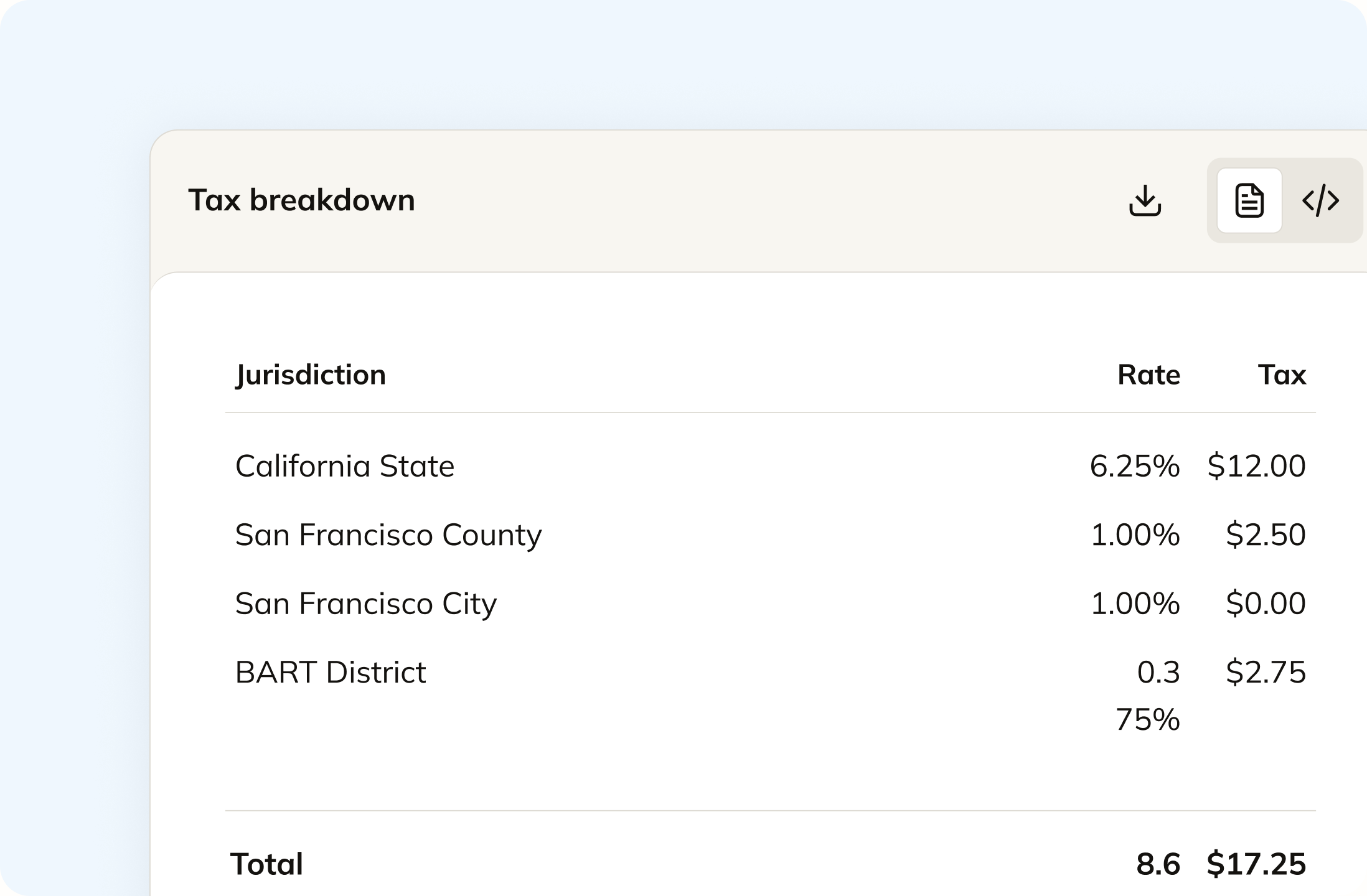
PayPal's own tax setting holds one rate for a state, a zip code, or a whole country. Commenda calculates per transaction instead, from maintained rates down to county, city, and district, with a product tax code on each line. Digital goods, SaaS, and shipping get treated the way each state treats them. Calculation can be switched off for revenue that arrived already taxed.
Track your global exposure from PayPal
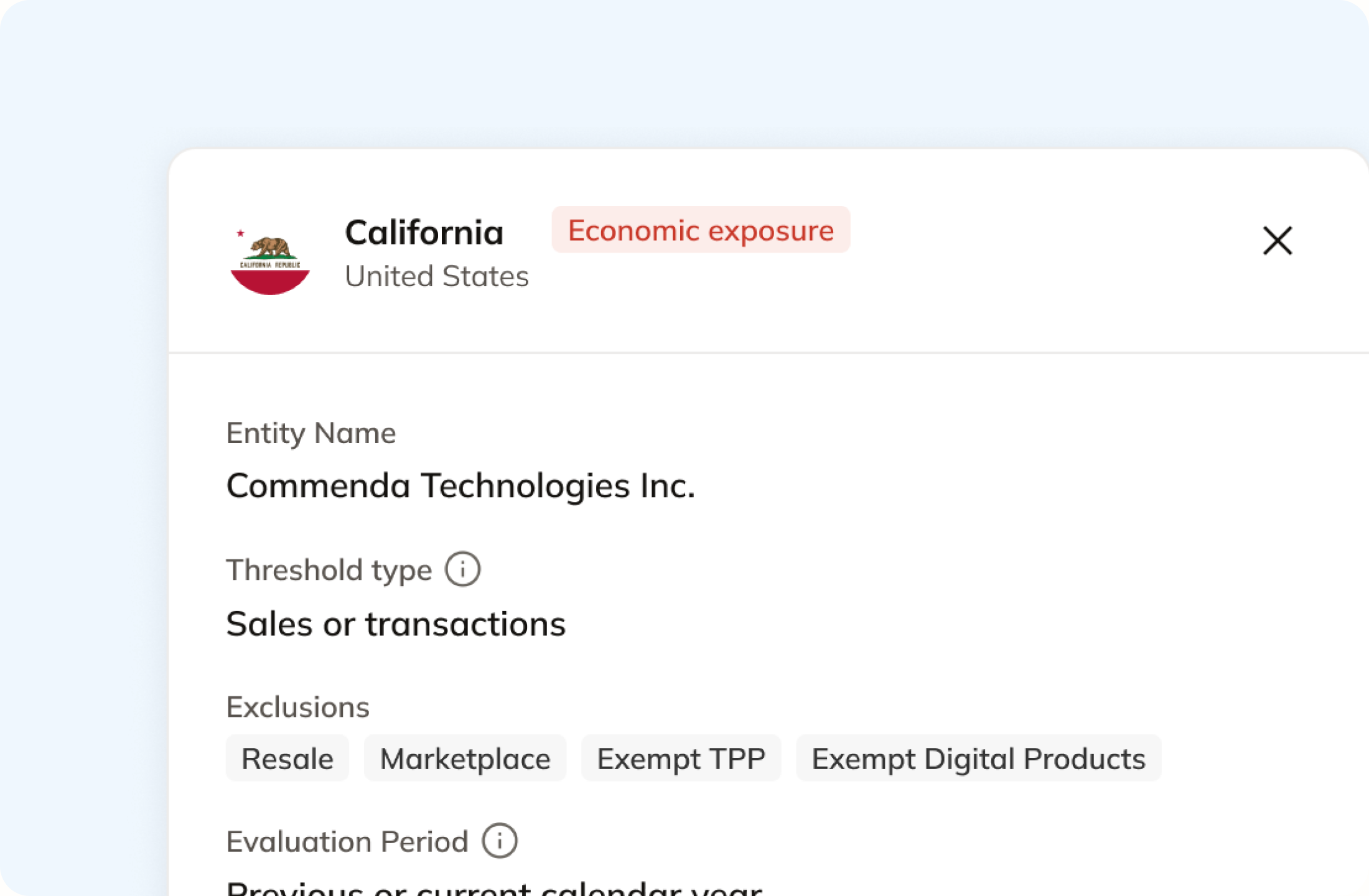
No threshold monitoring appears in PayPal's merchant help or its developer docs. Commenda measures your PayPal transactions against economic and physical thresholds in all 50 states and 70+ countries, and tells you at 80%, before you cross. A short questionnaire covers physical presence too, because a warehouse or a remote employee never shows up on a payment.
Automatically remit transactions around the world
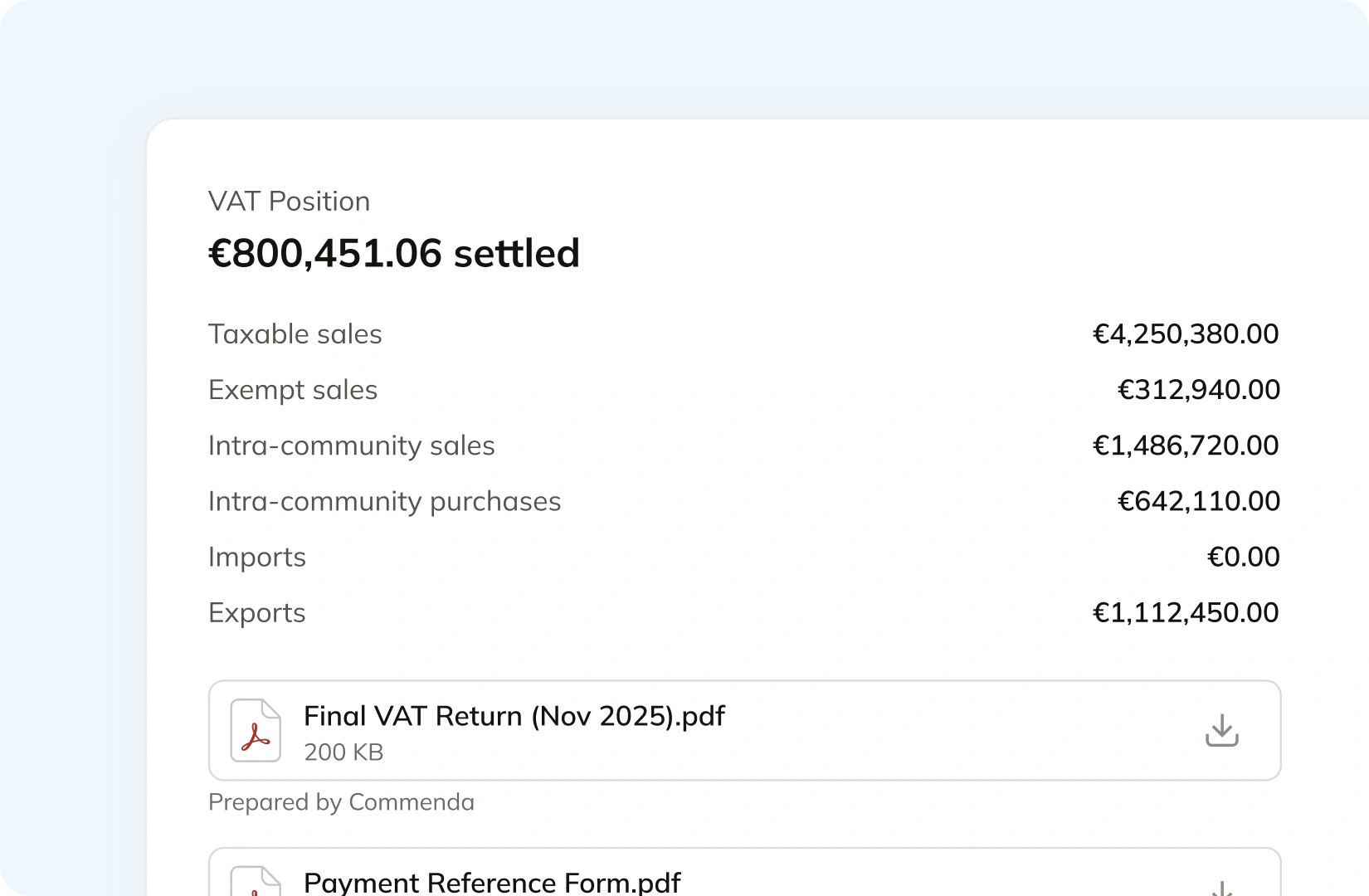
PayPal states that assessing, collecting, reporting, and remitting the correct taxes is solely your responsibility. Commenda builds the return straight from your PayPal transactions, so nothing gets exported or re-keyed. Returns go out across all 50 states, plus EU VAT with OSS and GST in APAC and Canada, with amendments where a period needs correcting.
Manage your customers and exemptions in one place
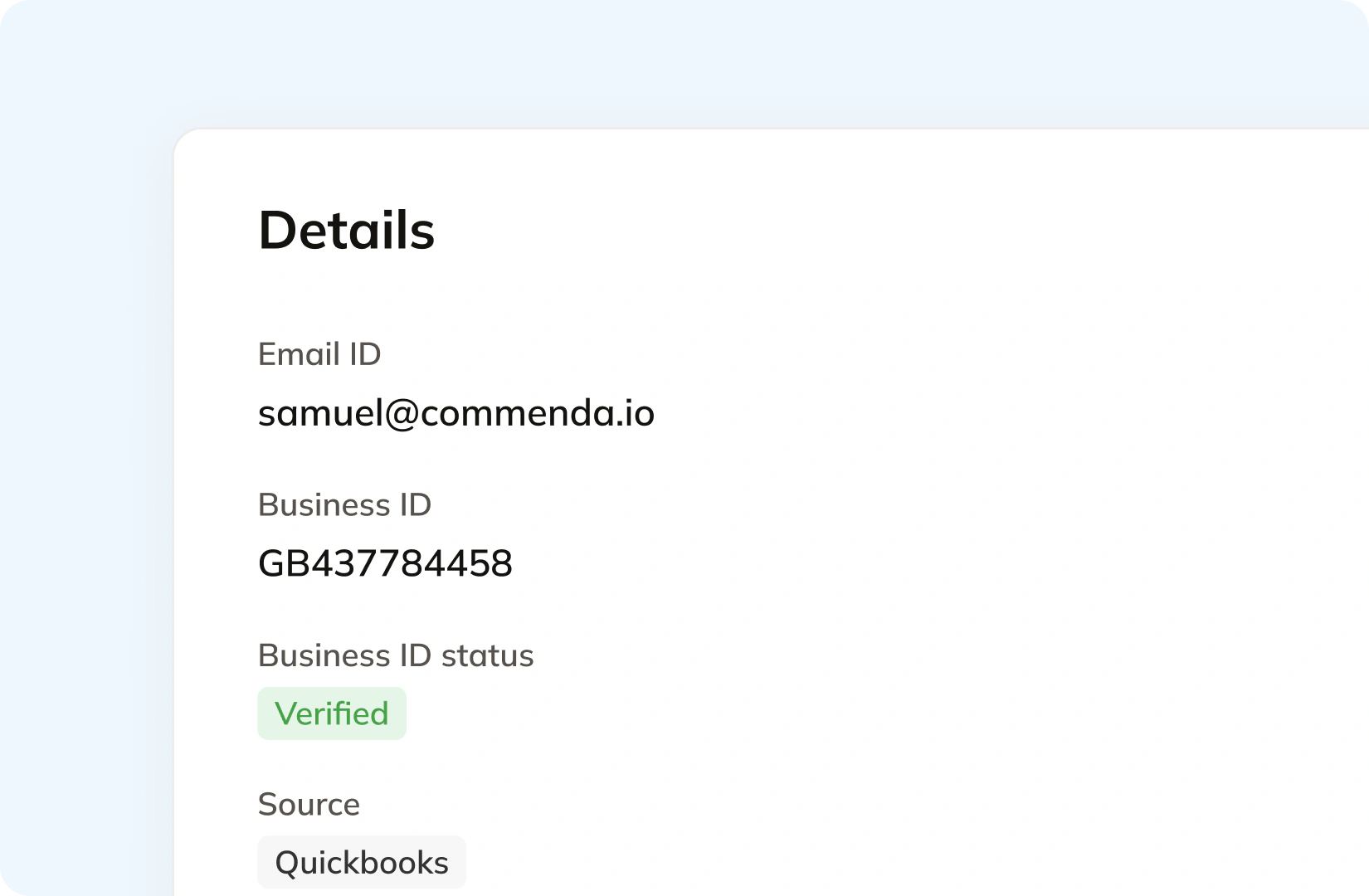
A PayPal payment carries a payer email and whatever address the payer supplied. Commenda holds the customer behind it, with the tax ID it verified and the system the record came from. Exemption certificates are collected through a portal, validated on upload, stored against the customer, and applied automatically in the states where they are valid. Expiries are tracked and chased.
Consolidation
Why does a PayPal payment not tell you what you owe?
PayPal is a payment processor, and it does the payment job well. Filing a return needs something else: which state each sale went to, what was sold, and what tax was already collected somewhere upstream. Commenda builds that record.
A payment arriving is not a ship-to record
Most US states source sales tax to the destination, so a return depends on where the goods went. PayPal's Transaction Detail report describes its shipping address fields as a pass-through of what the payer provided, carries a separate flag for whether that address is confirmed, and notes the state field can be blank. The payer's billing address is provided only where your integration was authorized to receive it.
A digital sale may carry no address at all
On a current PayPal checkout the shipping preference defaults to deriving the address from the payer's PayPal account, and for a download or a subscription you would normally turn shipping off entirely. The tax total on the order is a number your own system supplies. Both are reasonable payment choices. Neither leaves behind the evidence a state asks for.
When PayPal sits behind a store, the store is the better source
If your checkout is Shopify or WooCommerce and PayPal is only the processor, the store holds the line items, the product, and the ship-to address the customer actually typed. Connect the store for those orders. Connect PayPal for the payments that exist nowhere else: invoices, subscription buttons, and payment links on your own site.
One ledger behind every channel
Every source connects to one ledger, across 100+ supported integrations. Each transaction carries its origin, its product tax code, and any tax already collected, so marketplace revenue stays separate from revenue that still needs tax and a payment matched to a store order is not counted twice. The result is one exposure figure per state and one return per period.
What it takes
What global indirect tax takes in PayPal
PayPal publishes processing fees, not a price for its tax settings, so there are no dollar figures here. What PayPal does publish is exactly what those settings cover. The cost of growth is the maintenance, the taxability call, and every job after the money lands.
| What you need | What PayPal gives you | Source |
|---|---|---|
| A tax rate at US checkout | A rate table you build in your account profile, set by state, by a specific zip code, or by a zip code range. PayPal applies the rates that you specify | Auto-calculate sales tax |
| A rate that is still correct next quarter | You. PayPal's Point of Sale article states it is your responsibility to make sure you are collecting the right amount of tax for your region, and to consult a tax expert if you are unsure | Point of Sale taxes |
| Tax outside the US and Canada | One rate for the entire country. Canada can be set per province, and every other country takes a single country-wide rate | Auto-calculate sales tax |
| Tax on a modern PayPal checkout | Your own number. PayPal documents that automatic calculation does not apply to Express Checkout, where you calculate the tax and pass it to PayPal as a total | Auto-calculate sales tax |
| Tax charged on shipping | A per-rate checkbox called Apply rate to shipping amount, which you decide when you create each rate | Auto-calculate sales tax |
| More than 15 tax rates in Point of Sale | Not available. PayPal's Point of Sale lets you add up to 15 different tax rates, and exemption is a manual toggle on a product or on a single sale | Point of Sale taxes |
| Tax on a PayPal invoice | A tax name and a percent you type against each line item, which PayPal adds to the item total. One tax object per item | Invoicing API |
| Transaction history to size past exposure | Windows. The Transaction Detail report covers one day inside the preceding 45 days, and the Transaction Search API allows a 31-day range per call across the previous three years | Transaction Search API |
| Registering, filing, or remitting | Your job. PayPal states it is not responsible for determining whether any taxes apply to your transaction, or for calculating, collecting, reporting, or remitting them | User Agreement |
A tax rate at US checkout
A rate table you build in your account profile, set by state, by a specific zip code, or by a zip code range. PayPal applies the rates that you specify
Auto-calculate sales taxA rate that is still correct next quarter
You. PayPal's Point of Sale article states it is your responsibility to make sure you are collecting the right amount of tax for your region, and to consult a tax expert if you are unsure
Point of Sale taxesTax outside the US and Canada
One rate for the entire country. Canada can be set per province, and every other country takes a single country-wide rate
Auto-calculate sales taxTax on a modern PayPal checkout
Your own number. PayPal documents that automatic calculation does not apply to Express Checkout, where you calculate the tax and pass it to PayPal as a total
Auto-calculate sales taxTax charged on shipping
A per-rate checkbox called Apply rate to shipping amount, which you decide when you create each rate
Auto-calculate sales taxMore than 15 tax rates in Point of Sale
Not available. PayPal's Point of Sale lets you add up to 15 different tax rates, and exemption is a manual toggle on a product or on a single sale
Point of Sale taxesTax on a PayPal invoice
A tax name and a percent you type against each line item, which PayPal adds to the item total. One tax object per item
Invoicing APITransaction history to size past exposure
Windows. The Transaction Detail report covers one day inside the preceding 45 days, and the Transaction Search API allows a 31-day range per call across the previous three years
Transaction Search APIRegistering, filing, or remitting
Your job. PayPal states it is not responsible for determining whether any taxes apply to your transaction, or for calculating, collecting, reporting, or remitting them
User Agreement
Figures verified on July 30, 2026.
From the field
Trusted by businesses across the globe


“The platform works exactly the way I need it to. I have one team member who manages all of our exemption certificates, and that functionality has been particularly efficient for us. It allows him to handle everything seamlessly, making the handoff significantly easier.”
VP of Finance, TRX






Compare Commenda sales tax software with competitors
Most PayPal merchants bolt a tax product onto the payments stack. We compare the options on coverage, ratings, and integrations, and we say where each one wins.
More sales tax resources
Guides from the Commenda team on 1099-K reporting, digital goods, rates, and shipping.
Frequently asked questions
Custom integration support for your business
PayPal is rarely the only place your revenue lands, and it is often sitting behind a store that holds better data. We map where each sale actually originates, then build the connections to match, with no engineering work on your side.
Indirect Tax
Monitor nexus exposure, register, file, and remit sales tax and VAT in one platform. Commenda keeps you compliant across 100+ jurisdictions.
Explore the product
