Sales tax and VAT software for BigCommerce
BigCommerce ships a rate table you maintain by zone. Its automatic option is a third-party provider app on your own account, and it sends nexus configuration to that provider's dashboard. Nothing in BigCommerce registers you, files a return, or pays a tax authority. Commenda covers all of it from the same BigCommerce orders, across 50 states and 70+ countries.
Trusted by global businesses

































Calculate tax in every jurisdiction
Basic tax charges tax in the zones you set up, and the default zone applies 0% to everywhere else. Commenda measures your orders against economic and physical thresholds in all 50 states and 70+ countries, and notifies you at 80% of a threshold.
Cover the orders your checkout never taxes
With automatic tax enabled, BigCommerce does not calculate sales tax on orders created by apps and integrations. Commenda reads every order whatever created it, and each one carries the system it came from.
File the returns BigCommerce leaves to you
BigCommerce submits tax documents to your tax provider so it can report. Filing the return is a separate product on that provider's account. Commenda files across all 50 states and 70+ countries.
Coverage comparison
What BigCommerce handles, and what it hands back
BigCommerce runs two tax paths, basic tax and an automatic provider app, and which one you are on changes most of the answers below. Its figures come from BigCommerce's own tax overview, automatic tax setup, basic tax setup, tax-exempt customers, order taxes, and tax provider documentation, checked on July 30, 2026.
Calculating tax at checkout
- BigCommerce
- Partly. Basic tax uses zones and rates you build and maintain yourself
- Commenda
- Calculated per jurisdiction on every order, with product tax codes applied
Registrations for collecting tax
- BigCommerce
- Not handled. Extra jurisdictions are set inside your tax provider's account
- Commenda
- Permits in all 50 states, EU VAT with OSS and IOSS, and GST across APAC and Canada
Filing your returns
- BigCommerce
- Not handled. It submits order data to your provider for reporting
- Commenda
- Filed across 50 states and 70+ countries, amendments included
Remitting what you collected
- BigCommerce
- Not handled. Nothing in BigCommerce pays a tax authority
- Commenda
- Tracked per jurisdiction, every filing
Knowing where you owe
- BigCommerce
- Not handled. Zones charge tax where you told them to, and nowhere else
- Commenda
- Economic and physical thresholds in 50 states and 70+ countries, with alerts before you cross
Exemption certificates
- BigCommerce
- Stored as a code, not a certificate. Basic tax needs a Growth plan for this
- Commenda
- Collected, validated, stored, and applied automatically where valid
Orders that did not come from the storefront
- BigCommerce
- Not handled. Automatic tax skips orders that apps and integrations create
- Commenda
- Read from every channel into one ledger, each order tagged with its source
| BigCommerce |  | |
|---|---|---|
| Calculating tax at checkout | Partly. Basic tax uses zones and rates you build and maintain yourself | Calculated per jurisdiction on every order, with product tax codes applied |
| Registrations for collecting tax | Not handled. Extra jurisdictions are set inside your tax provider's account | Permits in all 50 states, EU VAT with OSS and IOSS, and GST across APAC and Canada |
| Filing your returns | Not handled. It submits order data to your provider for reporting | Filed across 50 states and 70+ countries, amendments included |
| Remitting what you collected | Not handled. Nothing in BigCommerce pays a tax authority | Tracked per jurisdiction, every filing |
| Knowing where you owe | Not handled. Zones charge tax where you told them to, and nowhere else | Economic and physical thresholds in 50 states and 70+ countries, with alerts before you cross |
| Exemption certificates | Stored as a code, not a certificate. Basic tax needs a Growth plan for this | Collected, validated, stored, and applied automatically where valid |
| Orders that did not come from the storefront | Not handled. Automatic tax skips orders that apps and integrations create | Read from every channel into one ledger, each order tagged with its source |
Calculate taxes globally on BigCommerce using Commenda
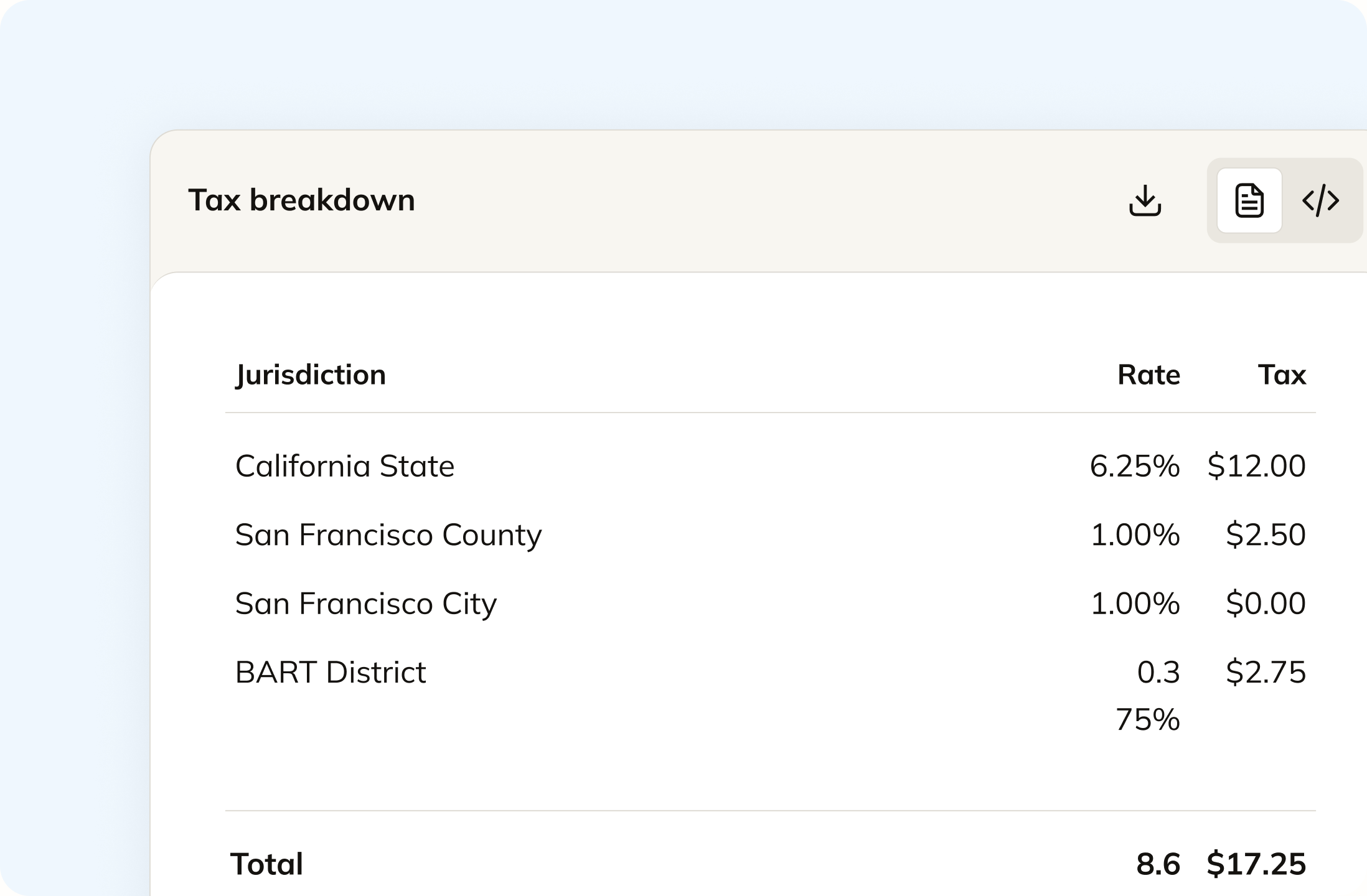
Basic tax charges the flat rate you entered for the zone a shopper falls into. Commenda calculates per jurisdiction on the ship-to address, down to county, city, and district. Product tax codes are assigned across your catalogue, so a taxable item and an exempt one are treated differently inside the same order.
Track your global exposure from BigCommerce
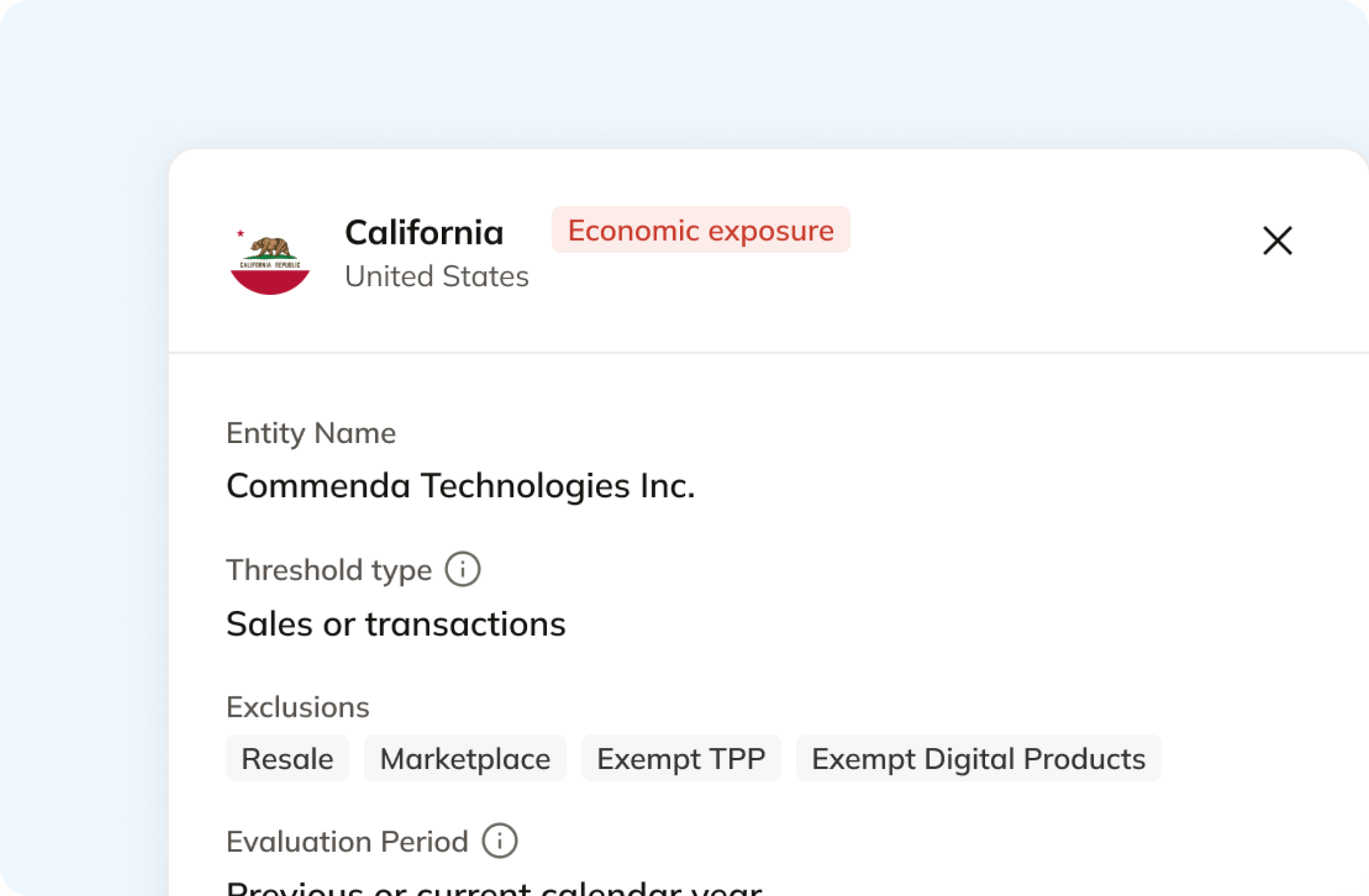
BigCommerce charges tax where you built a zone, so anything you sold into a state you never set up is taxed at zero and counted nowhere. Commenda measures the same orders against economic and physical thresholds in all 50 states and 70+ countries, and tells you at 80%, before you cross. A short questionnaire covers physical presence, because inventory at a 3PL never shows up on an order.
Automatically remit transactions around the world
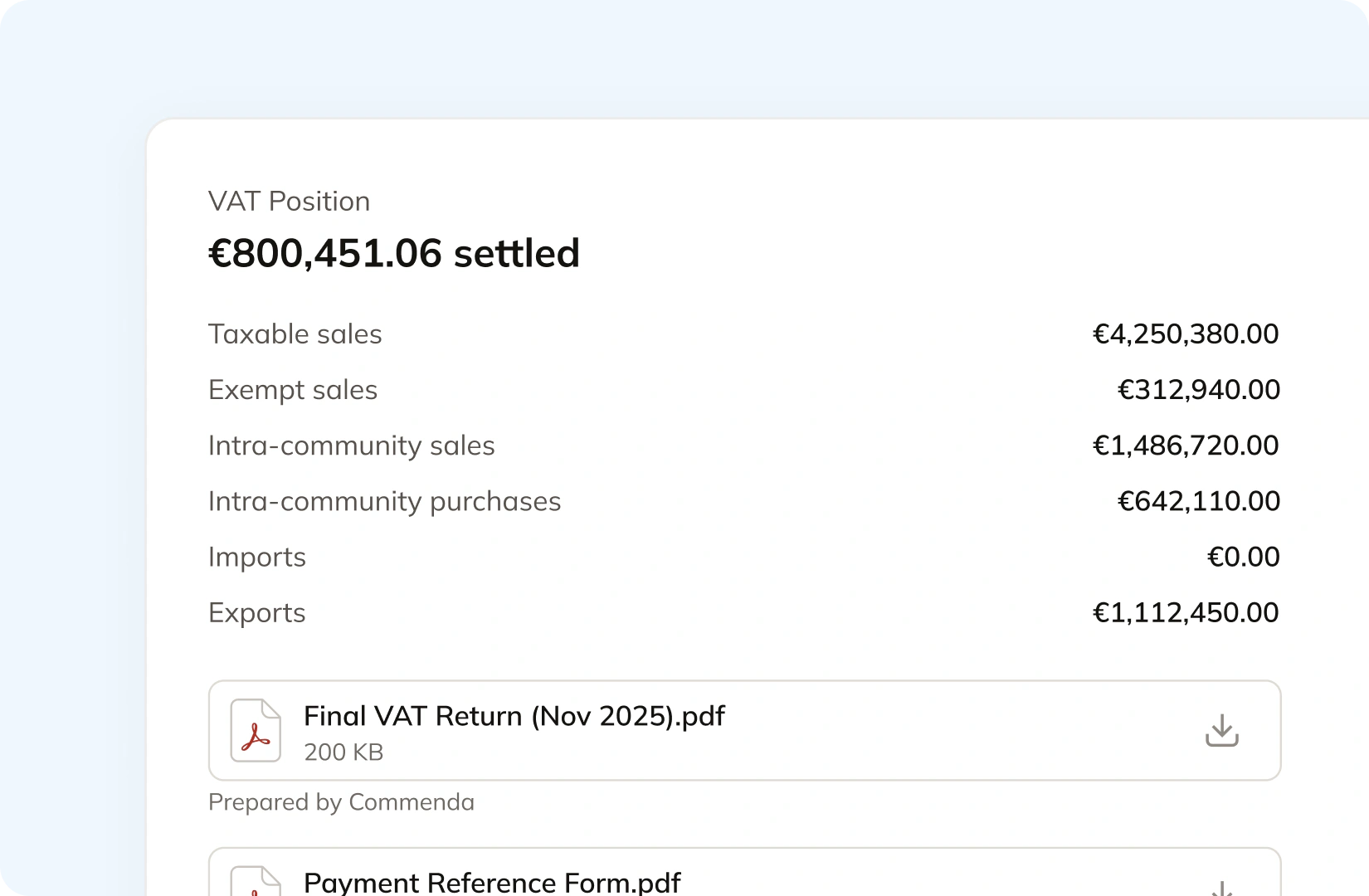
Commenda builds the return straight from your BigCommerce orders, so nothing gets exported or re-keyed. Returns go out across all 50 states, plus EU VAT with OSS and GST in APAC and Canada, with amendments where a period needs correcting. Calculated tax is pushed back to BigCommerce, so the storefront charges the right rate on the next order rather than only reporting after the fact.
Manage your customers and exemptions in one place
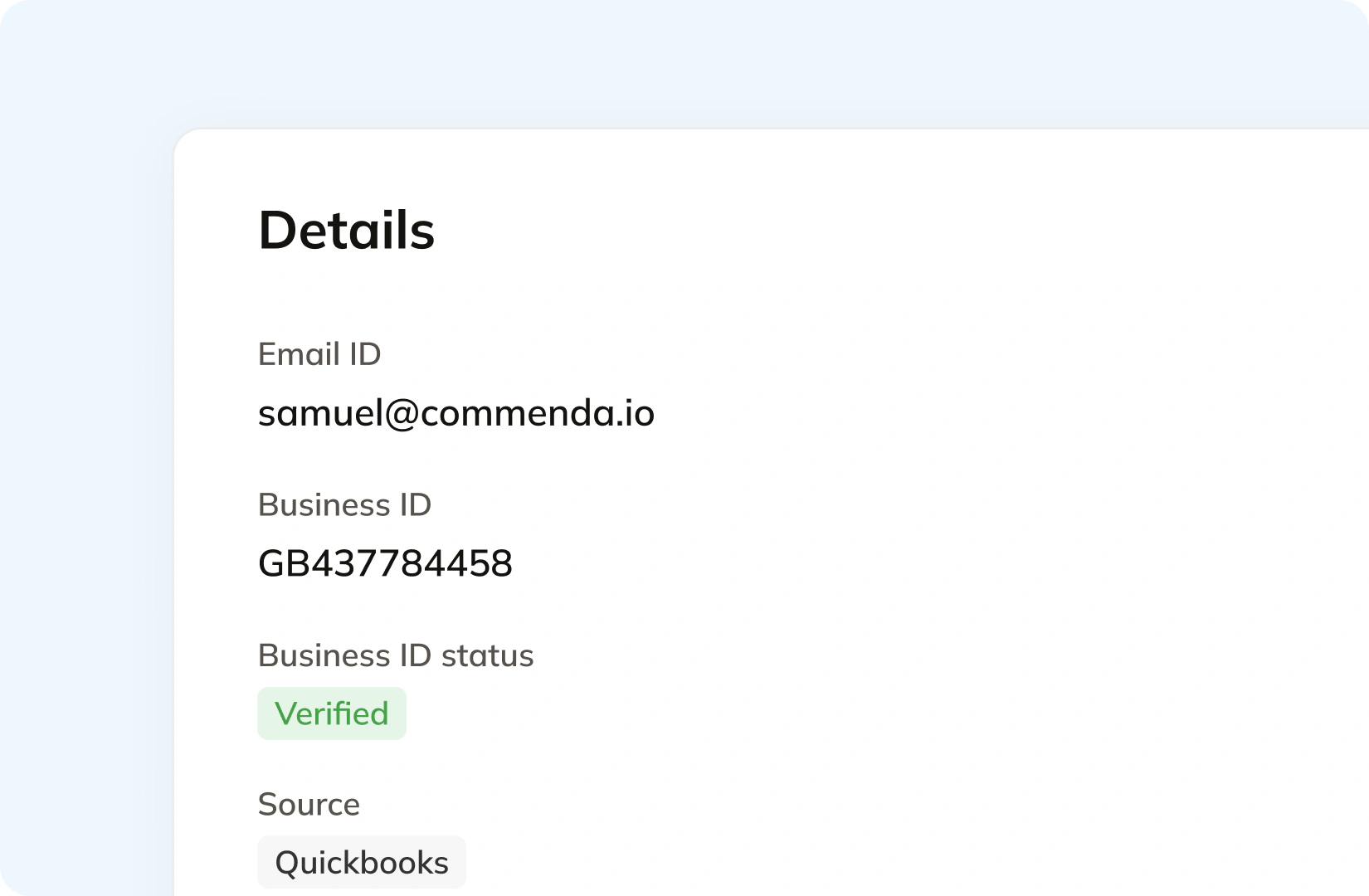
BigCommerce holds a tax exempt code on the customer record and sends certificate handling to your tax provider. Under basic tax the only route is a customer group, which needs a Growth plan or higher. Commenda handles getting the certificate in the first place. Your customers upload through a self-service portal, each one is validated on upload, and it applies automatically in the states where it is valid. Expiries are tracked and chased.
Consolidation
Why does BigCommerce not know your total exposure?
BigCommerce is where the sale happens, and tax is one setting inside it. Filing one return means knowing which revenue arrived already taxed, which states you actually owe, and which orders your checkout never touched. Commenda solves that.
BigCommerce is not a marketplace facilitator, and it sits next to ones that are
A storefront order is yours to tax and file. An Amazon, eBay, Walmart, or Meta order usually is not, because the marketplace collects and remits on sales it facilitates. Mixing the two in one figure inflates what you think you owe. Splitting them badly understates it. Around 26 states count marketplace sales toward your threshold and about 20 exclude them (TaxJar), so the same revenue changes your position in one state and not the next (more on marketplace sales tax).
Automatic tax only runs where you targeted it
BigCommerce states that an order is handled by the automatic tax provider only when both the order origin and destination are in the selected list of regions. Everywhere else falls back to basic tax, which charges whatever rate you entered by hand. Sell into a region you never targeted and the checkout shows no tax at all. Nothing flags that the number was zero because of a setting rather than because of the law.
Three storefronts share one rate table
Multi-storefront lets you run separate brands and separate catalogues. Tax does not follow that split: all the tax rates and zones you configure for a store are available on each storefront. If each store trades as a different entity with a different registration footprint, one shared rate table cannot describe all of them. BigCommerce lists assigning tax zones with tax rules per storefront as an anticipated feature rather than a current one. Commenda reads each store separately and keeps the entity boundary intact.
One ledger behind every channel
BigCommerce is rarely the only source of revenue. A marketplace, a phone order in the ERP, and a wholesale invoice all land in the same exposure figure, and only some of it arrives already taxed. Every source connects to one ledger, across 100+ supported integrations, and each transaction carries its origin, product tax code, and any tax already collected. That gives one number per state and one return per period, which is what global indirect tax at Commenda covers. For thresholds by state, read the US nexus exposure guide. If you only need the combined rate at one delivery address, the sales tax calculator does that on its own.
What it takes
What does global indirect tax take in BigCommerce?
There are no dollar figures here on purpose. BigCommerce publishes plan pricing, but not what tax costs: its own answer on AvaTax is a fixed rate tied to your store's plan, with no figure attached. What it does publish is what each capability depends on.
| What you need | What BigCommerce requires | Source |
|---|---|---|
| Automatic tax calculation at checkout | A third-party provider app on your own account. BigCommerce integrates Avalara, Vertex, TaxJar, and TaxCloud, and only one may be enabled on a store at any one time | Automatic tax setup |
| What that provider costs you | A fixed rate tied to your store's plan, which BigCommerce does not publish. Enterprise merchants are told to contact Avalara to discuss pricing | Avalara AvaTax |
| Filing and returns | A separate product added inside your Avalara account, alongside Cross-Border. What BigCommerce sends is order data, so the provider can use its reporting and returns features | Avalara AvaTax |
| Tax in the second state you have nexus in | Your tax provider's dashboard. BigCommerce states that if you have nexus in multiple states or local jurisdictions, the extra jurisdictions are adjusted from within the provider's account | Automatic tax setup |
| Tax on orders your apps and integrations create | Nothing. BigCommerce states that if a store has automatic tax enabled, it does not calculate sales tax on orders created via the API | Order taxes |
| A tax-exempt customer group under basic tax | A Growth plan or higher. Customer groups are the only basic-tax route to exemption, and up to 1,000 of them appear when you assign groups to a tax zone | Tax-exempt customers |
| A rate when the provider cannot be reached | A choice of three: a flat fallback rate of 10%, your own basic tax rates, or blocking the checkout. If basic tax was never set up, the fallback rate is 0% | Tax overview |
| Tax on shipping, handling, and gift wrapping | A tax class per charge type that you map yourself, then a rate per zone. Handling defaults to the Shipping tax class, and the Fees class is not currently active | Tax overview |
| Local rates that stack under basic tax | One zone only. BigCommerce states an order is charged the rates of the zone it most closely corresponds to, so a matching city zone does not also pick up your state zone rates | Basic tax setup |
| A product tax code on a variant | Neither route works. BigCommerce states product tax codes cannot be added to variants through its control panel or through an import | Automatic tax setup |
Automatic tax calculation at checkout
A third-party provider app on your own account. BigCommerce integrates Avalara, Vertex, TaxJar, and TaxCloud, and only one may be enabled on a store at any one time
Automatic tax setupWhat that provider costs you
A fixed rate tied to your store's plan, which BigCommerce does not publish. Enterprise merchants are told to contact Avalara to discuss pricing
Avalara AvaTaxFiling and returns
A separate product added inside your Avalara account, alongside Cross-Border. What BigCommerce sends is order data, so the provider can use its reporting and returns features
Avalara AvaTaxTax in the second state you have nexus in
Your tax provider's dashboard. BigCommerce states that if you have nexus in multiple states or local jurisdictions, the extra jurisdictions are adjusted from within the provider's account
Automatic tax setupTax on orders your apps and integrations create
Nothing. BigCommerce states that if a store has automatic tax enabled, it does not calculate sales tax on orders created via the API
Order taxesA tax-exempt customer group under basic tax
A Growth plan or higher. Customer groups are the only basic-tax route to exemption, and up to 1,000 of them appear when you assign groups to a tax zone
Tax-exempt customersA rate when the provider cannot be reached
A choice of three: a flat fallback rate of 10%, your own basic tax rates, or blocking the checkout. If basic tax was never set up, the fallback rate is 0%
Tax overviewTax on shipping, handling, and gift wrapping
A tax class per charge type that you map yourself, then a rate per zone. Handling defaults to the Shipping tax class, and the Fees class is not currently active
Tax overviewLocal rates that stack under basic tax
One zone only. BigCommerce states an order is charged the rates of the zone it most closely corresponds to, so a matching city zone does not also pick up your state zone rates
Basic tax setupA product tax code on a variant
Neither route works. BigCommerce states product tax codes cannot be added to variants through its control panel or through an import
Automatic tax setup
Figures verified on July 30, 2026.
From the field
Trusted by businesses across the globe


“The platform works exactly the way I need it to. I have one team member who manages all of our exemption certificates, and that functionality has been particularly efficient for us. It allows him to handle everything seamlessly, making the handoff significantly easier.”
VP of Finance, TRX






Compare Commenda sales tax software with competitors
BigCommerce integrates four tax providers, Avalara, Vertex, TaxJar, and TaxCloud among them. We compare the options on coverage, ratings, and real pricing, and we say where each one wins, including where a point solution is enough.
More sales tax resources
Guides from the Commenda team on shipping tax, resale certificates, and what a late filing costs.
Frequently asked questions
No, and it does not remit either. What BigCommerce sends is order data, and its own setting is worded as submitting that data so you can use your provider's reporting and returns features. Filing is a separate product you add inside your Avalara account, listed alongside Cross-Border. Submission timing is a choice between order creation and payment capture, and BigCommerce warns that orders paid by an offline method get no tax documents submitted at all. Nothing in BigCommerce pays a tax authority. Commenda files across all 50 states on each state's required frequency and across 70+ countries, tracks remittance per jurisdiction, and files amended returns where a period needs correcting.
No. Automatic tax means installing a third-party provider app and connecting your own account with that provider. BigCommerce names Avalara, Vertex, TaxJar, and TaxCloud, and only one may be enabled on a store at any one time. Its own answer on cost is that you subscribe to AvaTax at a fixed rate tied to your store's plan, with Enterprise merchants told to contact Avalara directly. Everywhere the provider is not targeted, calculation falls back to basic tax, which is a rate table you maintain by hand. Commenda covers calculation, registration, filing, and remittance from one place, and connecting BigCommerce takes no engineering work.
No. Nexus is not something BigCommerce measures. Its guidance is that if you have nexus in multiple states or local jurisdictions, the additional jurisdictions are adjusted from within your tax provider's account, so registration is an input you supply rather than an obligation it finds. Under basic tax the picture is starker: a zone charges tax only where you built it, and the default zone applies 0% to every region you did not set up. Commenda measures the same BigCommerce orders against economic and physical thresholds in all 50 states, every EU member state, and 70+ countries, and notifies you at 80% of a registration threshold, before you cross.
It is not. BigCommerce is your storefront, so a direct sale is yours to tax, file, and remit. Marketplace sales are different. Under marketplace facilitator rules the marketplace generally collects and remits on the sales it facilitates, and your direct sales stay your responsibility. BigCommerce connects to Amazon, eBay, Walmart, and Meta through Channel Manager apps, and it states that with automatic tax enabled it does not calculate tax on orders created via the API. So already-taxed marketplace revenue lands in your BigCommerce data untouched by tax logic on either side. Commenda separates facilitated from direct sales and tracks the tax the marketplace already collected, so a direct order gets tax applied and an already-taxed one does not.
It depends on the state, and BigCommerce leaves the mapping to you. Its tax settings hold a Shipping tax class, a Handling tax class, and a Gift Wrapping tax class, and the Handling field defaults to the Shipping class rather than one of its own. The Fees field is not currently active. Under basic tax you then set a rate for each of those classes in every zone, which means keeping up with the states that tax delivery charges and the states that do not. Commenda keeps shipping and handling revenue separate from item revenue on every transaction and applies each state's rule to it, so the split does not depend on a field you remembered to change.
Differently from everything else in the order, and the rule is fixed. BigCommerce states that digital products are always taxed based on the order's billing address, regardless of the address type you selected in your tax settings. So a store calculating on the destination address still taxes its downloads on billing. Under basic tax you would also need a tax class and a rate per zone for them. Commenda's product catalogue covers tangible personal property, digital goods, SaaS, professional services, and industry-specific categories, and resolves the correct treatment per state for each, including EU VAT on digital sales through OSS.
Not unless you want us to. The common shape is that most revenue arrives from the storefront with tax already applied, and a smaller share originates somewhere else and still needs calculating. Calculation is applied selectively, so already-taxed ecommerce orders stay untouched while direct orders get tax applied. Every transaction carries the system it came from, which is what stops the two being counted twice. This is a real risk rather than a theoretical one, and BigCommerce flags a version of it itself: if your tax provider account is also connected to an ERP, its own advice is to switch order data submission off to prevent duplicate reporting of your tax liabilities.
Custom integration support for your business
Every BigCommerce setup is different, from how many storefronts you run to how much revenue arrives from a marketplace already taxed. We map how yours works, including which orders should be calculated, and build the integration to match.
Indirect Tax
Monitor nexus exposure, register, file, and remit sales tax and VAT in one platform. Commenda keeps you compliant across 100+ jurisdictions.
Explore the product
