Sales tax and VAT software for WooCommerce
WooCommerce runs on your own WordPress install, so tax rates are rows in a table you maintain. Its free automated option covers your store's own location and files nothing. Commenda calculates at the checkout, writes the result onto the order, and registers and files across all 50 states and 70+ countries.
Trusted by global businesses

































Calculate tax without maintaining rate rows
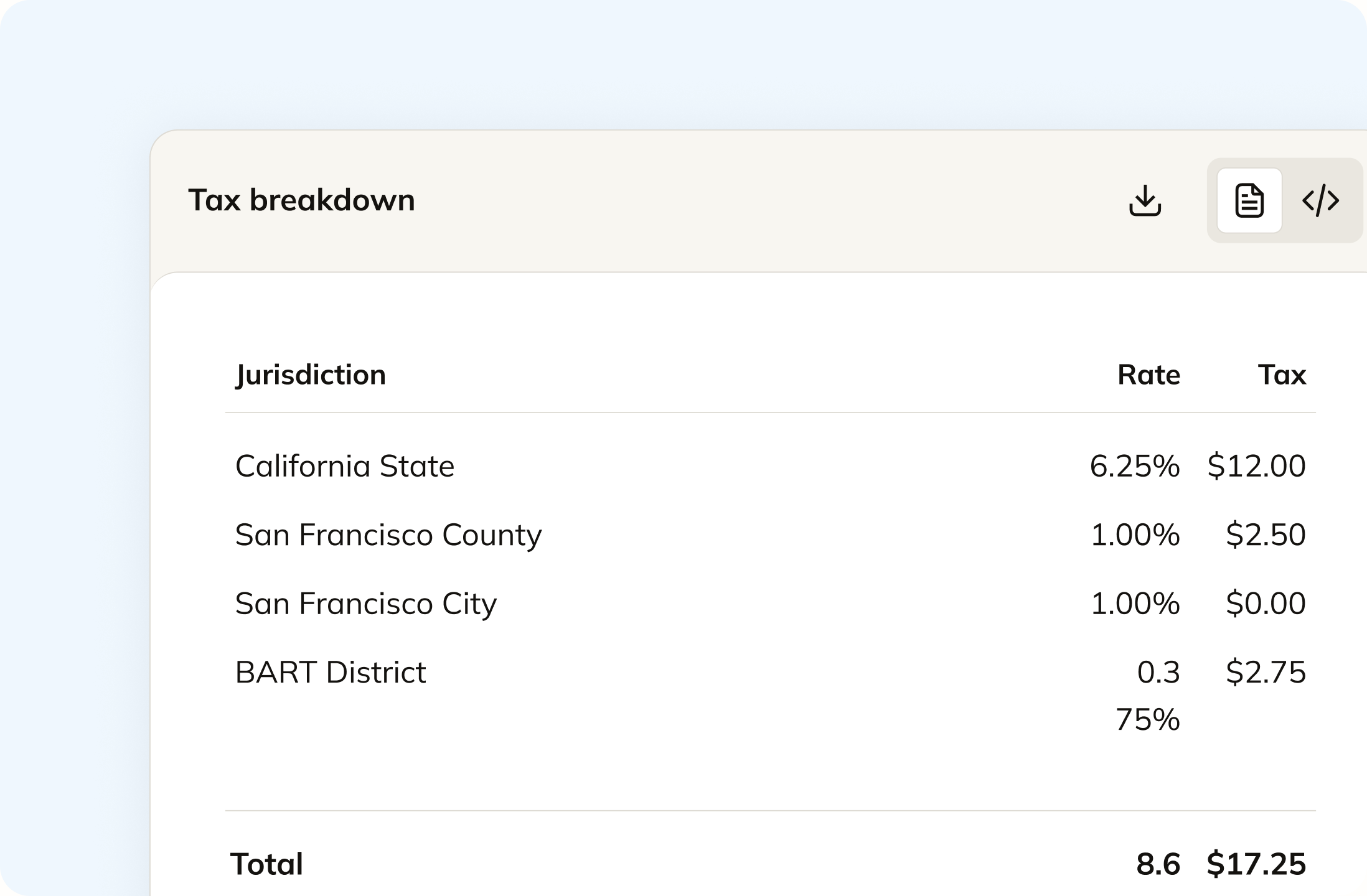
WooCommerce tax rates are rows you enter or import, one per jurisdiction. Commenda calculates state, county, city, and district rates at the checkout on the address the order is shipping to.
Monitor your global exposure
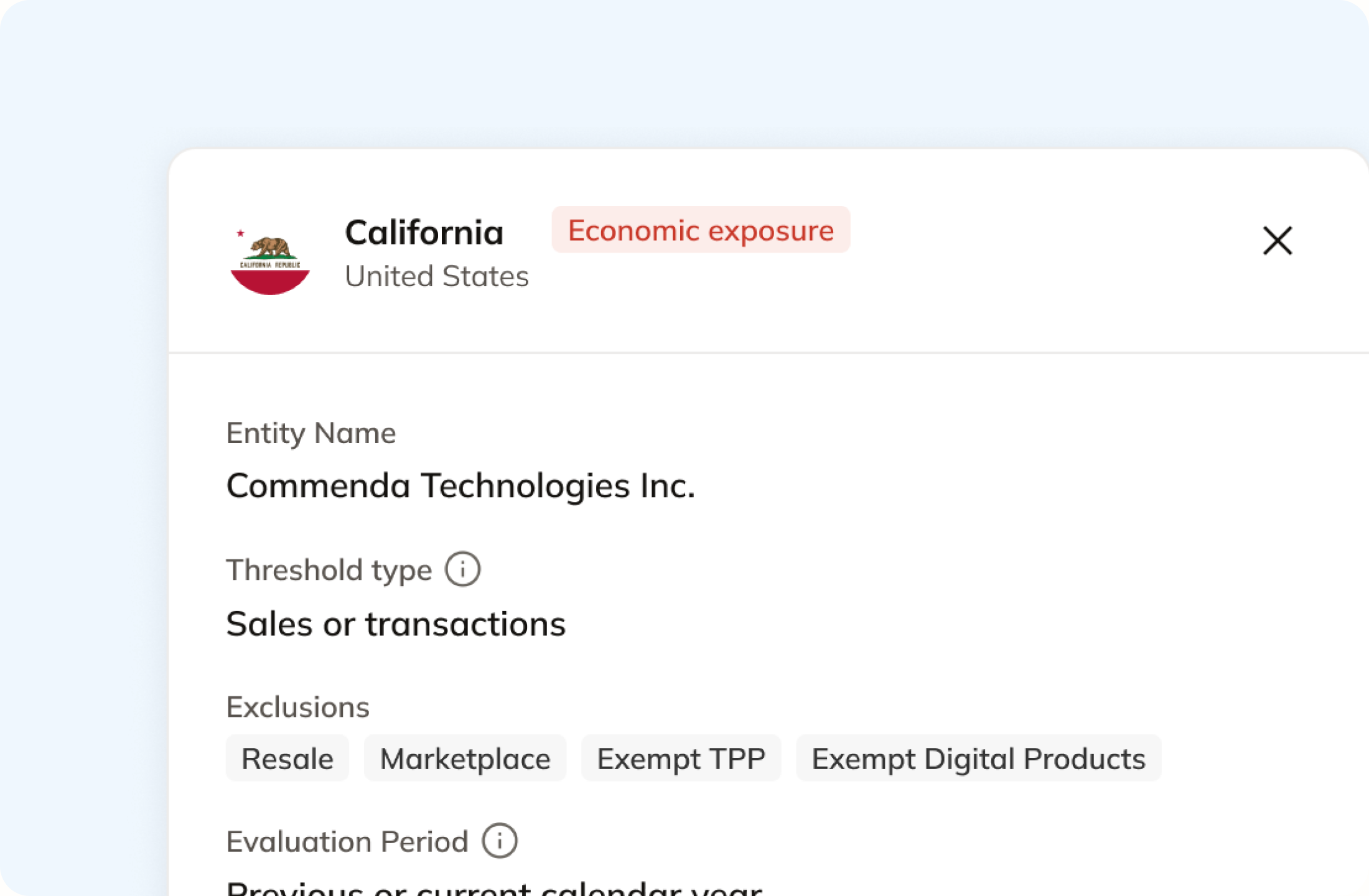
WooCommerce Tax treats your store address as your nexus. Commenda measures your orders against economic and physical thresholds in all 50 states and 70+ countries, and notifies you at 80% of a threshold.
File and remit, which WooCommerce does not
WooCommerce states that its tax extension does not file returns or remit payments on your behalf. Commenda files across all 50 states and 70+ countries.
Coverage comparison
What WooCommerce handles, and what it hands back
WooCommerce ships tax settings in core and a free extension that automates calculation for one store location. Its figures come from WooCommerce's own pages on setting up taxes, the WooCommerce Tax guide, the WooCommerce Tax listing, EU VAT rates for digital products, and the EU VAT Number extension, checked on July 30, 2026.
Calculating tax at the checkout
- WooCommerce
- Partly. Free automated rates cover your store's own location, in 31 named countries
- Commenda
- Calculated on every order at the delivery address, down to district level
Calculating in a second state or country
- WooCommerce
- Not handled. You add a rate row per jurisdiction and maintain it yourself
- Commenda
- Every jurisdiction you sell into, maintained for you
Registrations for collecting tax
- WooCommerce
- Not handled. A rate row assumes you registered somewhere else first
- Commenda
- Permits in all 50 states, EU VAT with OSS and IOSS, and GST across APAC and Canada
Filing your returns
- WooCommerce
- Not handled. WooCommerce states filing remains your responsibility
- Commenda
- Filed across all 50 states and 70+ countries, amendments included
Remitting what you collected
- WooCommerce
- Not handled. No payment goes to any tax authority on your behalf
- Commenda
- Tracked per jurisdiction, every filing
Knowing where you owe
- WooCommerce
- Not handled. Its docs send you to an accountant to work out your nexus
- Commenda
- Economic and physical thresholds in 50 states and 70+ countries, with alerts before you cross
Exemption certificates
- WooCommerce
- Not in core. A paid extension validates EU VAT numbers, and not UK ones
- Commenda
- Collected, validated, stored, and applied automatically where valid
| WooCommerce |  | |
|---|---|---|
| Calculating tax at the checkout | Partly. Free automated rates cover your store's own location, in 31 named countries | Calculated on every order at the delivery address, down to district level |
| Calculating in a second state or country | Not handled. You add a rate row per jurisdiction and maintain it yourself | Every jurisdiction you sell into, maintained for you |
| Registrations for collecting tax | Not handled. A rate row assumes you registered somewhere else first | Permits in all 50 states, EU VAT with OSS and IOSS, and GST across APAC and Canada |
| Filing your returns | Not handled. WooCommerce states filing remains your responsibility | Filed across all 50 states and 70+ countries, amendments included |
| Remitting what you collected | Not handled. No payment goes to any tax authority on your behalf | Tracked per jurisdiction, every filing |
| Knowing where you owe | Not handled. Its docs send you to an accountant to work out your nexus | Economic and physical thresholds in 50 states and 70+ countries, with alerts before you cross |
| Exemption certificates | Not in core. A paid extension validates EU VAT numbers, and not UK ones | Collected, validated, stored, and applied automatically where valid |
Setup
How to setup the WooCommerce integration
Install the plugin on your store and connect it with your API key. Two switches control it from there, one for calculating tax at the checkout and one for sending orders through, and either can be turned off without removing the plugin.
Calculate taxes globally on WooCommerce using Commenda
Tax is calculated while the shopper is still in the cart, on the address the order is shipping to, and on the billing address when there is no shipping one. Every line gets its own rate. Shipping is priced as its own line, so its taxability follows the jurisdiction rather than being inherited from whatever is in the basket. The result lands on the order itself.
Track your global exposure from WooCommerce
WooCommerce Tax treats your store address as your nexus, so an order shipping to a state you never added a rate row for is taxed at zero. Commenda measures the same orders against economic and physical thresholds in all 50 states and 70+ countries, and tells you at 80%, before you cross. A short questionnaire covers physical presence, because a warehouse or a remote employee never appears on an order.
Automatically remit transactions around the world
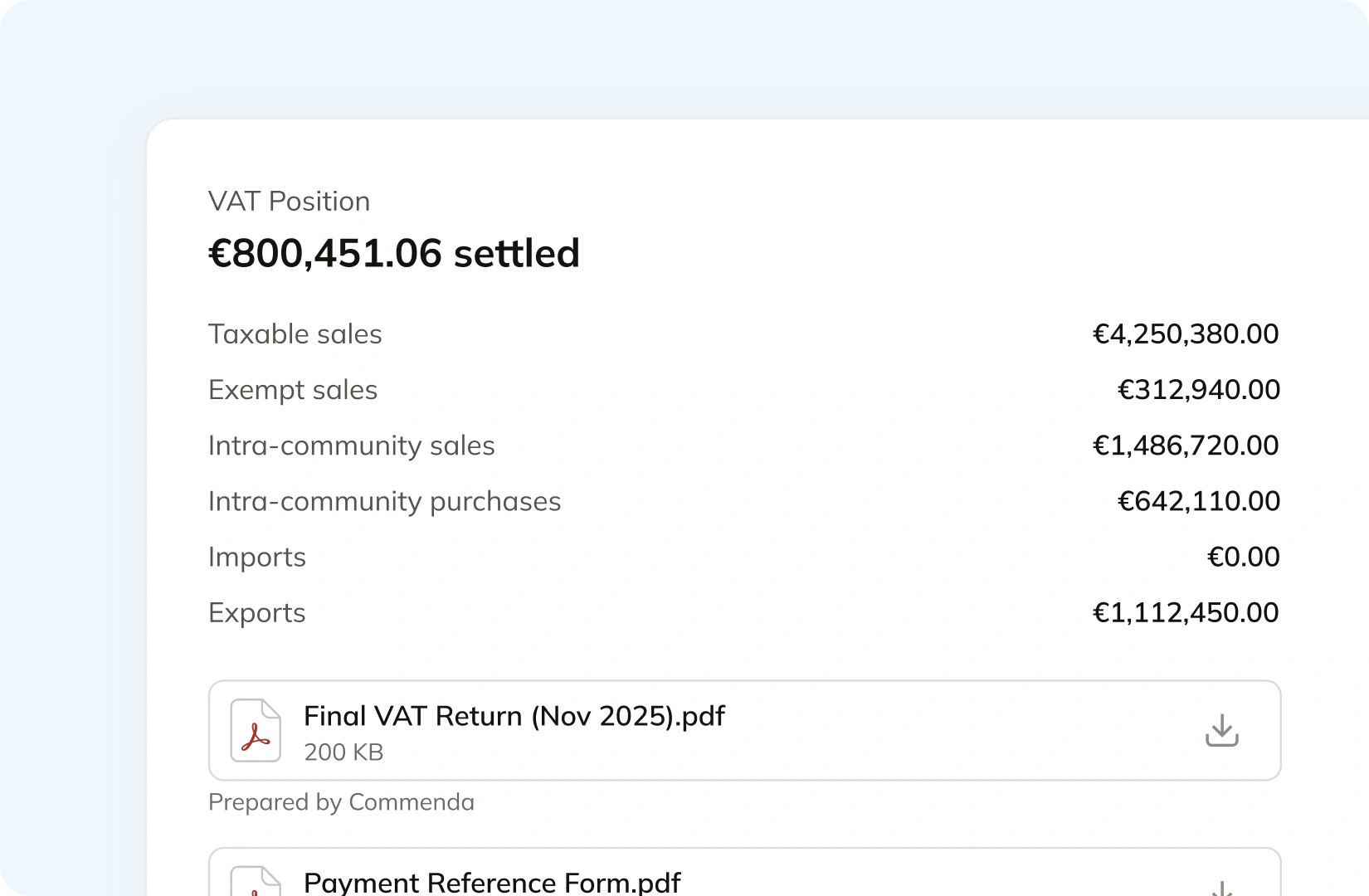
WooCommerce says plainly that filing and remittance stay with you. Commenda builds the return from the same orders that were calculated at the checkout, so nothing gets exported or re-keyed. Returns go out across all 50 states, plus EU VAT with OSS and GST in APAC and Canada, with amendments where a period needs correcting. Each order carries the tax it actually charged, so the return reconciles to it.
Manage your customers and exemptions in one place
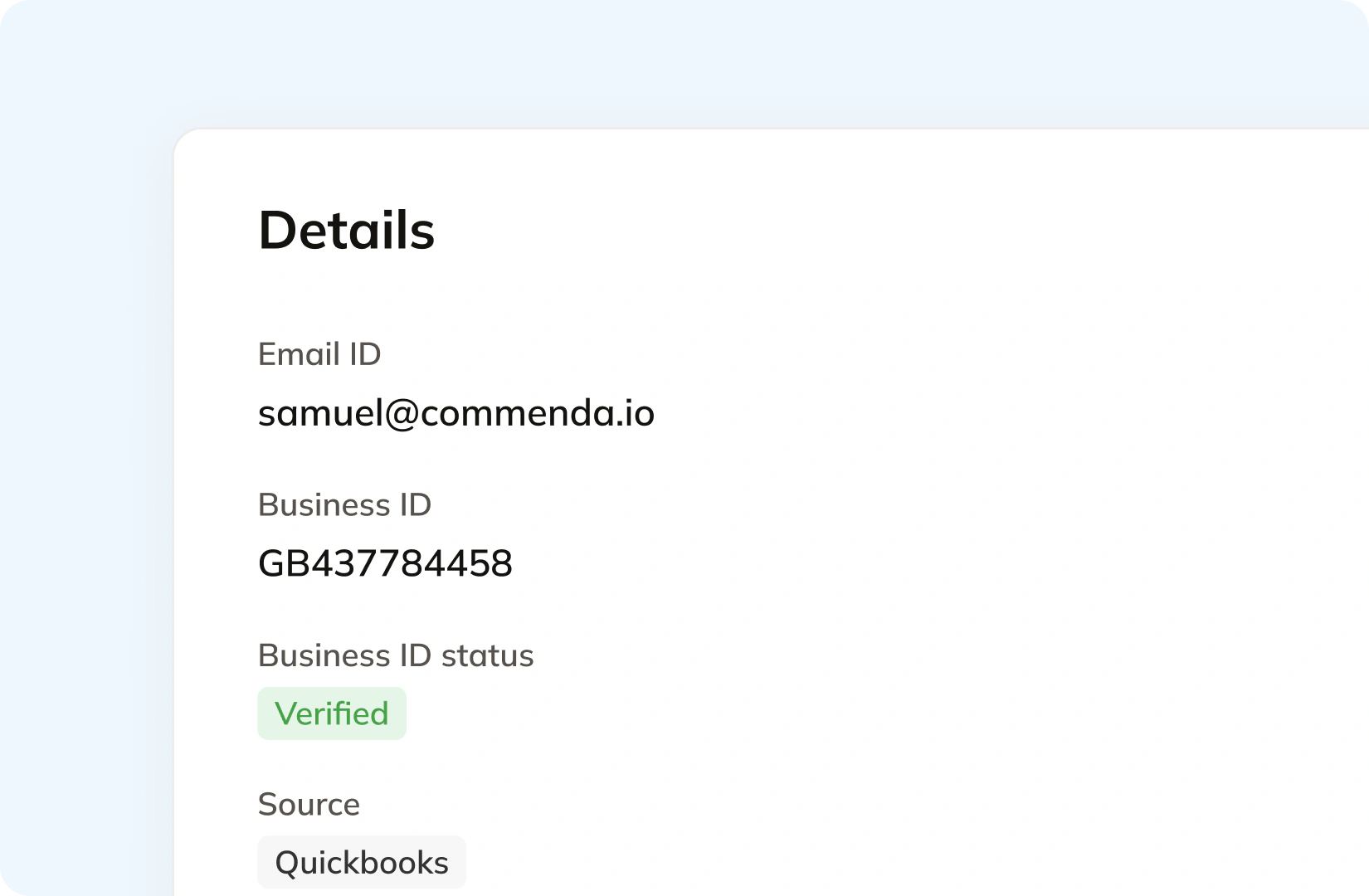
WooCommerce has no exemption certificate record in core. A paid extension collects and validates EU VAT numbers at the checkout, and WooCommerce notes it can no longer validate a UK one. Commenda handles getting the certificate in the first place. Your customers upload through a portal that can carry your branding, each one is validated on upload, and it applies automatically in the states where it is valid. Expiries are tracked and chased.
Consolidation
Why does WooCommerce not know your total exposure?
WooCommerce is your storefront, and tax is a plugin decision inside it. Filing one return means knowing which orders were taxed correctly, which states you actually owe, and which rate rows have gone stale. Commenda solves that.
Your store is not a marketplace, so every order is yours to file
WooCommerce runs on your own WordPress install, which makes you the merchant of record on every order. No facilitator collects the tax and no facilitator files the return. All of it counts toward your own economic nexus threshold in every state you ship to, most commonly $100,000 in sales or 200 transactions in a year, and $500,000 in California and Texas.
A rate row is a decision you made once, at a rate that has since moved
WooCommerce's own sample US tax file covers state tax only, and WooCommerce says it should not be used live because rates frequently change. Every county, city, and district rate you did not enter is tax you undercollected and still owe. Reading the order history finds it in both directions, the states you never charged and the rows that no longer match.
On a self-hosted store, every plugin is a version you keep in step
The upgrade path is yours, and WooCommerce documents what that costs. Its 3.2.1 release changed how tax rates are stored, a change it describes as permanent and not reversible, and older orders keep the previous format, so the tax report shows both at once. Stores on core below 10.4.0 get incorrect totals in that report.
One ledger behind every channel
A WooCommerce store is rarely the only source of revenue. A marketplace, a billing platform, and a second storefront land in the same exposure figure, and only some of it arrives already taxed. Every source connects to one ledger, across 100+ supported integrations, and each transaction carries its origin, product tax code, and any tax already collected. That gives one number per state and one return per period, which is what global indirect tax at Commenda covers. If you only need the combined rate at a single delivery address, the sales tax calculator does that on its own.
What it takes
What does global indirect tax take in WooCommerce?
WooCommerce is self-hosted, so tax is not a tier you buy. It is a set of things you install and keep in step. The core tax settings are free and so is WooCommerce Tax, and the last row concedes exactly that. The cost of growth here is dependency and maintenance.
| What you need | What WooCommerce requires | Source |
|---|---|---|
| Tax rates that update without you touching them | WooCommerce Tax, which is free. WooCommerce states it supports one store location, so if you operate in multiple countries or states you need a different tool | Set up sales tax on Woo |
| Tax in a state you are registered in but not based in | A rate row you add by hand, alongside automated taxes. Each row carries a country, state, postcode, city, rate, name, priority, compound flag, and shipping flag | WooCommerce Tax |
| A US rate table to start from | WooCommerce's sample CSV, which covers state tax only. WooCommerce says it should not be used for live purposes, because tax rates frequently change | Setting up taxes |
| EU VAT on digital goods | A separate tax class, plus one rate row for each of the 27 member states. WooCommerce states that if VAT rates change, you need to update them for your store | EU VAT for digital products |
| Collecting and validating a customer's EU VAT number | The paid EU VAT Number extension. WooCommerce states it can no longer validate UK VAT numbers, because HMRC now requires each merchant to register an API key | EU VAT Number |
| An IOSS return on goods imported into the EU | A second paid extension, built by a third party, which generates a report carrying the data you need to submit the monthly IOSS VAT return yourself | IOSS EU VAT |
| Turning automated taxes on without changing your storefront | Not possible. Prices become exclusive of tax store-wide, tax is calculated on the customer shipping address, and the manual rates you had set are overridden | WooCommerce Tax guide |
| Correct tax totals in your analytics report | WooCommerce 10.4.0 or later. Earlier versions calculate incorrect totals when multiple rate priorities exist for one location, which itemized rates always produce | WooCommerce Tax guide |
| What WooCommerce charges you for tax | Nothing. The core tax settings and WooCommerce Tax are both free, and WooCommerce Tax has 500K+ active installs. Filing, certificates, EU VAT numbers, and IOSS are paid add-ons | WooCommerce Tax |
Tax rates that update without you touching them
WooCommerce Tax, which is free. WooCommerce states it supports one store location, so if you operate in multiple countries or states you need a different tool
Set up sales tax on WooTax in a state you are registered in but not based in
A rate row you add by hand, alongside automated taxes. Each row carries a country, state, postcode, city, rate, name, priority, compound flag, and shipping flag
WooCommerce TaxA US rate table to start from
WooCommerce's sample CSV, which covers state tax only. WooCommerce says it should not be used for live purposes, because tax rates frequently change
Setting up taxesEU VAT on digital goods
A separate tax class, plus one rate row for each of the 27 member states. WooCommerce states that if VAT rates change, you need to update them for your store
EU VAT for digital productsCollecting and validating a customer's EU VAT number
The paid EU VAT Number extension. WooCommerce states it can no longer validate UK VAT numbers, because HMRC now requires each merchant to register an API key
EU VAT NumberAn IOSS return on goods imported into the EU
A second paid extension, built by a third party, which generates a report carrying the data you need to submit the monthly IOSS VAT return yourself
IOSS EU VATTurning automated taxes on without changing your storefront
Not possible. Prices become exclusive of tax store-wide, tax is calculated on the customer shipping address, and the manual rates you had set are overridden
WooCommerce Tax guideCorrect tax totals in your analytics report
WooCommerce 10.4.0 or later. Earlier versions calculate incorrect totals when multiple rate priorities exist for one location, which itemized rates always produce
WooCommerce Tax guideWhat WooCommerce charges you for tax
Nothing. The core tax settings and WooCommerce Tax are both free, and WooCommerce Tax has 500K+ active installs. Filing, certificates, EU VAT numbers, and IOSS are paid add-ons
WooCommerce Tax
Figures verified on July 30, 2026.
From the field
Trusted by businesses across the globe


“The platform works exactly the way I need it to. I have one team member who manages all of our exemption certificates, and that functionality has been particularly efficient for us. It allows him to handle everything seamlessly, making the handoff significantly easier.”
VP of Finance, TRX






Compare Commenda sales tax software with competitors
WooCommerce lists paid tax extensions from Avalara, TaxJar, and Stripe. We compare the alternatives on coverage, ratings, and real pricing, and we say where each one wins.
More sales tax resources
Guides from the Commenda team on calculating rates, shipping tax, EU VAT, and late filing.
Frequently asked questions
Custom integration support for your business
No two WooCommerce stores carry the same plugins, tax classes, or checkout. We map how yours works, including which products sit in which tax class and which orders should be calculated, and build the integration to match.
Indirect Tax
Monitor nexus exposure, register, file, and remit sales tax and VAT in one platform. Commenda keeps you compliant across 100+ jurisdictions.
Explore the product
