Sales tax and VAT software for Salesforce
Salesforce is where the quote and the order are agreed, which makes the tax on them a commercial number rather than a reporting one. Salesforce calls that figure an estimate, supplies no rate data, and leaves registration, filing, and remittance to something else. Commenda covers all three, across all 50 states and 70+ countries.
Trusted by global businesses

































Quote the tax your customer will actually pay
Salesforce calls quote and order tax an estimate and treats the invoice as the final figure. Commenda calculates from the ship-to address and the product tax code, so the figure on the quote is the figure that bills.
Monitor your global exposure
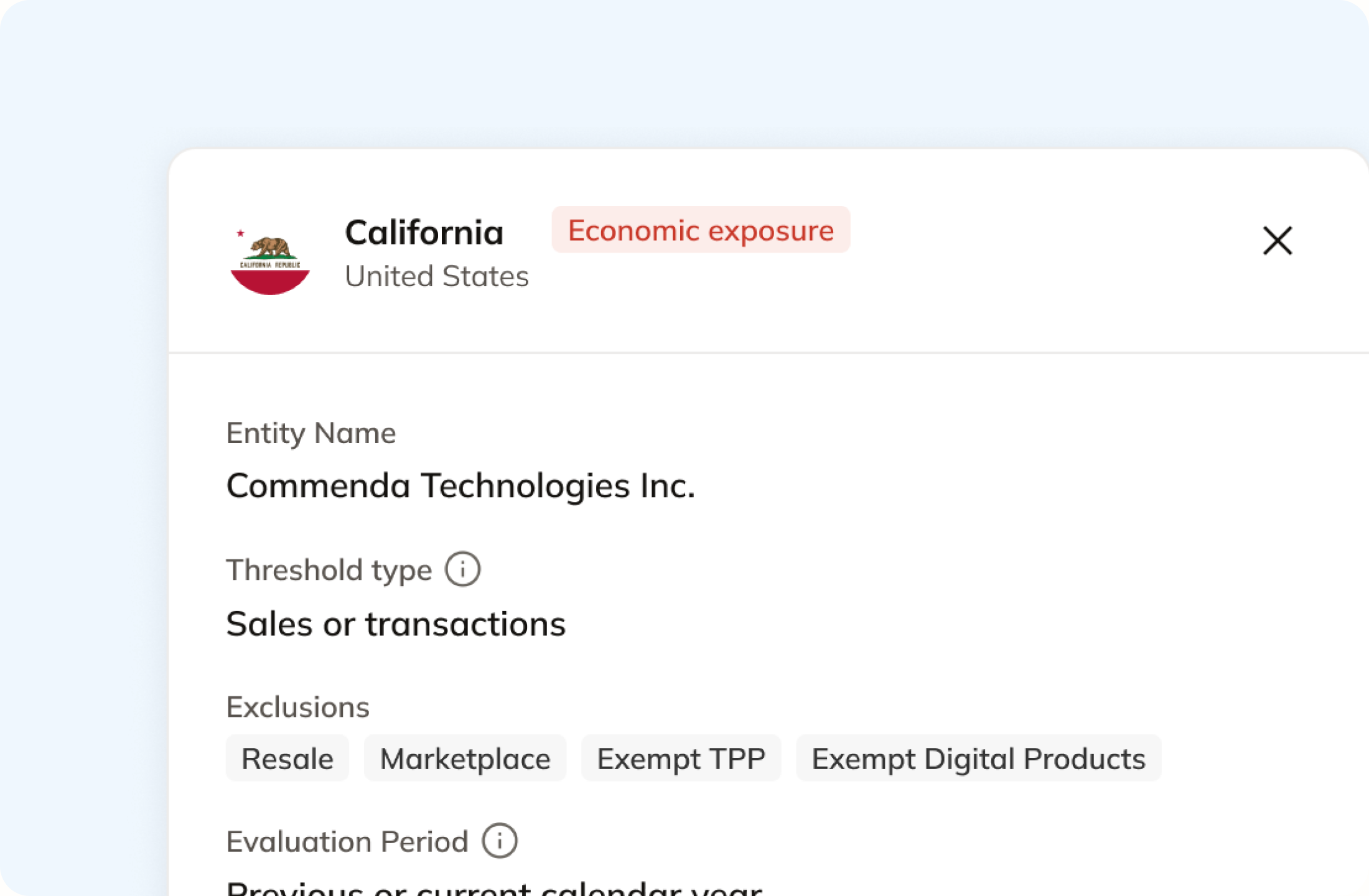
In Salesforce a tax rate is a record you create for one jurisdiction. Commenda measures the same revenue against economic and physical thresholds in all 50 states and 70+ countries, and notifies you at 80% of a threshold.
Register, file, and remit
Salesforce hands reporting to your tax engine or to a separate process. Commenda registers you, files across all 50 states and 70+ countries, and tracks remittance per jurisdiction.
Coverage comparison
What Salesforce is scoped to do, and what it hands back
Salesforce is a CRM and a quote-to-cash suite, so registering and filing were never in its scope. Calculation is, and CPQ and Billing do it differently. Its figures come from Salesforce Help on CPQ versus Billing tax, choosing a tax engine, standard engine considerations, standard engine guidelines, and applying taxes, checked on July 30, 2026.
Tax on the quote your customer signs
- Salesforce
- Needs an outside engine. Only AvaTax ships pre-packaged for CPQ
- Commenda
- Calculated from the ship-to address and the product tax code
Rates for each jurisdiction
- Salesforce
- Not supplied. Salesforce states it does not provide tax rate data
- Commenda
- Maintained across all 50 states and 70+ countries
Knowing where you owe
- Salesforce
- Not in scope. It taxes where you built a rate, and measures no thresholds
- Commenda
- Economic and physical thresholds in 50 states and 70+ countries, with alerts at 80%
Registrations for collecting tax
- Salesforce
- Not in scope. It is a quote-to-cash suite, not a filing agent
- Commenda
- Permits in all 50 states, EU VAT with OSS and IOSS, and GST across APAC and Canada
Returns, in the US and abroad
- Salesforce
- Not in scope. On its own engine, reporting is a separate process
- Commenda
- Filed in all 50 states and 70+ countries, amendments included
Remitting what you collected
- Salesforce
- Passed to your tax engine, and unposted invoices are ignored by it
- Commenda
- Tracked per jurisdiction, every filing
Exemption certificates
- Salesforce
- Not documented as a record. Exemptions feed the order calculation
- Commenda
- Collected, validated, stored, and applied automatically where valid
| Salesforce |  | |
|---|---|---|
| Tax on the quote your customer signs | Needs an outside engine. Only AvaTax ships pre-packaged for CPQ | Calculated from the ship-to address and the product tax code |
| Rates for each jurisdiction | Not supplied. Salesforce states it does not provide tax rate data | Maintained across all 50 states and 70+ countries |
| Knowing where you owe | Not in scope. It taxes where you built a rate, and measures no thresholds | Economic and physical thresholds in 50 states and 70+ countries, with alerts at 80% |
| Registrations for collecting tax | Not in scope. It is a quote-to-cash suite, not a filing agent | Permits in all 50 states, EU VAT with OSS and IOSS, and GST across APAC and Canada |
| Returns, in the US and abroad | Not in scope. On its own engine, reporting is a separate process | Filed in all 50 states and 70+ countries, amendments included |
| Remitting what you collected | Passed to your tax engine, and unposted invoices are ignored by it | Tracked per jurisdiction, every filing |
| Exemption certificates | Not documented as a record. Exemptions feed the order calculation | Collected, validated, stored, and applied automatically where valid |
Calculate taxes globally on Salesforce using Commenda
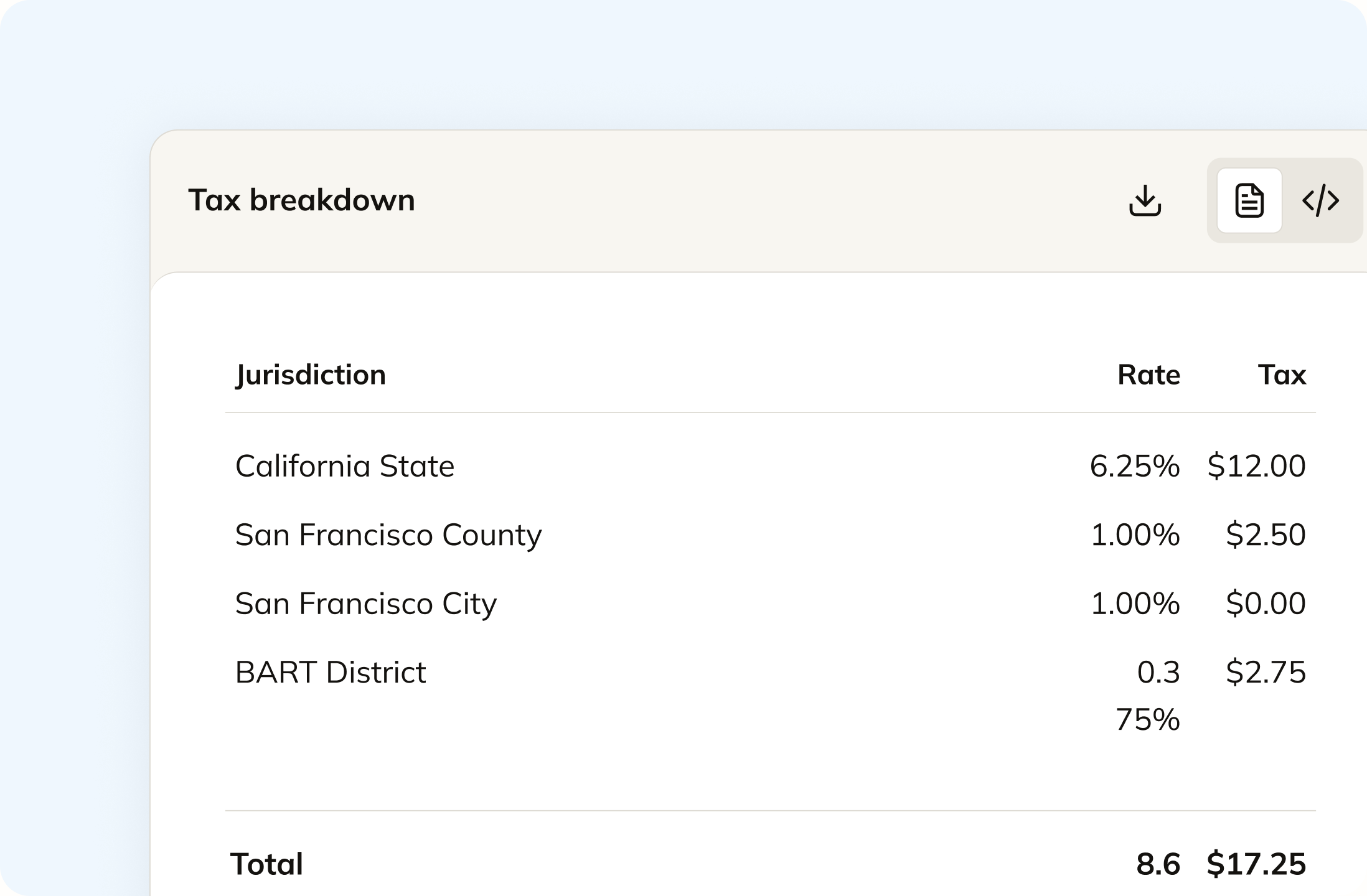
Salesforce Billing needs one tax rate record for every jurisdiction or address you tax in, and Salesforce states it does not supply the rate data. Commenda resolves state, county, city, and district rates from the ship-to address, and applies the product tax code for what you actually sell. Nothing has to be maintained by hand.
Track your global exposure from Salesforce
Salesforce taxes where you configured a rate and a legal entity. It does not measure whether you owe there. Commenda reads your revenue against economic and physical thresholds in all 50 states and 70+ countries, and tells you at 80%, before you cross. A short questionnaire covers physical presence, because a warehouse or a remote employee never shows up on an order.
Automatically remit transactions around the world
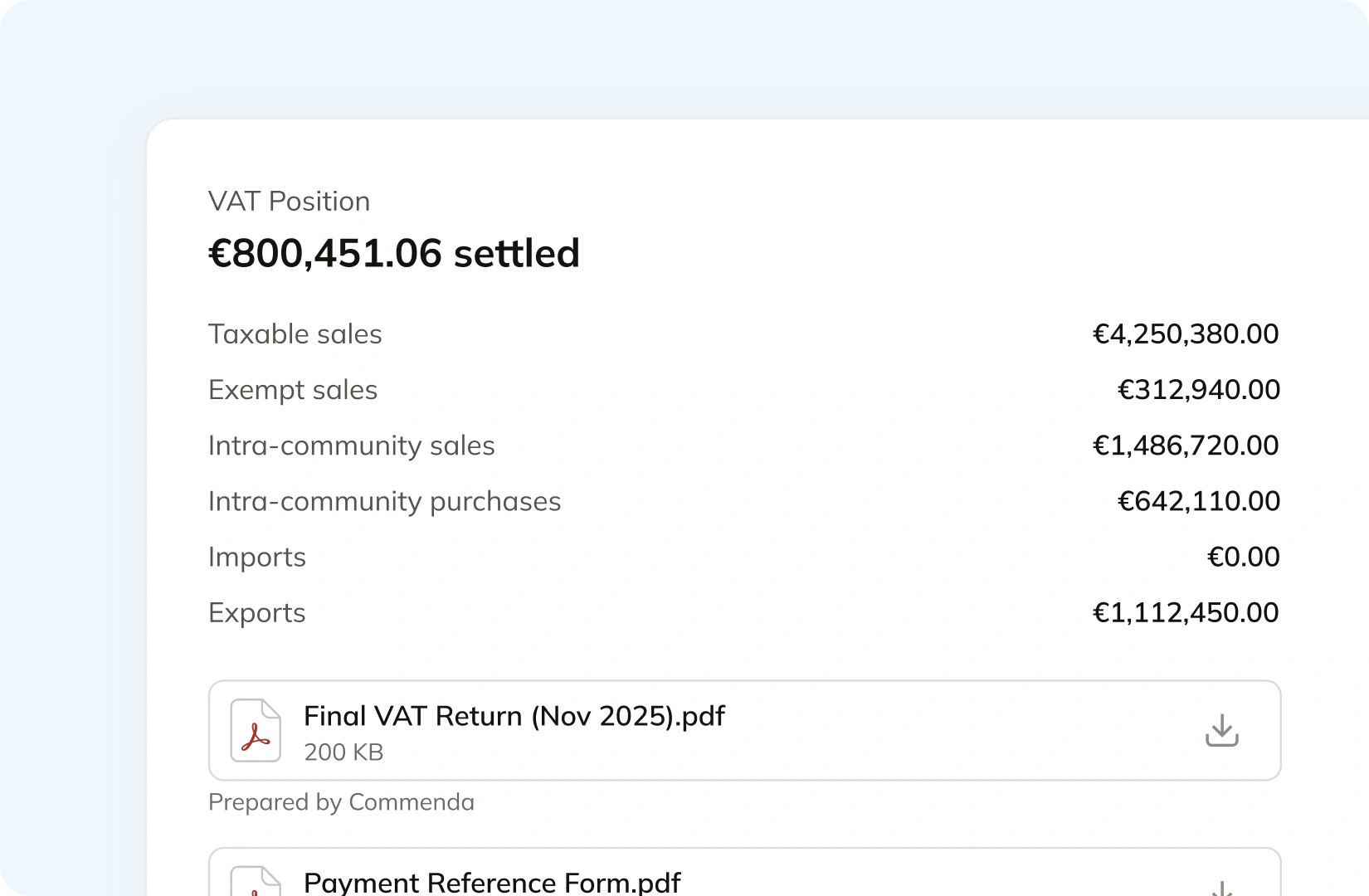
Salesforce documents reporting as a separate process on its own tax engine, and notes that third-party engines are where reporting tends to come from. Commenda builds the return from your transaction data instead. Returns go out across all 50 states, plus EU VAT with OSS and GST in APAC and Canada, with amendments where a period needs correcting. The liability and the filing confirmation post back to your ledger.
Manage your customers and exemptions in one place
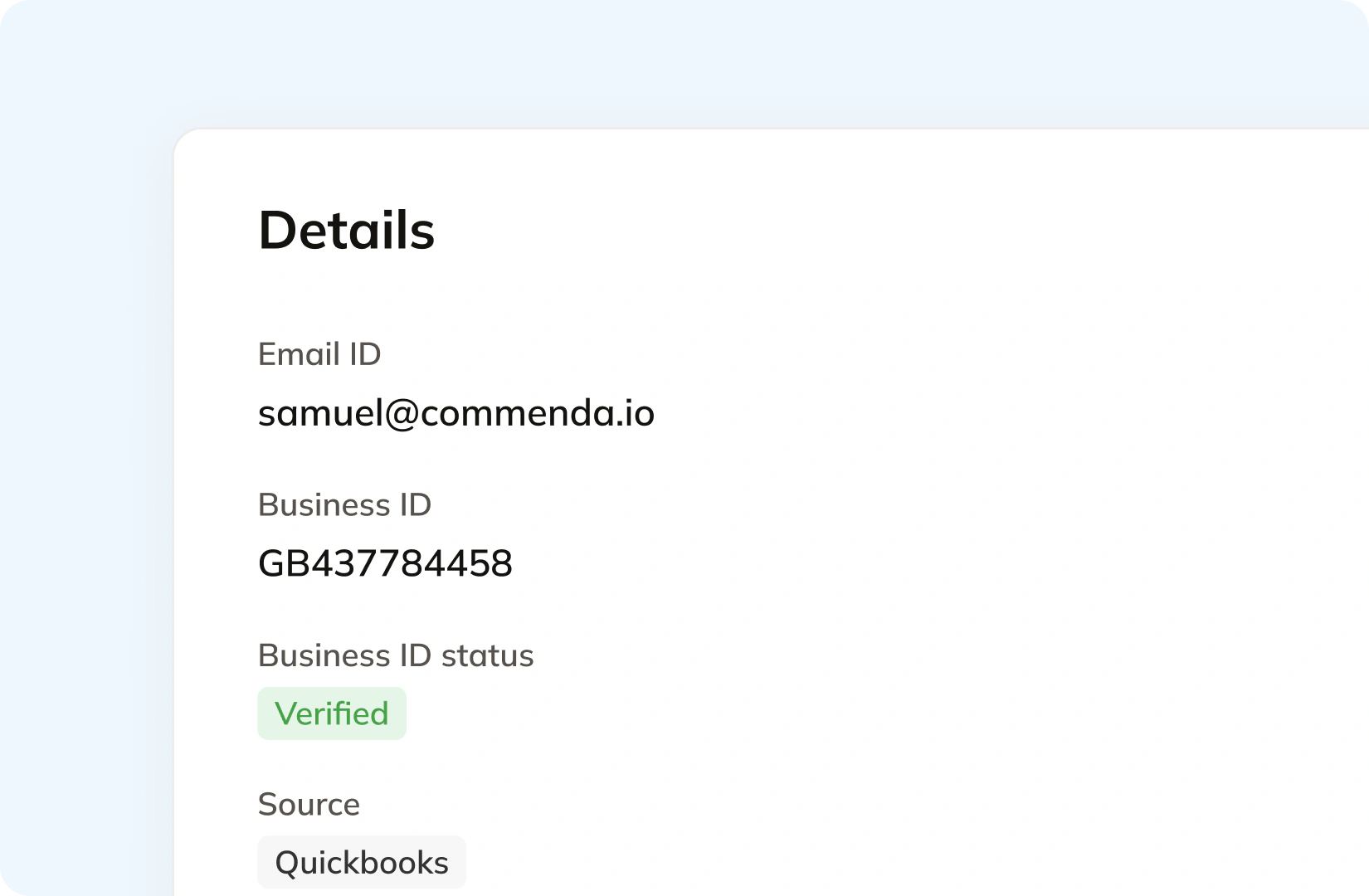
Salesforce lists exemptions as an input its order tax calculation can read. Getting the certificate is the harder half. Your customers upload through a portal that can carry your branding, each one is validated on upload, and it applies automatically in the states where it is valid. Expiries are tracked and chased, including the annual refreshes states like Florida require.
Consolidation
Why quote-stage tax is the expensive kind to get wrong
Salesforce is where revenue is agreed. That makes the tax on a quote a number your customer accepts, not a number you can quietly restate later. Getting it right needs rates you do not maintain, thresholds Salesforce does not measure, and a filing path it does not have.
A quote is a promise. An invoice is where the correction lands
Salesforce is explicit that quote and order tax are only estimates, and that Billing performs the final calculation on the invoice. It even recommends calculating quote tax on quotes with subtotals of $1 million or greater, because a large tax figure moves the total price. If the estimate was low, someone absorbs the difference. That is either a credit note or your margin.
Salesforce taxes the jurisdictions you configured
A tax rate in Salesforce Billing is a record for one jurisdiction, and Salesforce documents that a mismatched or null legal entity means no tax is calculated at all for that order product. Nothing in the system asks whether you should have been collecting there. Thresholds move, and they differ by state (see the state-by-state thresholds). Our sales tax calculator gives you the rate for an address, but the rate is the easy part.
Enterprise deals close in Salesforce. Self-serve revenue does not
Most Salesforce shops bill enterprise contracts through Salesforce and run self-serve through a payments or subscription platform. Each system measures its own share, so neither one knows the number that matters. Exposure has to be measured once, across every channel, against one threshold per state.
One ledger behind every channel
Every source connects to one ledger, across 100+ supported integrations. Each transaction carries its origin, product tax code, and any tax already collected, so marketplace revenue stays separate from revenue that still needs tax. The result is one exposure figure per state, one return per period, and every line traceable back to the order it came from (how global indirect tax works at Commenda).
What it takes
What global indirect tax takes in Salesforce
Salesforce publishes no list price for Salesforce Billing or its tax features, so there are no dollar figures here. What it does publish, in detail, is what each capability depends on. Its own tax engine costs nothing extra. The cost of growth is the rate data, the configuration, and the reporting.
| What you need | What Salesforce requires | Source |
|---|---|---|
| Tax on a quote your customer signs | A third-party tax engine or a custom configuration. Salesforce states your org must integrate with one, and that only AvaTax is available pre-packaged for CPQ | CPQ vs Billing tax |
| A rate for a city or a ZIP code | One tax rate record per jurisdiction or address, with every address level above the one you use filled in. A ZIP-level rate needs the ZIP, city, state, and country | Set up tax rates |
| Rates that stay current | Manual maintenance. Salesforce states that admins must update tax rate records when rates change, and that Salesforce does not provide tax rate data | Standard engine considerations |
| Any tax at all on an order product | Matching legal entities on the tax treatment and the tax rate. Salesforce states that if they do not match, or one is null, it does not calculate tax for that order product | Standard engine considerations |
| Anything past simple taxation | A third-party engine. Salesforce strongly recommends its own engine only for simple use cases, and does not support customizations made to its behaviour | Standard engine guidelines |
| Reporting you can file from | A third-party engine, or a separate process you run yourself. Salesforce notes third-party integrations often provide reporting services and its own engine does not | Choosing a tax engine |
| Remittance out of your invoice data | A posted invoice and an external engine. Salesforce notes most tax services use the posted data to remit or to drive remittance, and that external engines ignore unposted transactions | CPQ vs Billing tax |
| Line volume in a single calculation | Up to 1,000 quote lines per API call on the internal engine, and up to 2,200 invoice lines with Avalara. Each tax calculation is an independent call | CPQ vs Billing tax |
| Correct tax in a multicurrency org | Your own check. Salesforce states a 10% GBP tax rate applies 10% to a USD invoice line as well, because the rate's currency is ignored | Standard engine guidelines |
Tax on a quote your customer signs
A third-party tax engine or a custom configuration. Salesforce states your org must integrate with one, and that only AvaTax is available pre-packaged for CPQ
CPQ vs Billing taxA rate for a city or a ZIP code
One tax rate record per jurisdiction or address, with every address level above the one you use filled in. A ZIP-level rate needs the ZIP, city, state, and country
Set up tax ratesRates that stay current
Manual maintenance. Salesforce states that admins must update tax rate records when rates change, and that Salesforce does not provide tax rate data
Standard engine considerationsAny tax at all on an order product
Matching legal entities on the tax treatment and the tax rate. Salesforce states that if they do not match, or one is null, it does not calculate tax for that order product
Standard engine considerationsAnything past simple taxation
A third-party engine. Salesforce strongly recommends its own engine only for simple use cases, and does not support customizations made to its behaviour
Standard engine guidelinesReporting you can file from
A third-party engine, or a separate process you run yourself. Salesforce notes third-party integrations often provide reporting services and its own engine does not
Choosing a tax engineRemittance out of your invoice data
A posted invoice and an external engine. Salesforce notes most tax services use the posted data to remit or to drive remittance, and that external engines ignore unposted transactions
CPQ vs Billing taxLine volume in a single calculation
Up to 1,000 quote lines per API call on the internal engine, and up to 2,200 invoice lines with Avalara. Each tax calculation is an independent call
CPQ vs Billing taxCorrect tax in a multicurrency org
Your own check. Salesforce states a 10% GBP tax rate applies 10% to a USD invoice line as well, because the rate's currency is ignored
Standard engine guidelines
Figures verified on July 30, 2026.
From the field
Trusted by businesses across the globe


“The platform works exactly the way I need it to. I have one team member who manages all of our exemption certificates, and that functionality has been particularly efficient for us. It allows him to handle everything seamlessly, making the handoff significantly easier.”
VP of Finance, TRX






Compare Commenda sales tax software with competitors
Salesforce names Avalara and Vertex in its own tax documentation, and both publish AppExchange connectors. We compare the alternatives on coverage, ratings, and real pricing, and we say where each one wins.
More sales tax resources
Guides from the Commenda team on SaaS taxability, subscription revenue, and rate accuracy.
Frequently asked questions
Custom integration support for your business
Every Salesforce org is configured differently, and those choices exist for good reasons. We map how yours works, including which records should feed tax and which revenue arrives already taxed, and build the integration to match.
Indirect Tax
Monitor nexus exposure, register, file, and remit sales tax and VAT in one platform. Commenda keeps you compliant across 100+ jurisdictions.
Explore the product
