Sales tax and VAT software for Pipedrive
Pipedrive is a sales CRM, so tax on a product is a percentage you type in and the invoice is raised somewhere else. That means your exposure cannot be measured from the CRM alone. Commenda reads the system that records your revenue, then registers, files, and remits across all 50 states and 70+ countries.
Trusted by global businesses

































Calculate tax without typing rates
In Pipedrive, tax on a product is a percentage you enter by hand. Commenda resolves state, county, city, and district rates from the ship-to address, and applies the product tax code for what you actually sell.
Measure exposure where revenue is recorded
A won deal is a commitment. The accounting system behind it is what records the sale. Commenda reads the system that raises your invoices, plus every other channel, and measures one exposure figure per state against thresholds in 50 states and 70+ countries.
Register, file, and remit
Commenda gets the permits, files across all 50 states and 70+ countries on each jurisdiction's frequency, and tracks remittance per filing. An in-house team handles the state correspondence.
Coverage comparison
What Pipedrive is scoped to do, and what sits outside it
Pipedrive is a sales CRM, so most of the rows below are outside what it is built to do, and they say so rather than pretending otherwise. Its figures come from Pipedrive's Knowledge Base on products, tax options on a deal, the QuickBooks integration, and Smart Docs, checked on July 30, 2026.
Tax on a deal line
- Pipedrive
- A percentage you type in. Tax inclusive, tax exclusive, or no tax
- Commenda
- Resolved from the ship-to address and the product tax code
Rates by jurisdiction
- Pipedrive
- Not in scope. There is no address in the calculation
- Commenda
- State, county, city, and district rates across 50 states and 70+ countries
Raising the invoice
- Pipedrive
- Through an integration. Its own help centre files invoicing under Integrations
- Commenda
- Read from whichever system raises it, across 100+ integrations
Knowing where you owe
- Pipedrive
- Not in scope. It is a sales CRM, and a won deal is not an invoice
- Commenda
- Economic and physical thresholds in 50 states and 70+ countries, with alerts at 80%
Registrations for collecting tax
- Pipedrive
- Not in scope
- Commenda
- Permits in all 50 states, EU VAT with OSS and IOSS, and GST across APAC and Canada
Returns and remittance
- Pipedrive
- Not in scope
- Commenda
- Filed in all 50 states and 70+ countries, with remittance tracked per jurisdiction
Exemption certificates
- Pipedrive
- Not in scope. A customer tax ID is a custom field you build
- Commenda
- Collected, validated, stored, and applied automatically where valid
| Pipedrive |  | |
|---|---|---|
| Tax on a deal line | A percentage you type in. Tax inclusive, tax exclusive, or no tax | Resolved from the ship-to address and the product tax code |
| Rates by jurisdiction | Not in scope. There is no address in the calculation | State, county, city, and district rates across 50 states and 70+ countries |
| Raising the invoice | Through an integration. Its own help centre files invoicing under Integrations | Read from whichever system raises it, across 100+ integrations |
| Knowing where you owe | Not in scope. It is a sales CRM, and a won deal is not an invoice | Economic and physical thresholds in 50 states and 70+ countries, with alerts at 80% |
| Registrations for collecting tax | Not in scope | Permits in all 50 states, EU VAT with OSS and IOSS, and GST across APAC and Canada |
| Returns and remittance | Not in scope | Filed in all 50 states and 70+ countries, with remittance tracked per jurisdiction |
| Exemption certificates | Not in scope. A customer tax ID is a custom field you build | Collected, validated, stored, and applied automatically where valid |
Calculate taxes globally on Pipedrive using Commenda
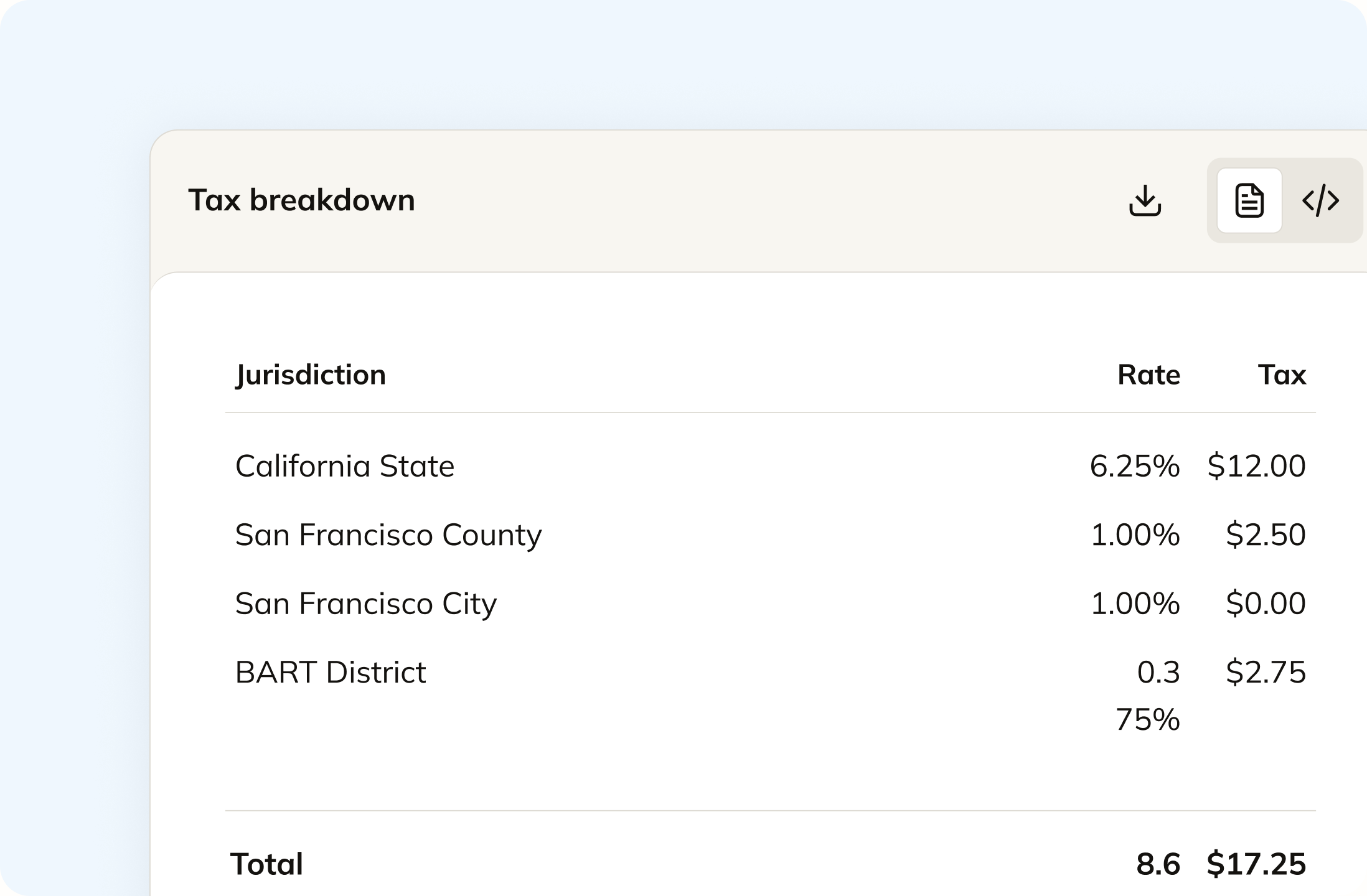
Pipedrive holds one tax percentage per product, entered by hand, with no address in the calculation. Commenda resolves state, county, city, and district rates from the ship-to address on the transaction, and applies the product tax code for what you sell. A product taxable in one state and exempt in another is handled without you keeping a 50-state matrix.
Track your global exposure from Pipedrive
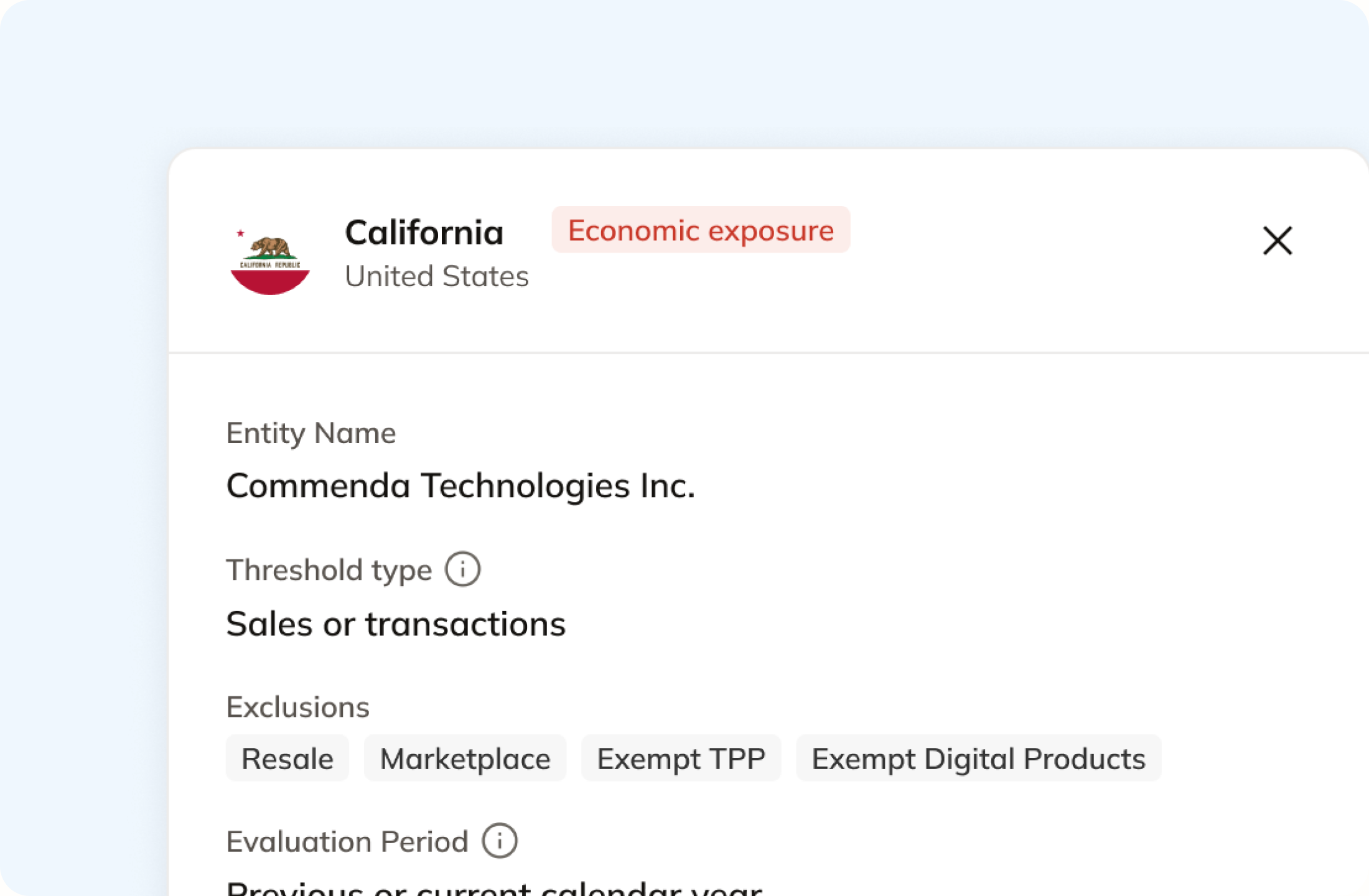
A deal marked won in Pipedrive tells you a commitment exists. It does not tell you what was invoiced, when, or where it shipped. Commenda reads the accounting or billing system behind the CRM, plus every other channel, and measures the total against economic and physical thresholds in all 50 states and 70+ countries. You get notified at 80% of a threshold, before you cross.
Automatically remit transactions around the world
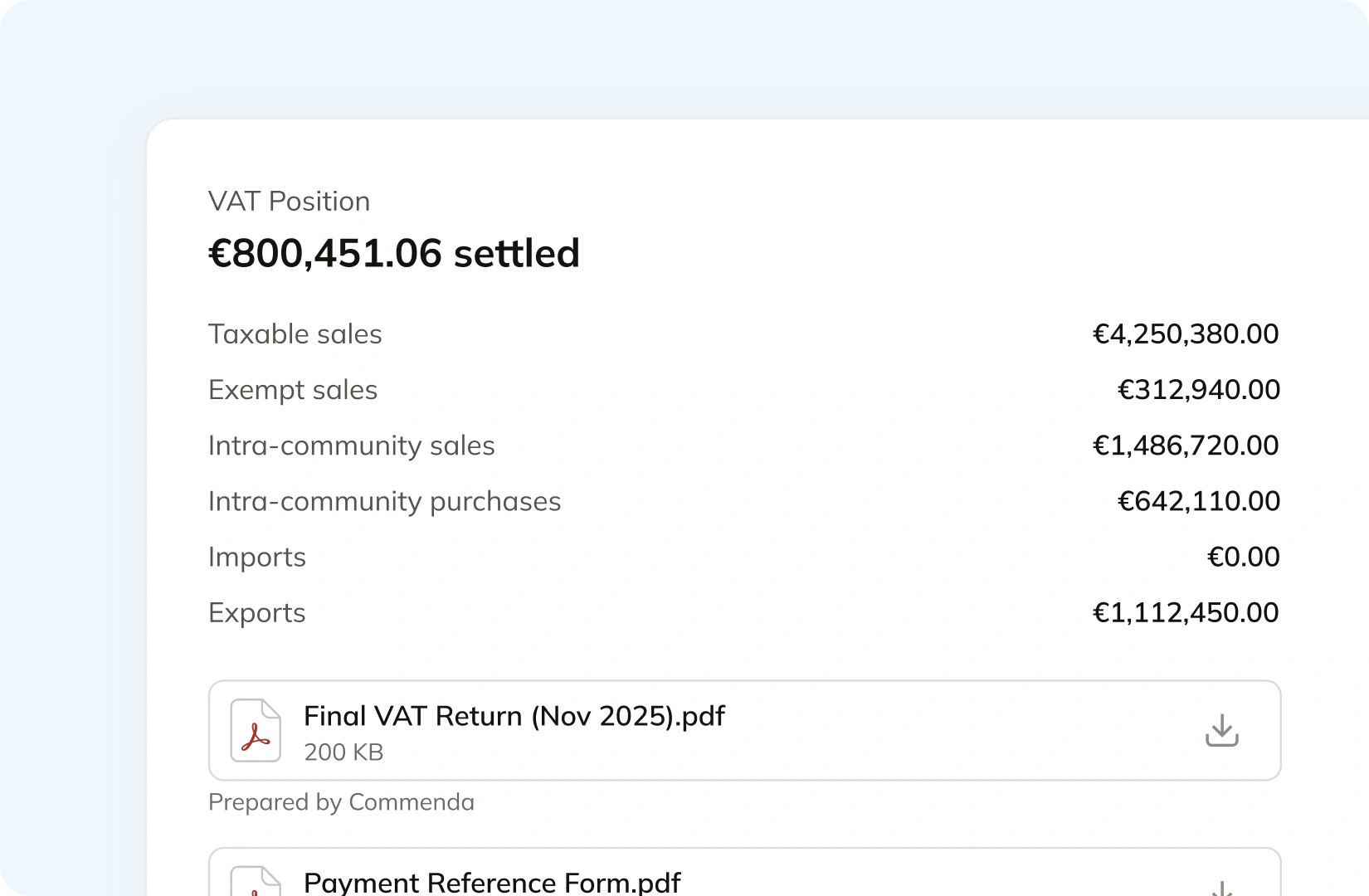
Commenda gets the permits in all 50 states, EU VAT with OSS and IOSS, and GST across APAC and Canada. Returns go out on each jurisdiction's required frequency, with amendments where a period needs correcting, and remittance is tracked per jurisdiction. State notices route into an operations queue that triages and responds, so you are not parsing letters yourself.
Manage your customers and exemptions in one place
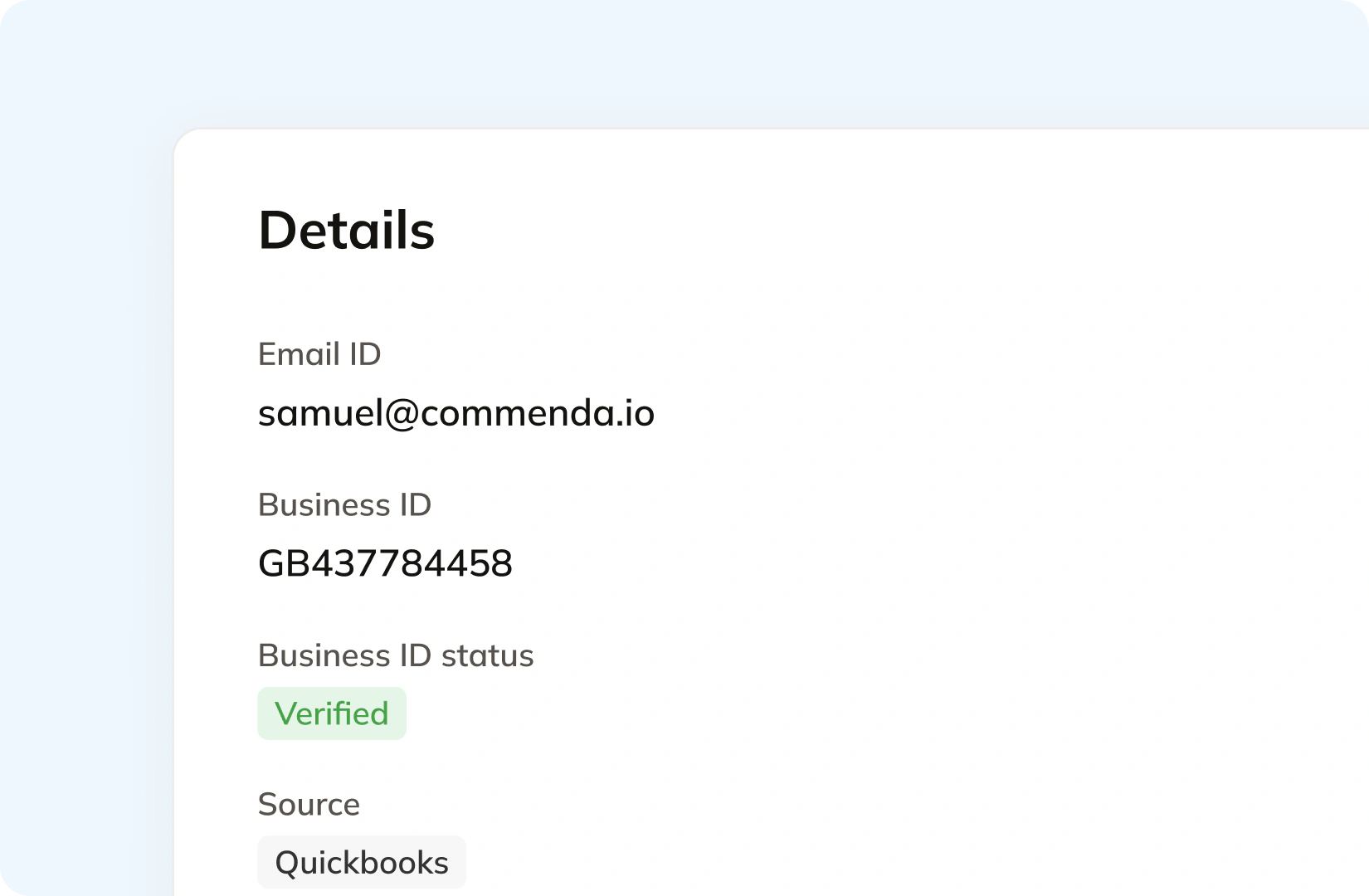
In Pipedrive a customer tax ID is a custom field you create, and its own QuickBooks guide suggests exactly that. Commenda holds the verified tax ID and the exemption certificate against the customer record. Your customers upload through a portal that can carry your branding, each certificate is validated on upload, and it applies automatically in the states where it is valid. Expiries are tracked and chased.
Consolidation
Why a CRM cannot tell you your tax exposure
A CRM records what you agreed to sell. Sales tax is assessed on what you invoiced, where it went, and in which period. Those two are close enough to feel interchangeable and far enough apart to leave a registration missed for a year.
The CRM is where revenue is committed
A deal marked won carries a value and a close date. Nexus is measured on invoiced revenue by ship-to location and by period, and a deal record holds neither reliably. Pipedrive's own help centre puts invoicing under Integrations, which is the honest structure: something else raises the invoice, and that something else is where exposure has to be read from.
A single tax percentage is a guess in 45 states
Pipedrive holds one tax figure per product and states that any tax values must be added manually. 45 states levy sales tax, and rates combine at state, county, city, and district level, so one number cannot be right in more than one place at a time. Our sales tax calculator shows what a single address resolves to.
Small teams cross thresholds without a finance function noticing
Economic nexus starts at $100,000 of sales in most states, and some count exempt sales and marketplace sales toward it (thresholds state by state). A team running its pipeline in Pipedrive and its books in a small accounting package usually finds out after the fact, when a state notice arrives or a fundraise diligence list asks for filing history.
One ledger behind every channel
Every source connects to one ledger, across 100+ supported integrations, with a REST API and a mapped monthly CSV where no native connector exists. Each transaction carries its origin, product tax code, and any tax already collected, so marketplace revenue stays separate from revenue that still needs tax. The result is one exposure figure per state and one return per period (how global indirect tax works at Commenda).
What it takes
What global indirect tax takes in Pipedrive
Pipedrive publishes plan pricing, but nothing about tax is gated behind a tier: the Products feature is on every plan and the tax field comes with it. So a price table would tell you nothing. What is worth publishing is what each capability depends on, and the answer is usually a second system or your own hand.
| What you need | What Pipedrive requires | Source |
|---|---|---|
| A tax rate on a product or a deal line | Typing it in. Pipedrive states that any tax values must be added manually, either in the product details or in the Add products window of the deal | Linking products to a deal |
| Choosing whether the price includes tax | A per-deal setting with three options: tax inclusive, where price and deal value include tax, tax exclusive, where the tax shows in the total only, and no tax | Linking products to a deal |
| A default tax across new products | The account-level default tax setting under Tools and apps, Products. The Products feature itself is available on all plans | Products |
| An actual invoice | An integration. Pipedrive files its invoicing help under Integrations, and its QuickBooks app works with QuickBooks Online only | QuickBooks integration |
| A tax rate that varies by customer location | Not part of it. The QuickBooks integration carries a single default tax rate for products on new invoices, which you override per invoice | QuickBooks integration |
| A customer tax ID on the record | A custom field you create. Pipedrive's own guidance is to build one and map it into the invoice | QuickBooks integration |
| Two currencies on one deal | Not supported. Pipedrive states each deal can only hold products in one currency, and price variations cover same-currency variants | Linking products to a deal |
| A quote or proposal document | Smart Docs, on the Premium and Ultimate plans. Lite and Growth buy it as an add-on, and it needs Google Drive, OneDrive, or SharePoint connected | Smart Docs |
| Products staying in step with the accounting system | Your own discipline. Pipedrive notes that changes to existing products on its side are not reflected in QuickBooks, and the reverse is also true | QuickBooks integration |
A tax rate on a product or a deal line
Typing it in. Pipedrive states that any tax values must be added manually, either in the product details or in the Add products window of the deal
Linking products to a dealChoosing whether the price includes tax
A per-deal setting with three options: tax inclusive, where price and deal value include tax, tax exclusive, where the tax shows in the total only, and no tax
Linking products to a dealA default tax across new products
The account-level default tax setting under Tools and apps, Products. The Products feature itself is available on all plans
ProductsAn actual invoice
An integration. Pipedrive files its invoicing help under Integrations, and its QuickBooks app works with QuickBooks Online only
QuickBooks integrationA tax rate that varies by customer location
Not part of it. The QuickBooks integration carries a single default tax rate for products on new invoices, which you override per invoice
QuickBooks integrationA customer tax ID on the record
A custom field you create. Pipedrive's own guidance is to build one and map it into the invoice
QuickBooks integrationTwo currencies on one deal
Not supported. Pipedrive states each deal can only hold products in one currency, and price variations cover same-currency variants
Linking products to a dealA quote or proposal document
Smart Docs, on the Premium and Ultimate plans. Lite and Growth buy it as an add-on, and it needs Google Drive, OneDrive, or SharePoint connected
Smart DocsProducts staying in step with the accounting system
Your own discipline. Pipedrive notes that changes to existing products on its side are not reflected in QuickBooks, and the reverse is also true
QuickBooks integration
Figures verified on July 30, 2026.
From the field
Trusted by businesses across the globe


“The platform works exactly the way I need it to. I have one team member who manages all of our exemption certificates, and that functionality has been particularly efficient for us. It allows him to handle everything seamlessly, making the handoff significantly easier.”
VP of Finance, TRX






Compare Commenda sales tax software with competitors
Teams running a CRM and a small accounting package usually reach for TaxJar or Avalara first. We compare the alternatives on coverage, ratings, and real pricing, and we say where each one wins.
More sales tax resources
Guides from the Commenda team on first registrations, permits, and outsourcing compliance.
Frequently asked questions
Custom integration support for your business
Pipedrive shops are set up in very different ways, from a CRM plus one accounting package to a CRM plus three billing systems. We map where your revenue is actually recorded, and build the integration around that rather than around a template.
Indirect Tax
Monitor nexus exposure, register, file, and remit sales tax and VAT in one platform. Commenda keeps you compliant across 100+ jurisdictions.
Explore the product
