Sales tax and VAT software for Odoo
Odoo sends your VAT return to HMRC in the UK and files through Intervat in Belgium. In Australia its own docs tell you to copy the values onto the ATO portal, and in the United States it documents no filing path at all. Commenda registers you, files, and remits across all 50 states and 70+ countries from the same Odoo data.
Trusted by global businesses

































Monitor your global exposure
A fiscal position applies the taxes you already configured. Commenda measures your Odoo invoices against economic and physical thresholds in all 50 states and 70+ countries, and notifies you at 80% of a threshold.
Calculate on rates you do not maintain
Your localization package created your taxes when the database was created, and most rates ship inactive. Commenda maintains the rate per jurisdiction outside Odoo, so a rate change is not a configuration task.
File the returns Odoo leaves you to submit
Odoo submits VAT returns in the UK, Belgium, and India. In Australia its own docs tell you to copy the values onto the ATO portal. In the United States it documents no filing path at all.
Coverage comparison
What Odoo handles, and what it hands back
Odoo's answers depend on which fiscal localization you installed, so the row below is the general rule with the exceptions named. Its figures come from Odoo's own docs on taxes, the tax return, the US localization, Making Tax Digital, GST return filing in India, OSS, electronic invoicing, the AvaTax integration, and VAT number verification, checked on July 30, 2026.
Knowing where you owe
- Odoo
- Not documented. Nothing in Odoo's docs watches a registration threshold
- Commenda
- Economic and physical thresholds in 50 states and 70+ countries, with alerts before you cross
Registrations for collecting tax
- Odoo
- Not handled. You configure the tax and the fiscal position yourself
- Commenda
- Permits in all 50 states, EU VAT with OSS and IOSS, and GST across APAC and Canada
Keeping US jurisdiction rates current
- Odoo
- Partly, through AvaTax. Native US taxes are records you created and maintain
- Commenda
- Maintained per jurisdiction and applied per transaction, with no setup task on your side
Filing your US sales tax returns
- Odoo
- Not handled. Odoo documents no US filing path, and Avalara files from its own portal
- Commenda
- Filed in all 50 states, amendments included
Filing VAT and GST elsewhere
- Odoo
- Partly. It submits in the UK, Belgium, and India. Australia is copy the values across
- Commenda
- Filed across 70+ countries from one platform
Remitting what you collected
- Odoo
- Not handled. You mark the return paid once you have paid it
- Commenda
- Tracked per jurisdiction, every filing
Exemption certificates
- Odoo
- Stored in Avalara, not collected. Certificate images need Avalara's ECM add-on
- Commenda
- Collected, validated, stored, and applied automatically where valid
| Odoo |  | |
|---|---|---|
| Knowing where you owe | Not documented. Nothing in Odoo's docs watches a registration threshold | Economic and physical thresholds in 50 states and 70+ countries, with alerts before you cross |
| Registrations for collecting tax | Not handled. You configure the tax and the fiscal position yourself | Permits in all 50 states, EU VAT with OSS and IOSS, and GST across APAC and Canada |
| Keeping US jurisdiction rates current | Partly, through AvaTax. Native US taxes are records you created and maintain | Maintained per jurisdiction and applied per transaction, with no setup task on your side |
| Filing your US sales tax returns | Not handled. Odoo documents no US filing path, and Avalara files from its own portal | Filed in all 50 states, amendments included |
| Filing VAT and GST elsewhere | Partly. It submits in the UK, Belgium, and India. Australia is copy the values across | Filed across 70+ countries from one platform |
| Remitting what you collected | Not handled. You mark the return paid once you have paid it | Tracked per jurisdiction, every filing |
| Exemption certificates | Stored in Avalara, not collected. Certificate images need Avalara's ECM add-on | Collected, validated, stored, and applied automatically where valid |
Calculate taxes globally on Odoo using Commenda
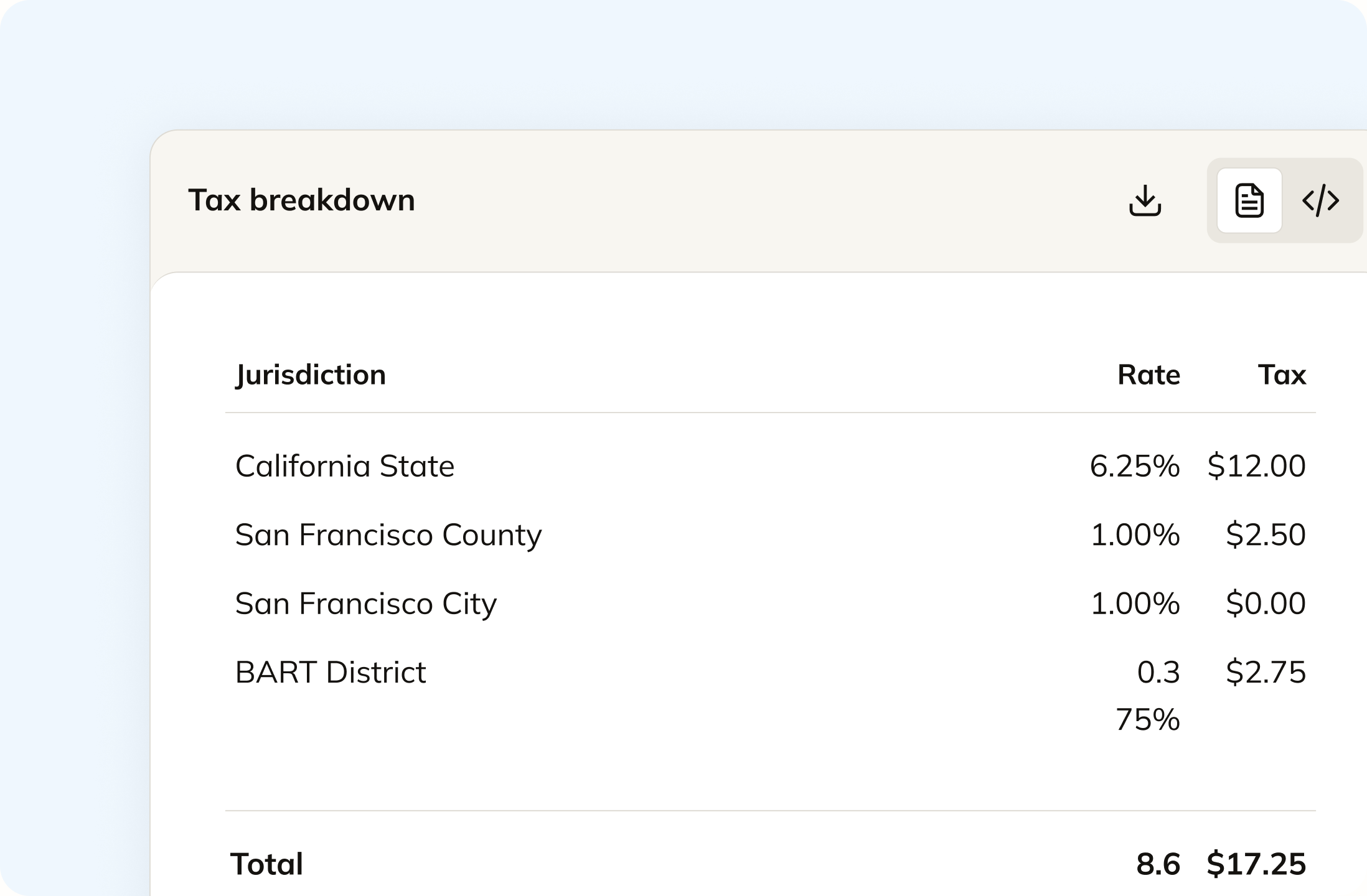
In Odoo a tax is a record you created, and a fiscal position decides when it swaps in. Commenda works from the ship-to address instead, down to state, county, city, and special district. One invoice can carry a taxable line and an exempt line, and each is handled correctly. Revenue that arrived already taxed from another system stays untouched.
Track your global exposure from Odoo
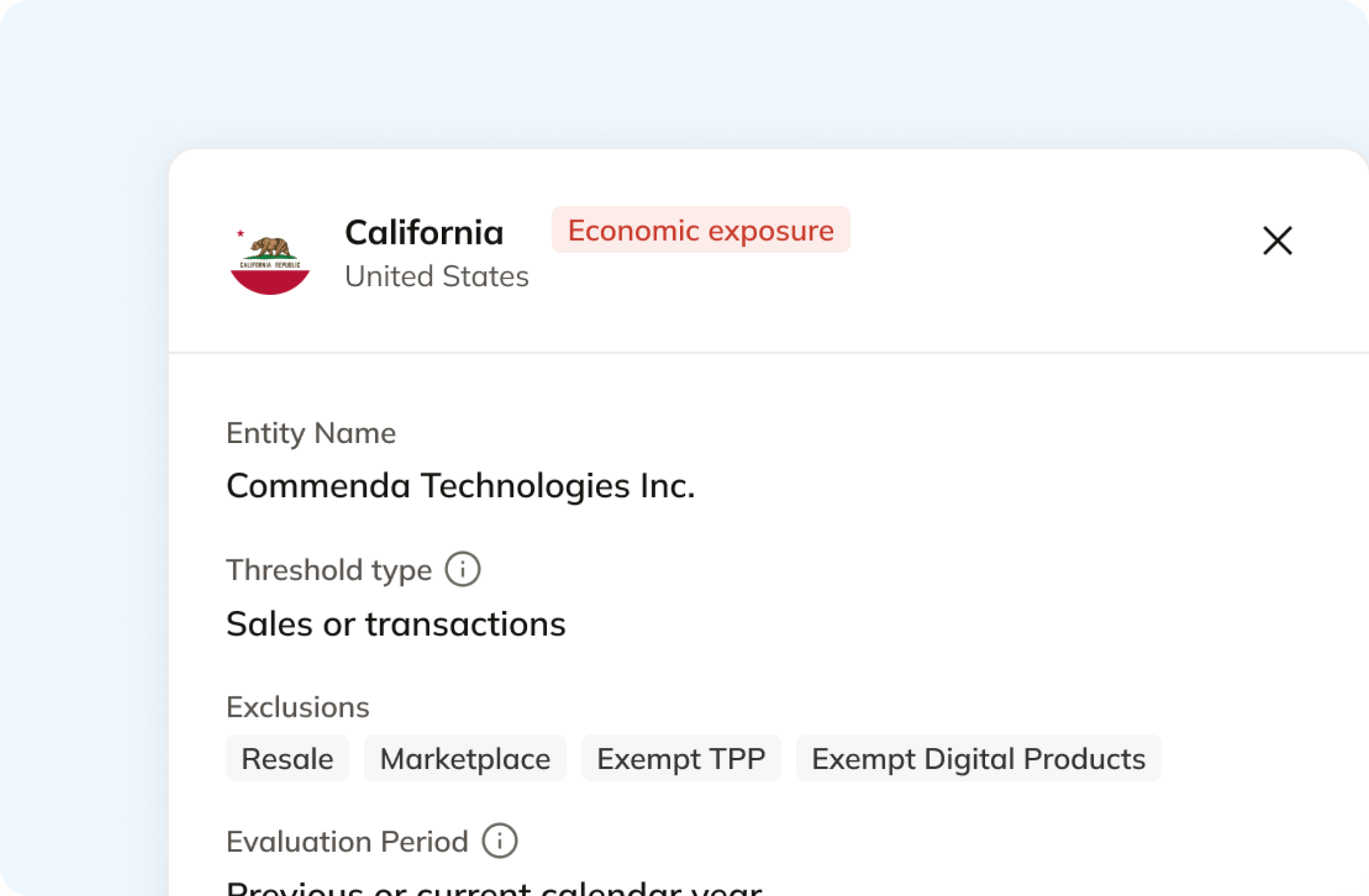
Nothing in Odoo's documentation monitors a registration threshold. Commenda reads the same invoices and measures them everywhere you sold, registered or not, against thresholds in all 50 states and 70+ countries. Connecting Odoo backfills your history, so exposure you already carry sits next to this month's invoices. Alerts fire at 80% of a threshold, before you cross.
Automatically remit transactions around the world
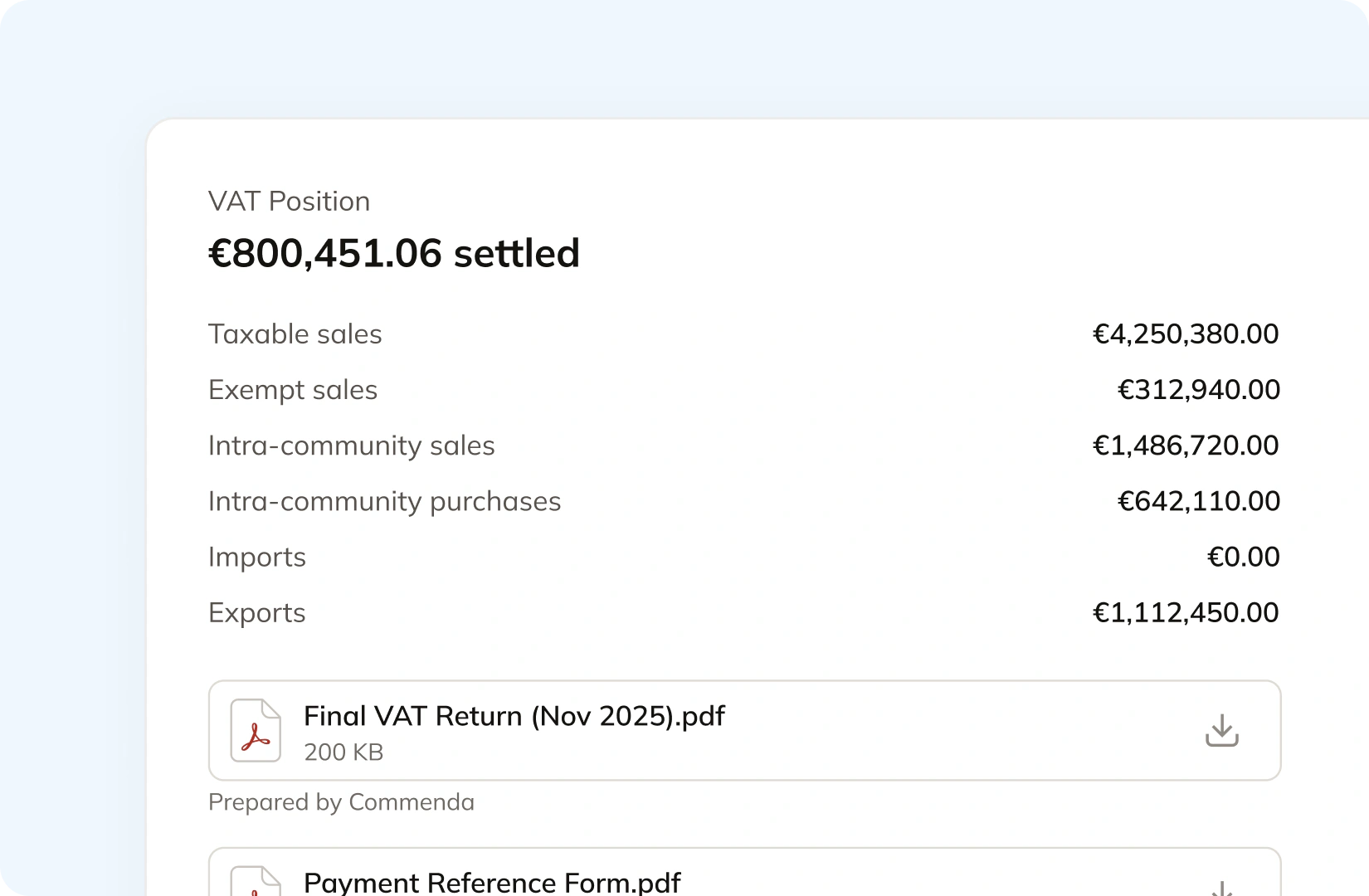
Odoo's tax return report totals your base and tax amounts for a period. Commenda builds the return itself from the same transactions, so nothing gets exported or re-keyed. Returns go out across all 50 states, plus EU VAT with OSS and GST in APAC and Canada, with amendments where a period needs correcting. The liability and the filing confirmation post back.
Manage your customers and exemptions in one place
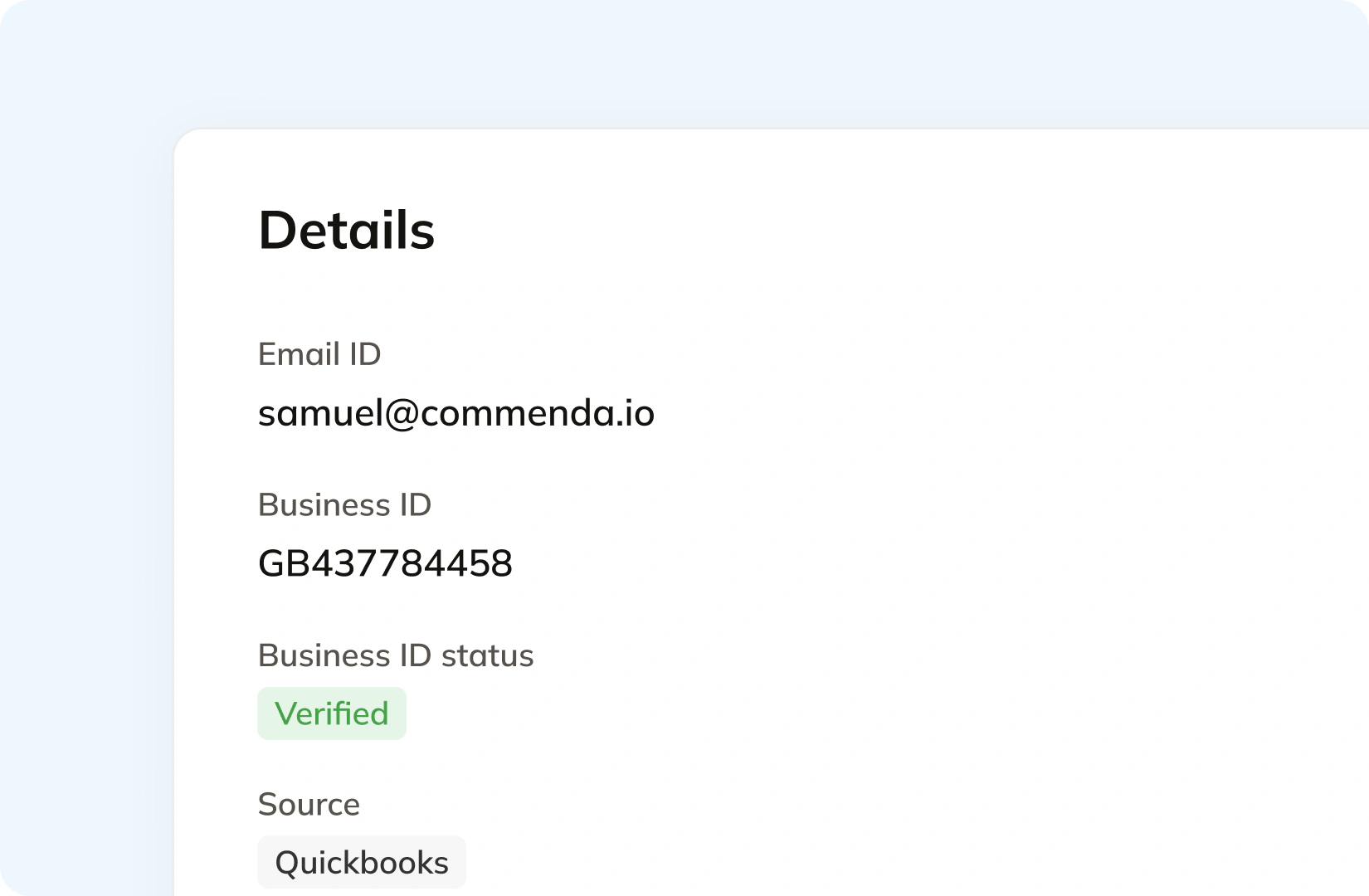
An Odoo contact holds a tax ID and a fiscal position, and Odoo checks EU VAT numbers against VIES. Getting a certificate in the first place is a different job. Your customers upload through a portal that can carry your branding, each one is validated on upload, and it applies automatically in the states where it is valid. Expiries are tracked and chased.
Consolidation
Why Odoo does not know your total exposure
Odoo holds the invoices and the chart of accounts. Filing one return means knowing which revenue arrived already taxed, which states you actually owe, and which countries Odoo will and will not submit for. Commenda solves that.
Odoo files where a government forced an API, and hands you the figures everywhere else
Belgium and Australia are the same product in the same year with opposite answers. Odoo says you can file your returns directly from Odoo using the Intervat integration, and says the BAS report is not directly submitted to the ATO, so businesses copy the values onto the ATO portal. The generic rule is the second one.
A fiscal position applies rules you wrote yourself
Odoo describes fiscal positions as rules to adapt the taxes and the income and expense accounts used for a transaction, applied by country, country group, or a VAT number being present. That covers what to charge once you have decided you are registered. It does not tell you where you should be. Our nexus threshold guide has the current rule for each state.
Your fiscal setup hardens on the day you post your first entry
Odoo warns that selecting another localization package is only possible if no entry has been posted. It also states that branches follow the parent company's localization, so entities trading in different countries have to be separate companies. Both decisions get made early, usually before anyone has read a threshold table.
One ledger behind every source
Odoo is rarely the only place revenue lands. A storefront, a marketplace, and a billing platform all feed it, and tax a marketplace already collected is not yours to file again. Every source connects to one ledger, across 100+ supported integrations, and each transaction carries its origin and product tax code. One exposure figure per state, one return per period. See how Commenda global indirect tax fits together.
What it takes
What global indirect tax takes in Odoo
Odoo's pricing page is localised to the visitor's own currency, so there are no dollar figures here. What Odoo does publish plainly is what each capability depends on: an edition, a plan, a localization package, an Avalara account, or a version still inside its support window.
| What you need | What Odoo requires | Source |
|---|---|---|
| Accounting at all, rather than Invoicing | Odoo Enterprise. On the Compare Editions table, Accounting and its localizations and reports are marked as available in Enterprise and not in Community, which gets Invoicing | Compare Editions |
| US sales tax by jurisdiction on an invoice | Avalara AvaTax, and an Avalara account to go with it. Odoo's US localization creates default sales and purchase taxes when Accounting is installed, and you manage them from there | United States localization |
| AvaTax in the first place | A database whose fiscal country is the United States, Canada, or Brazil. Odoo also documents that excise tax is not supported, including tobacco, vape, and fuel taxes | AvaTax integration |
| A filed US sales tax return once AvaTax is connected | Avalara's own management portal. Odoo documents returns and exemption certificates as living there, and says attaching certificate images needs Avalara's Exemption Certificate Management subscription | Avalara management portal |
| A country's statutory tax report and formats | That country's fiscal localization package, one of 103 listed. Odoo warns that selecting a different package is only possible if no entry has been posted | Fiscal localizations |
| Entities trading in more than one country | A separate company per country. Odoo states that branches always follow the parent company's localization, so entities in different countries should be companies, not branches | Fiscal localizations |
| A VAT return sent to the tax authority | A localization that ships the submission. The UK module sends the tax report through the MTD-VAT API to HMRC, and only one company and one user can be connected to HMRC at a time | United Kingdom localization |
| Bug fixes and security updates for your version | Three years of standard support per major version. Beyond that, Odoo states extended support carries a mandatory additional fee and covers bug fixes depending on feasibility | Standard and extended support |
| An upgrade when you run custom modules | A version of each custom module for the target release. Odoo states the database cannot be upgraded until one exists, and that keeping a customization working is the module maintainer's job | Upgrade |
Accounting at all, rather than Invoicing
Odoo Enterprise. On the Compare Editions table, Accounting and its localizations and reports are marked as available in Enterprise and not in Community, which gets Invoicing
Compare EditionsUS sales tax by jurisdiction on an invoice
Avalara AvaTax, and an Avalara account to go with it. Odoo's US localization creates default sales and purchase taxes when Accounting is installed, and you manage them from there
United States localizationAvaTax in the first place
A database whose fiscal country is the United States, Canada, or Brazil. Odoo also documents that excise tax is not supported, including tobacco, vape, and fuel taxes
AvaTax integrationA filed US sales tax return once AvaTax is connected
Avalara's own management portal. Odoo documents returns and exemption certificates as living there, and says attaching certificate images needs Avalara's Exemption Certificate Management subscription
Avalara management portalA country's statutory tax report and formats
That country's fiscal localization package, one of 103 listed. Odoo warns that selecting a different package is only possible if no entry has been posted
Fiscal localizationsEntities trading in more than one country
A separate company per country. Odoo states that branches always follow the parent company's localization, so entities in different countries should be companies, not branches
Fiscal localizationsA VAT return sent to the tax authority
A localization that ships the submission. The UK module sends the tax report through the MTD-VAT API to HMRC, and only one company and one user can be connected to HMRC at a time
United Kingdom localizationBug fixes and security updates for your version
Three years of standard support per major version. Beyond that, Odoo states extended support carries a mandatory additional fee and covers bug fixes depending on feasibility
Standard and extended supportAn upgrade when you run custom modules
A version of each custom module for the target release. Odoo states the database cannot be upgraded until one exists, and that keeping a customization working is the module maintainer's job
Upgrade
Figures verified on July 30, 2026.
From the field
Trusted by businesses across the globe


“The platform works exactly the way I need it to. I have one team member who manages all of our exemption certificates, and that functionality has been particularly efficient for us. It allows him to handle everything seamlessly, making the handoff significantly easier.”
VP of Finance, TRX






Compare Commenda sales tax software with competitors
Odoo is genuinely ahead on e-invoicing. It is a Peppol access point in 42 countries and sends Italian invoices to the SdI through its own servers, and we do not compete with that. Where we compete is registration, filing, and remittance, so here is how the compliance platforms stack up on coverage, ratings, and real pricing.
More sales tax resources
Guides from the Commenda team on EU VAT, cross-border selling, and digital goods.
Frequently asked questions
In a few countries, yes. Odoo's UK localization sends the tax report through the MTD-VAT API to HMRC, its Belgian module lets you file directly through Intervat, and its Indian module pushes GSTR-1 to the GST portal and pulls GSTR-2B back. Everywhere else the generic answer is different. Odoo's own words are that the amounts in the tax return report can be used to complete tax declarations, with a one-to-one correspondence that allows amounts to simply be copied from one to the other. Australia is the clearest case: Odoo states the BAS report is not directly submitted to the ATO, and that businesses copy the values onto the ATO portal. Commenda files across all 50 states and 70+ countries on each jurisdiction's own frequency, and files amended returns where a period needs correcting.
No. Odoo's US localization page documents no sales tax filing path. What it documents is calculation: default sales and purchase taxes are created automatically when the Accounting app is installed, and you manage them from the Taxes menu. For jurisdiction-level rates Odoo points to Avalara AvaTax, and its own AvaTax documentation says returns are handled in Avalara's management portal rather than in Odoo. Commenda files in all 50 states, tracks remittance per jurisdiction, and posts the liability and the filing confirmation back to your ledger.
Not as far as its documentation goes. Nexus and registration thresholds do not appear in Odoo's tax, localization, or AvaTax pages. Odoo's model is that you decide where you are registered, then create the taxes and fiscal positions to match, so anything sold into a state you never set up is taxed at nothing and counted nowhere. Commenda measures the same Odoo invoices against economic and physical thresholds in all 50 states, every EU member state, and 70+ countries, and notifies you at 80% of a registration threshold. A short questionnaire covers physical presence, because a warehouse or a remote employee never shows up on an invoice.
It changes what reaches you and when. Odoo provides standard support for each major version for three years, and states that beyond those three years extended support carries a mandatory additional fee. On Odoo Online a major-version upgrade is mandatory every two years. On-premise, Odoo says you can stay on the same version indefinitely, while not recommending it. It also states that a database with custom modules cannot be upgraded until a version of those modules exists for the target release, and that keeping a customization working is the module maintainer's job. Commenda sits outside your Odoo database, so your registrations, rates, and filing history do not move with your version.
It produces the report. Odoo's EU intra-community distance selling setting creates the fiscal positions and taxes for local VAT rates, and its OSS section explains how to generate OSS Sales and OSS Imports reports as PDF, XLSX, or XML. Its own instruction for the last step is to log into the platform of your competent federal authority and submit it onto the OSS portal. Commenda registers you for OSS and IOSS, files the returns, and arranges fiscal representation where a country requires it. OSS covers cross-border B2C sales across all 27 member states plus Northern Ireland from one registration, and IOSS covers imported low-value goods.
Not as a certificate record. An Odoo contact holds a tax ID and a fiscal position, and Odoo verifies EU VAT numbers against VIES and marks them intra-community valid. Under the AvaTax integration, exemption codes sync from Avalara, and Odoo documents that customer certificates are added in Avalara's console and that attaching certificate images requires Avalara's Exemption Certificate Management subscription. Storing a certificate is a different job from getting one. Commenda collects them through a self-service portal that can carry your branding, validates each at upload, applies it automatically in the states where it is valid, and chases expiries. SST and MTC multi-state forms are accepted alongside single-state ones.
Each company carries its own localization, and that constrains the structure. Odoo states that branches always follow the parent company's localization, so entities operating in different countries should be set up as companies rather than branches. It also warns that selecting a different fiscal localization package is only possible if no entry has been posted, so the choice hardens quickly. On the UK side, only one company and one user can be connected to HMRC at a time, and you reset the authentication to submit for the next one. Commenda covers multiple entities on one dashboard with consolidated registrations, exposure, and filings, and new entities inherit the same workflow.
Custom integration support for your business
Every Odoo database is configured differently, from the localization package to the taxes you activated and the fiscal positions on top. We map how yours works, including which revenue should be calculated and which arrived already taxed, and build the integration to match.
Indirect Tax
Monitor nexus exposure, register, file, and remit sales tax and VAT in one platform. Commenda keeps you compliant across 100+ jurisdictions.
Explore the product
