Sales tax and VAT software for Business Central
Business Central submits your UK VAT return straight to HMRC. Its United States feature list has no sales tax return on it, and Microsoft states each environment reports for one country only. Commenda registers, files, and remits across all 50 states and 70+ countries. A native Business Central connector is on our roadmap, so today the data comes in as a mapped import.
Trusted by global businesses

































Monitor your global exposure
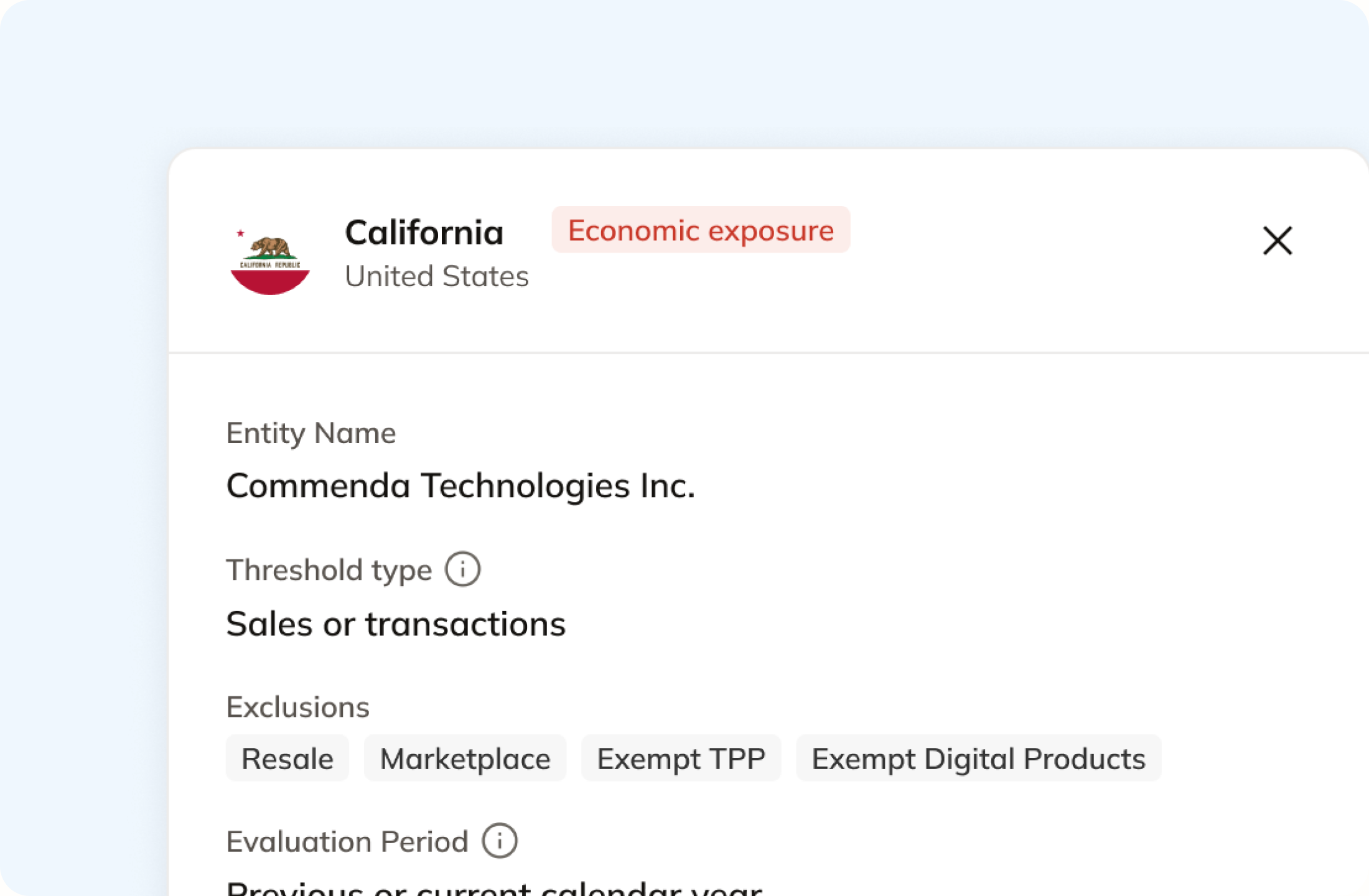
Business Central ships a limited set of tax areas and you add the rest. Commenda measures your transactions against economic and physical thresholds in all 50 states and 70+ countries, and notifies you at 80% of a threshold.
One platform for every country you trade in
Microsoft states each Business Central environment is meant to handle regulatory reporting in one single country or region. Commenda covers 70+ countries on one dashboard, with every entity in the same view.
File the US returns Business Central does not
Business Central submits your UK VAT return to HMRC. Its United States feature list has no sales tax return on it at all. Commenda files across all 50 states.
Coverage comparison
What does Business Central handle, and what does it hand back?
Business Central's tax features are native, and they are stronger on VAT than on US sales tax. Its figures come from Microsoft's own pages on sales tax in the US version, United States local functionality, reporting VAT to tax authorities, Making Tax Digital, and use tax setup, checked on July 30, 2026.
Registrations for collecting tax
- Business Central
- Not handled. You create a tax area for each place you already collect in
- Commenda
- Permits in all 50 states, EU VAT with OSS and IOSS, and GST across APAC and Canada
Filing your US sales tax returns
- Business Central
- Not handled. Its US feature list covers tax setup, use tax, and 1099 forms
- Commenda
- Filed in all 50 states, amendments included
Filing outside the United States
- Business Central
- Partly. It submits UK VAT to HMRC. One environment reports for one country
- Commenda
- Filed across 70+ countries from one platform
Keeping US sales tax rates current
- Business Central
- Not handled. You enter the rate per jurisdiction on the Tax Details page
- Commenda
- Maintained across 13,000+ US taxing jurisdictions, plus VAT and GST
Remitting what you collected
- Business Central
- Not handled. A settlement job moves the amounts between ledger accounts
- Commenda
- Tracked per jurisdiction, every filing
Knowing where you owe
- Business Central
- Not documented. Where you have no legal presence, you zero the jurisdiction yourself
- Commenda
- Economic and physical thresholds in 50 states and 70+ countries, with alerts before you cross
Exemption certificates
- Business Central
- Stored as a number. A 30-character field, with no expiry date documented behind it
- Commenda
- Collected, validated, stored, and applied automatically where valid
| Business Central |  | |
|---|---|---|
| Registrations for collecting tax | Not handled. You create a tax area for each place you already collect in | Permits in all 50 states, EU VAT with OSS and IOSS, and GST across APAC and Canada |
| Filing your US sales tax returns | Not handled. Its US feature list covers tax setup, use tax, and 1099 forms | Filed in all 50 states, amendments included |
| Filing outside the United States | Partly. It submits UK VAT to HMRC. One environment reports for one country | Filed across 70+ countries from one platform |
| Keeping US sales tax rates current | Not handled. You enter the rate per jurisdiction on the Tax Details page | Maintained across 13,000+ US taxing jurisdictions, plus VAT and GST |
| Remitting what you collected | Not handled. A settlement job moves the amounts between ledger accounts | Tracked per jurisdiction, every filing |
| Knowing where you owe | Not documented. Where you have no legal presence, you zero the jurisdiction yourself | Economic and physical thresholds in 50 states and 70+ countries, with alerts before you cross |
| Exemption certificates | Stored as a number. A 30-character field, with no expiry date documented behind it | Collected, validated, stored, and applied automatically where valid |
Calculate taxes globally on Business Central using Commenda
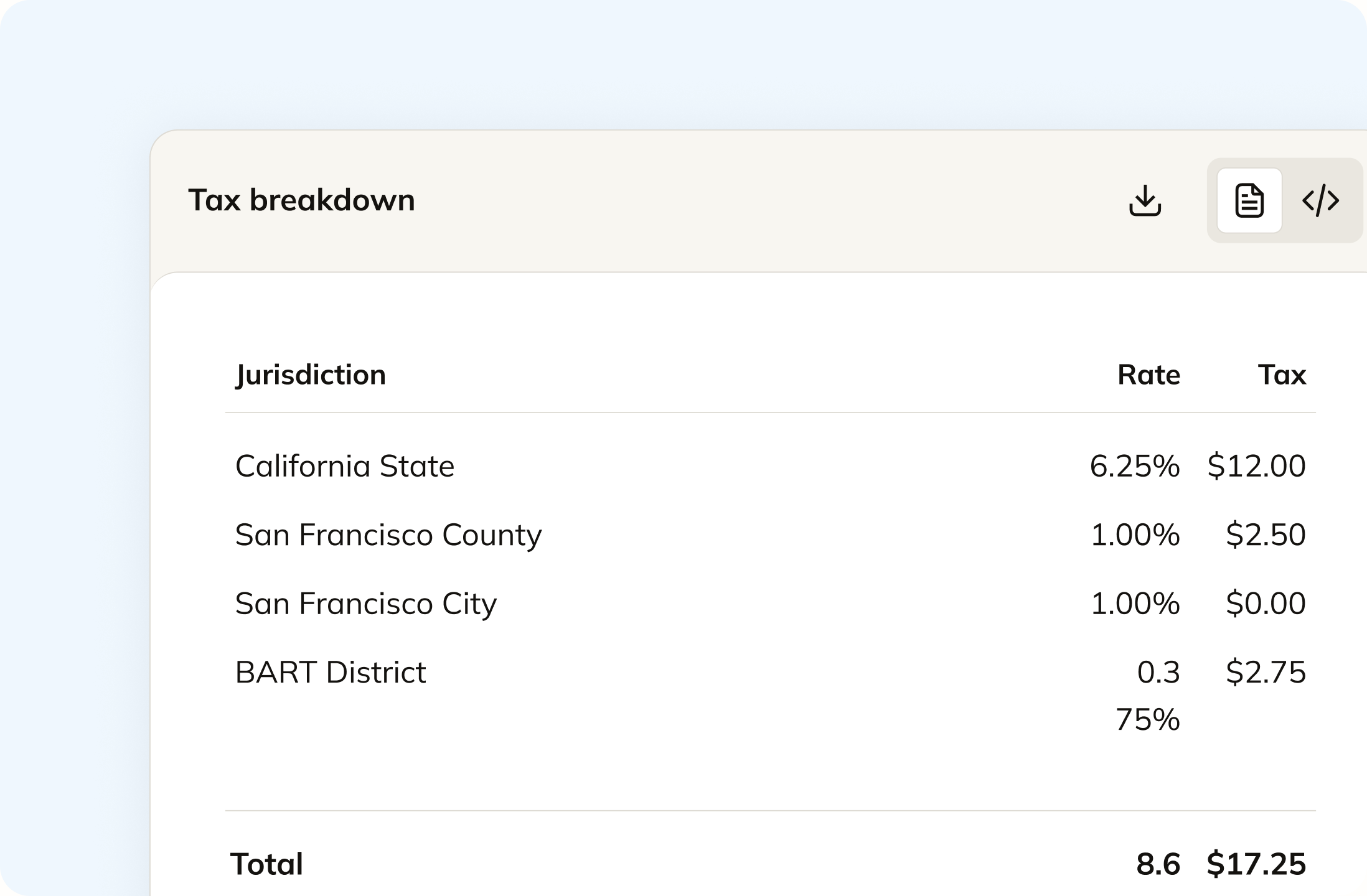
A native Business Central connector is on our roadmap. Today your transactions come in as a mapped import or through a custom connection to our API, and we do the mapping. From there tax is calculated per jurisdiction across 13,000+ US taxing jurisdictions, plus VAT and GST rates, so a rate change stops being a setup job in your ledger.
Track your global exposure from Business Central
Business Central calculates tax in the tax areas you set up, so it only collects where you told it to. Commenda measures the same transactions against thresholds in all 50 states and 70+ countries, and tells you at 80%, before you cross. A short questionnaire covers physical presence too, because a warehouse or a remote employee never shows up on an invoice.
Automatically remit transactions around the world
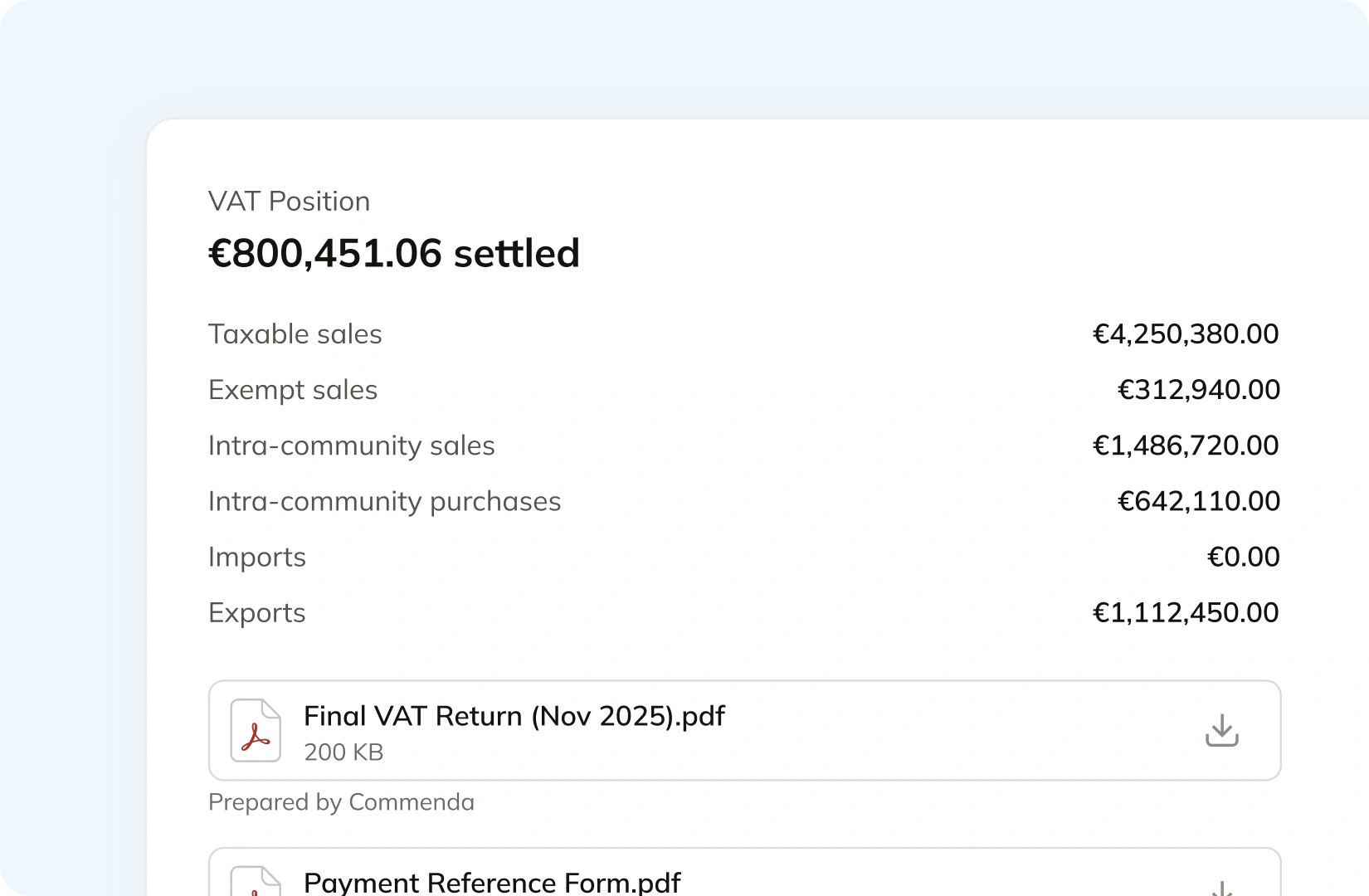
Business Central submits UK VAT to HMRC and exports an EC Sales List for the EU. In its United States version Microsoft says you cannot report European VAT at all. Commenda prepares and files the return itself: all 50 states, EU VAT with OSS, and GST in APAC and Canada, with amendments where a period needs correcting.
Manage your customers and exemptions in one place
Business Central gives a customer a Tax Exemption No. field of up to 30 characters. Commenda handles getting the certificate behind that number. Your customers upload through a portal that can carry your branding, each one is validated on upload, and it applies automatically in the states where it is valid. Expiries are tracked and chased.
Consolidation
Why does Business Central not know your total exposure?
Business Central is the system of record for the business, and tax is one job inside it. Microsoft scopes that job to one country per environment. Filing one return still means knowing which revenue arrived already taxed, which states you actually owe, and which registrations you are carrying. Commenda solves that.
One Business Central environment reports for one country
Microsoft states plainly that each environment is meant to handle regulatory reporting in one single country or region. A group trading in four countries is therefore looking at four sets of returns out of four places, before anyone has consolidated a number. Microsoft maintains local functionality for 21 countries and hands the rest to partner localization apps.
A US Business Central cannot report European VAT
This one is worth reading in Microsoft's own words. If you have customers in Europe, its United States local functionality page says you cannot report VAT to European authorities in the US version, and suggests working with a consultant to add the capability for the countries you ship to. The same page lists tax improvements under future legislation being investigated.
A tax area is something you set up yourself
Business Central includes a limited set of tax areas with a default configuration, and you add the rest. Where you have no legal presence in a state, Microsoft's instruction is to zero that jurisdiction so nothing is collected. Anything you sell into a state you never set up is taxed at nothing and counted nowhere. Our nexus threshold guide has the current rule for each state.
One ledger behind every source
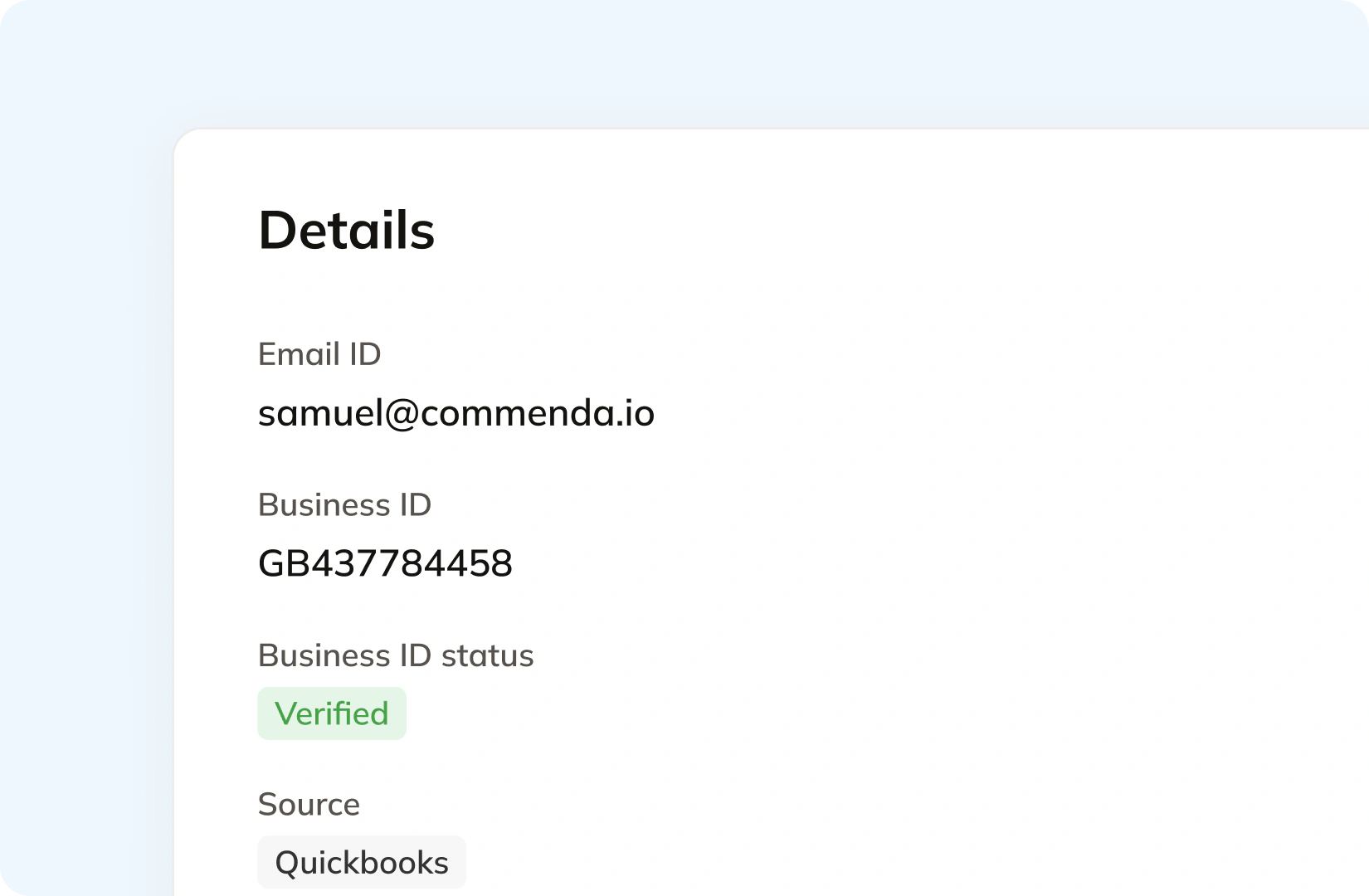
Business Central is rarely the only place revenue lands. A storefront, a marketplace, and a billing platform all feed it, and tax a marketplace already collected is not yours to file again. Every source connects to one ledger, across 100+ supported integrations, and each transaction carries its origin and product tax code. One exposure figure per state, one return per period. See how Commenda global indirect tax fits together.
What it takes
What does global indirect tax take in Business Central?
Business Central's tax features cost nothing extra, and the last row concedes exactly that. The cost of growth here is setup and dependency, so this table records what Microsoft says each capability requires rather than what it charges. Every row links the Microsoft page it came from.
| What you need | What Business Central requires | Source |
|---|---|---|
| US sales tax rates that stay current | Manual maintenance. Microsoft states Business Central includes a limited set of tax areas with a default configuration, and the Tax Details page is where you establish the rate for each jurisdiction and tax group combination. No rate update service is documented | Sales tax in the US version |
| Sales tax anywhere outside the US and Canada | Not supported. Microsoft states that although sales tax is available in the default version, it supports the use of sales tax in the United States and Canada only | Sales tax in the default version |
| A VAT rate on a transaction | A VAT posting setup row for each combination of VAT business and product posting group, on which you specify the VAT percent yourself | Set up VAT |
| Electronic VAT submission to an authority | A service connection for that specific authority plus an account with them. Microsoft's worked example is the GovTalk connection for the UK | Report VAT to tax authorities |
| Submitting a UK VAT return | The Making Tax Digital VAT extension, an HMRC authorization code valid for 10 minutes, and periods retrieved from HMRC rather than created by hand. HMRC agent services are out of scope | Making Tax Digital |
| Testing that UK submission before you send it | Not possible. Microsoft documents an HMRC limitation: it is not possible to send test submissions of VAT returns, and you can only send real ones | Making Tax Digital |
| Regulatory reporting for a second country | A second environment. Microsoft states each Business Central environment is meant to handle regulatory reporting in one single country or region | Report VAT to tax authorities |
| European VAT out of a US Business Central | A consultant. Microsoft states that if you have customers in Europe you cannot report VAT to European authorities in the US version, and suggests working with one | United States local functionality |
| Local functionality Microsoft maintains itself | 21 countries: 15 in Europe, Canada, Mexico and the United States, plus Australia, India and New Zealand. Business Central is sold far more widely than that, and anywhere else runs on a partner localization app from Marketplace | Local functionality |
| An exemption certificate on file | A Tax Exemption No. field, maximum 30 alphanumeric characters. Microsoft's Business Central library documents no certificate record, attachment, or expiry date behind it | Use tax and purchase tax |
| Rolling a VAT rate change through open documents | The VAT Rate Change tool, and a list of exceptions. Microsoft documents that it does not convert drop shipments, special orders, assembly orders, service contracts, credit memos, return orders, item prices, or orders already partly shipped | Managing VAT rate changes |
| Non-deductible VAT | A global feature available in every VAT country except Belgium, Italy, and Norway, which Microsoft says will be upgraded in future. Once you enable it, Microsoft states you cannot turn it off | Set up nondeductible VAT |
| What Business Central charges you for tax | Nothing extra. Finance management is listed as included in both Essentials at $80 and Premium at $110 per user per month paid yearly, and the only rows Premium adds are service order management and manufacturing | Business Central pricing |
US sales tax rates that stay current
Manual maintenance. Microsoft states Business Central includes a limited set of tax areas with a default configuration, and the Tax Details page is where you establish the rate for each jurisdiction and tax group combination. No rate update service is documented
Sales tax in the US versionSales tax anywhere outside the US and Canada
Not supported. Microsoft states that although sales tax is available in the default version, it supports the use of sales tax in the United States and Canada only
Sales tax in the default versionA VAT rate on a transaction
A VAT posting setup row for each combination of VAT business and product posting group, on which you specify the VAT percent yourself
Set up VATElectronic VAT submission to an authority
A service connection for that specific authority plus an account with them. Microsoft's worked example is the GovTalk connection for the UK
Report VAT to tax authoritiesSubmitting a UK VAT return
The Making Tax Digital VAT extension, an HMRC authorization code valid for 10 minutes, and periods retrieved from HMRC rather than created by hand. HMRC agent services are out of scope
Making Tax DigitalTesting that UK submission before you send it
Not possible. Microsoft documents an HMRC limitation: it is not possible to send test submissions of VAT returns, and you can only send real ones
Making Tax DigitalRegulatory reporting for a second country
A second environment. Microsoft states each Business Central environment is meant to handle regulatory reporting in one single country or region
Report VAT to tax authoritiesEuropean VAT out of a US Business Central
A consultant. Microsoft states that if you have customers in Europe you cannot report VAT to European authorities in the US version, and suggests working with one
United States local functionalityLocal functionality Microsoft maintains itself
21 countries: 15 in Europe, Canada, Mexico and the United States, plus Australia, India and New Zealand. Business Central is sold far more widely than that, and anywhere else runs on a partner localization app from Marketplace
Local functionalityAn exemption certificate on file
A Tax Exemption No. field, maximum 30 alphanumeric characters. Microsoft's Business Central library documents no certificate record, attachment, or expiry date behind it
Use tax and purchase taxRolling a VAT rate change through open documents
The VAT Rate Change tool, and a list of exceptions. Microsoft documents that it does not convert drop shipments, special orders, assembly orders, service contracts, credit memos, return orders, item prices, or orders already partly shipped
Managing VAT rate changesNon-deductible VAT
A global feature available in every VAT country except Belgium, Italy, and Norway, which Microsoft says will be upgraded in future. Once you enable it, Microsoft states you cannot turn it off
Set up nondeductible VATWhat Business Central charges you for tax
Nothing extra. Finance management is listed as included in both Essentials at $80 and Premium at $110 per user per month paid yearly, and the only rows Premium adds are service order management and manufacturing
Business Central pricing
Figures verified on July 30, 2026.
From the field
Trusted by businesses across the globe


“The platform works exactly the way I need it to. I have one team member who manages all of our exemption certificates, and that functionality has been particularly efficient for us. It allows him to handle everything seamlessly, making the handoff significantly easier.”
VP of Finance, TRX






Compare Commenda sales tax software with competitors
Microsoft's Marketplace lists tax extensions for Business Central from Avalara and Vertex, and both are scoped to the United States and Canada. We compare the alternatives on coverage, ratings, and real pricing, and we say where each one wins.
More sales tax resources
Guides from the Commenda team on VAT versus sales tax, rate calculation, and nexus thresholds.
Frequently asked questions
Custom integration support for your business
A native Business Central connector is on our roadmap. Until it ships we map your data ourselves, whether that is a structured export or a custom connection to our API, and we scope which revenue should be calculated before anything goes live. Tell us how yours is configured.
Indirect Tax
Monitor nexus exposure, register, file, and remit sales tax and VAT in one platform. Commenda keeps you compliant across 100+ jurisdictions.
Explore the product
