VAT and sales tax software for Mollie
Mollie carries a VAT rate on a payment line and checks that your VAT amount matches it. It never decides the rate, the address that says whose rate applies is optional, and its user agreement puts registering, filing and remitting on you. Commenda covers all of it, from EU OSS to all 50 US states.
Trusted by global businesses

































Calculate the rate on every payment
A Mollie payment line carries a VAT rate you supply, and the amount has to match it to the cent. Commenda works out the rate instead, across every EU member state and 70+ countries.
Monitor your global exposure
The EU threshold is one number across all your cross-border sales. Commenda measures your Mollie payments against it, and against thresholds in all 50 US states, and tells you at 80%.
Register, file, and remit
Mollie's user agreement makes assessing, collecting, reporting and remitting taxes your responsibility. Commenda registers you and files, OSS and IOSS included.
Coverage comparison
What Mollie handles, and what it hands back
Mollie's figures come from its own documentation on creating a payment, reporting, settlement reports, VAT on transactions, and its user agreement, checked on July 30, 2026.
Deciding the VAT rate on a sale
- Mollie
- Not handled. You pass the rate in, and Mollie checks your arithmetic against it
- Commenda
- Rates maintained for every EU member state and 70+ countries
An address you can file a return on
- Mollie
- Partly. Optional on every method but five, and an email address alone satisfies it
- Commenda
- Ship-to country and state on every transaction, with its source system on the record
Place of supply for digital services
- Mollie
- Not handled. Mollie's help centre points you to your local tax authority
- Commenda
- Applied per sale, so the customer's country decides the rate
Knowing when you cross 10,000 EUR
- Mollie
- Not handled. No threshold monitoring appears in Mollie's documentation
- Commenda
- Measured across the EU and 70+ countries, with alerts at 80% of a threshold
Validating a VAT number
- Mollie
- Partly. It checks your own number against VIES, not your customer's
- Commenda
- Customer tax IDs verified and held on the customer record
Registering, filing, and remitting
- Mollie
- Not handled. Mollie's user agreement puts all three on you
- Commenda
- OSS and IOSS registration, returns filed across 70+ countries, remittance tracked
US sales tax on your American customers
- Mollie
- Not handled. Its exports carry no state and no tax breakdown of your sales
- Commenda
- Nexus tracked in all 50 states, permits obtained, returns filed and remitted
| Mollie |  | |
|---|---|---|
| Deciding the VAT rate on a sale | Not handled. You pass the rate in, and Mollie checks your arithmetic against it | Rates maintained for every EU member state and 70+ countries |
| An address you can file a return on | Partly. Optional on every method but five, and an email address alone satisfies it | Ship-to country and state on every transaction, with its source system on the record |
| Place of supply for digital services | Not handled. Mollie's help centre points you to your local tax authority | Applied per sale, so the customer's country decides the rate |
| Knowing when you cross 10,000 EUR | Not handled. No threshold monitoring appears in Mollie's documentation | Measured across the EU and 70+ countries, with alerts at 80% of a threshold |
| Validating a VAT number | Partly. It checks your own number against VIES, not your customer's | Customer tax IDs verified and held on the customer record |
| Registering, filing, and remitting | Not handled. Mollie's user agreement puts all three on you | OSS and IOSS registration, returns filed across 70+ countries, remittance tracked |
| US sales tax on your American customers | Not handled. Its exports carry no state and no tax breakdown of your sales | Nexus tracked in all 50 states, permits obtained, returns filed and remitted |
Calculate taxes globally on Mollie using Commenda
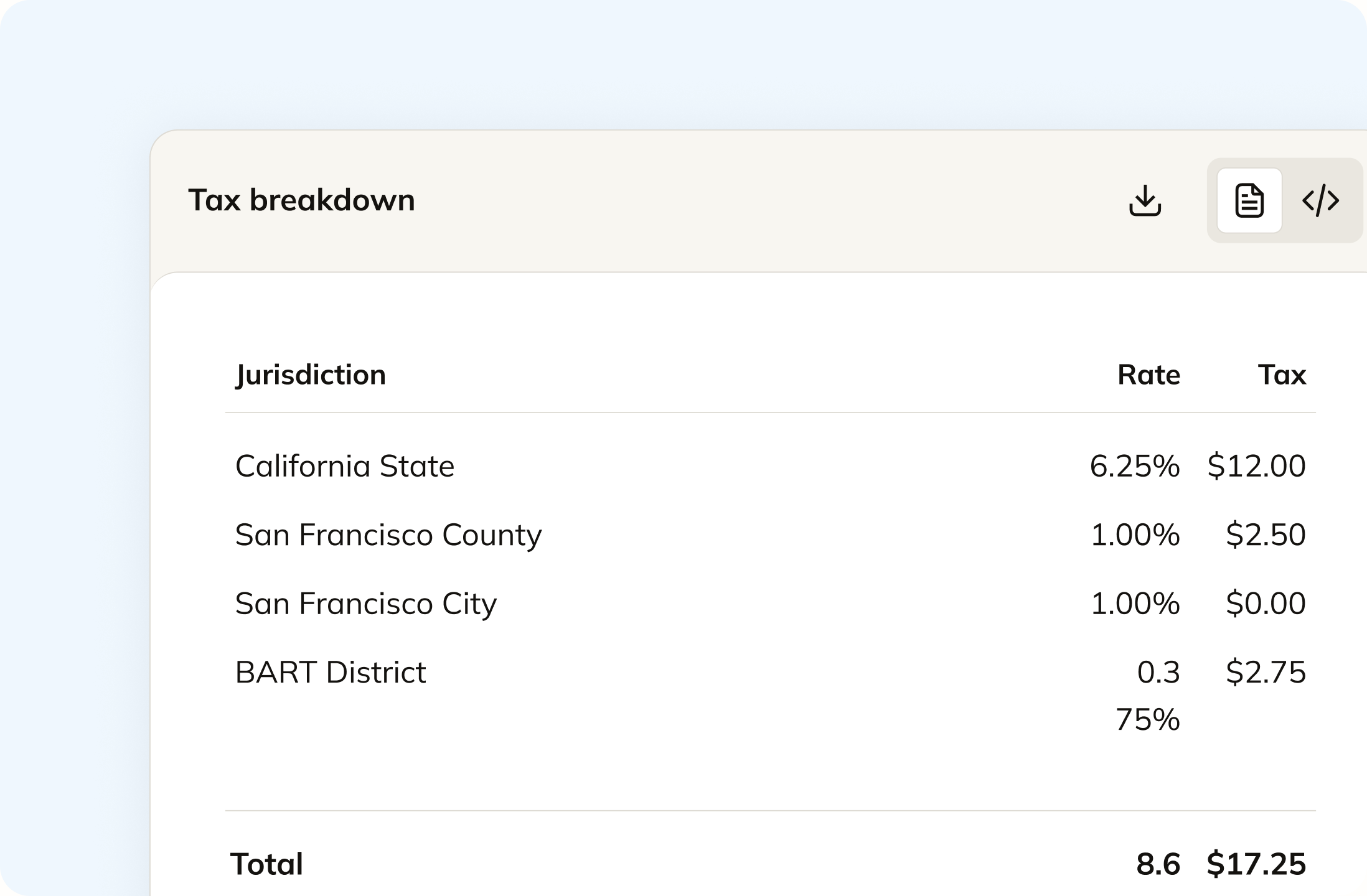
A Mollie payment line takes a VAT rate and a VAT amount that you pass in, and it rejects the line when the two do not agree. Commenda decides the rate. It applies the place-of-supply rule for the sale, the rate in force in the customer's member state, and US state, county, city and district rates where you sell there.
Track your global exposure from Mollie
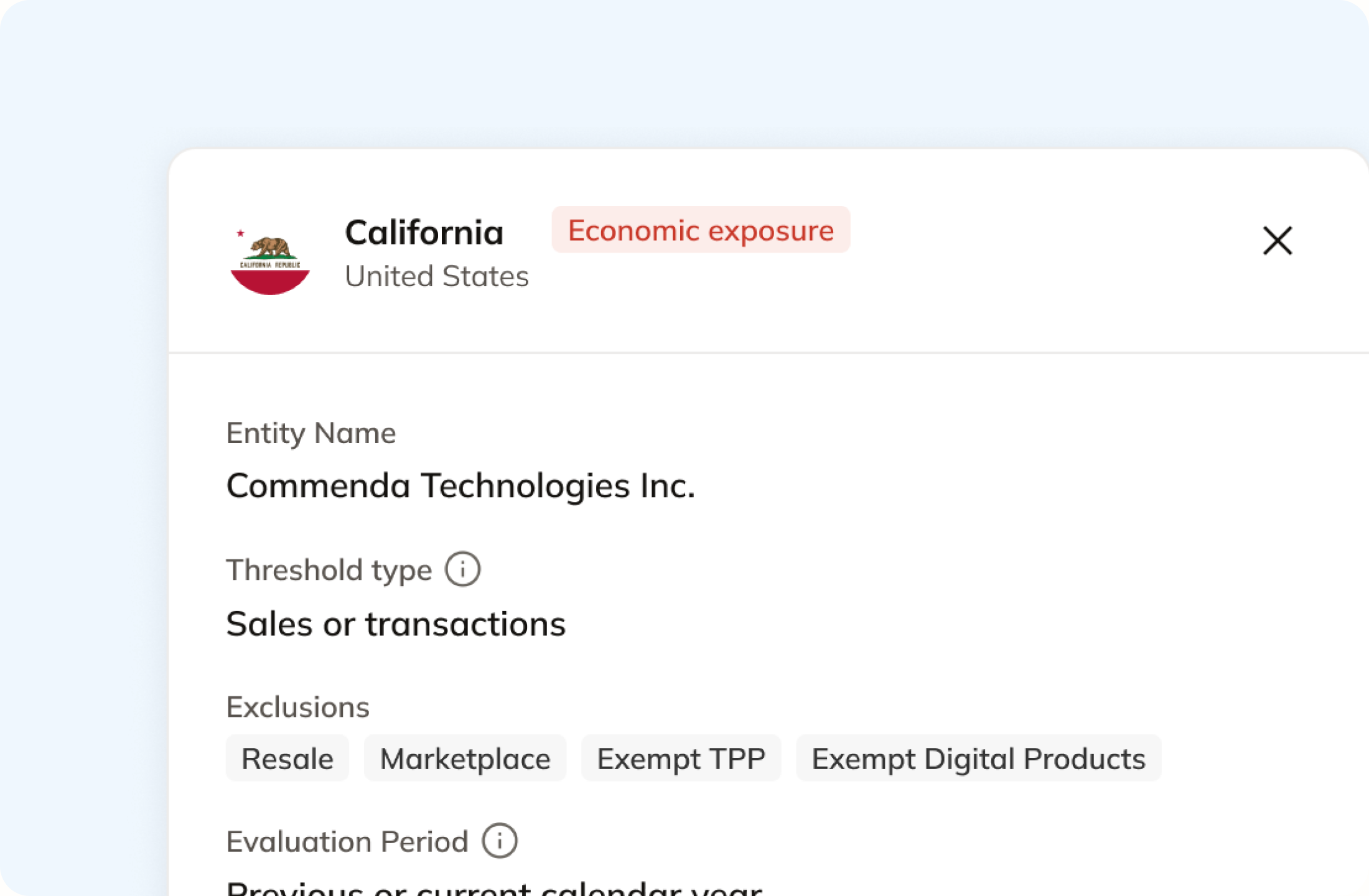
The EU threshold is 10,000 EUR across your cross-border sales of goods and digital services combined, counted over the current and the preceding calendar year. No threshold monitoring appears in Mollie's documentation. Commenda measures the same payments against it, and against economic and physical thresholds in all 50 US states and 70+ countries, and tells you at 80%.
Automatically remit transactions around the world
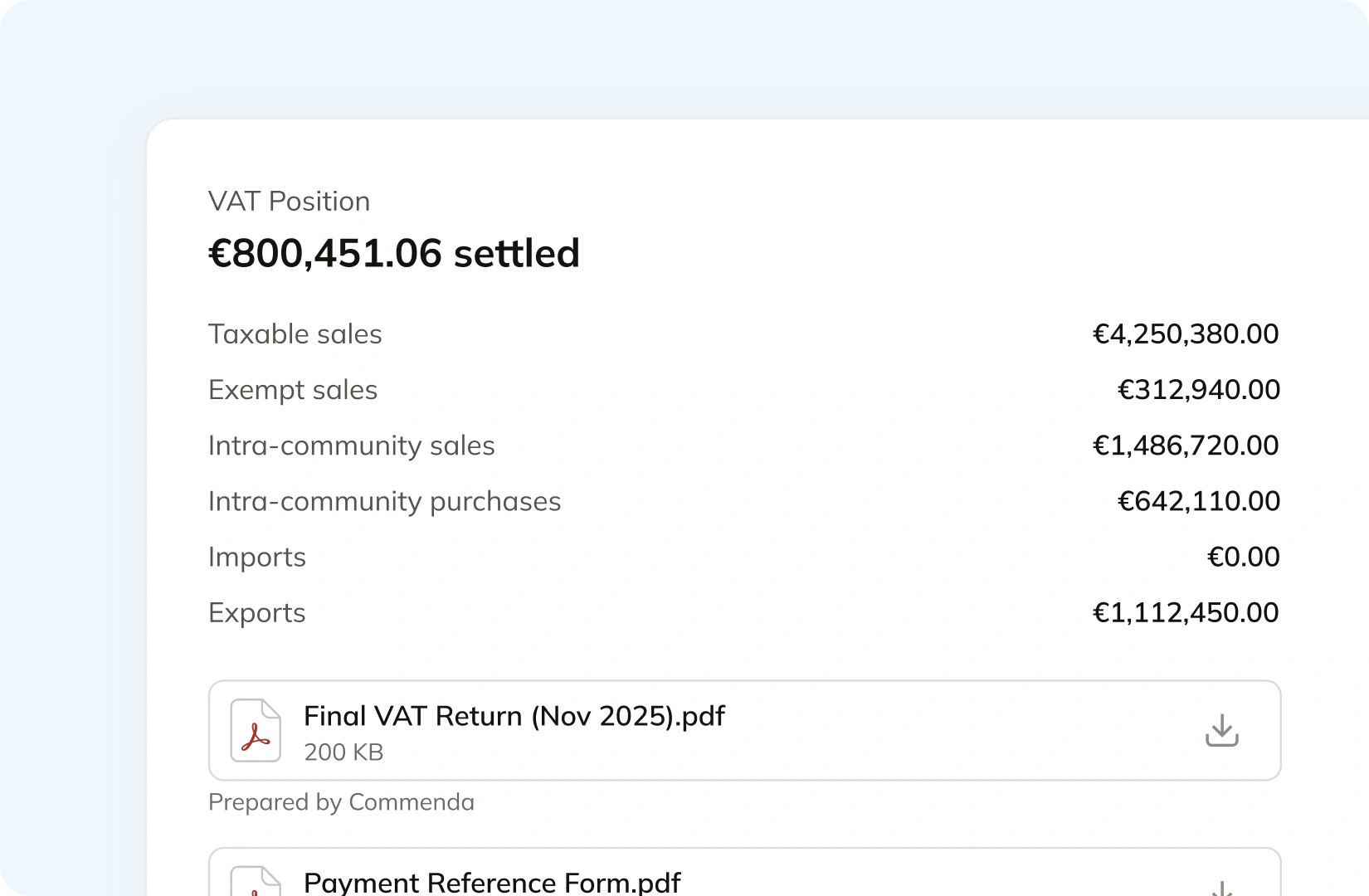
Mollie's reporting covers balances, settlements and transactions, and its own help centre says the transactions export is for payment analysis rather than bookkeeping. There is no tax report. Commenda builds the return from the same payments. EU VAT goes out through OSS and IOSS, alongside GST in APAC and Canada and sales tax in all 50 states, with amendments where a period needs correcting.
Manage your customers and exemptions in one place
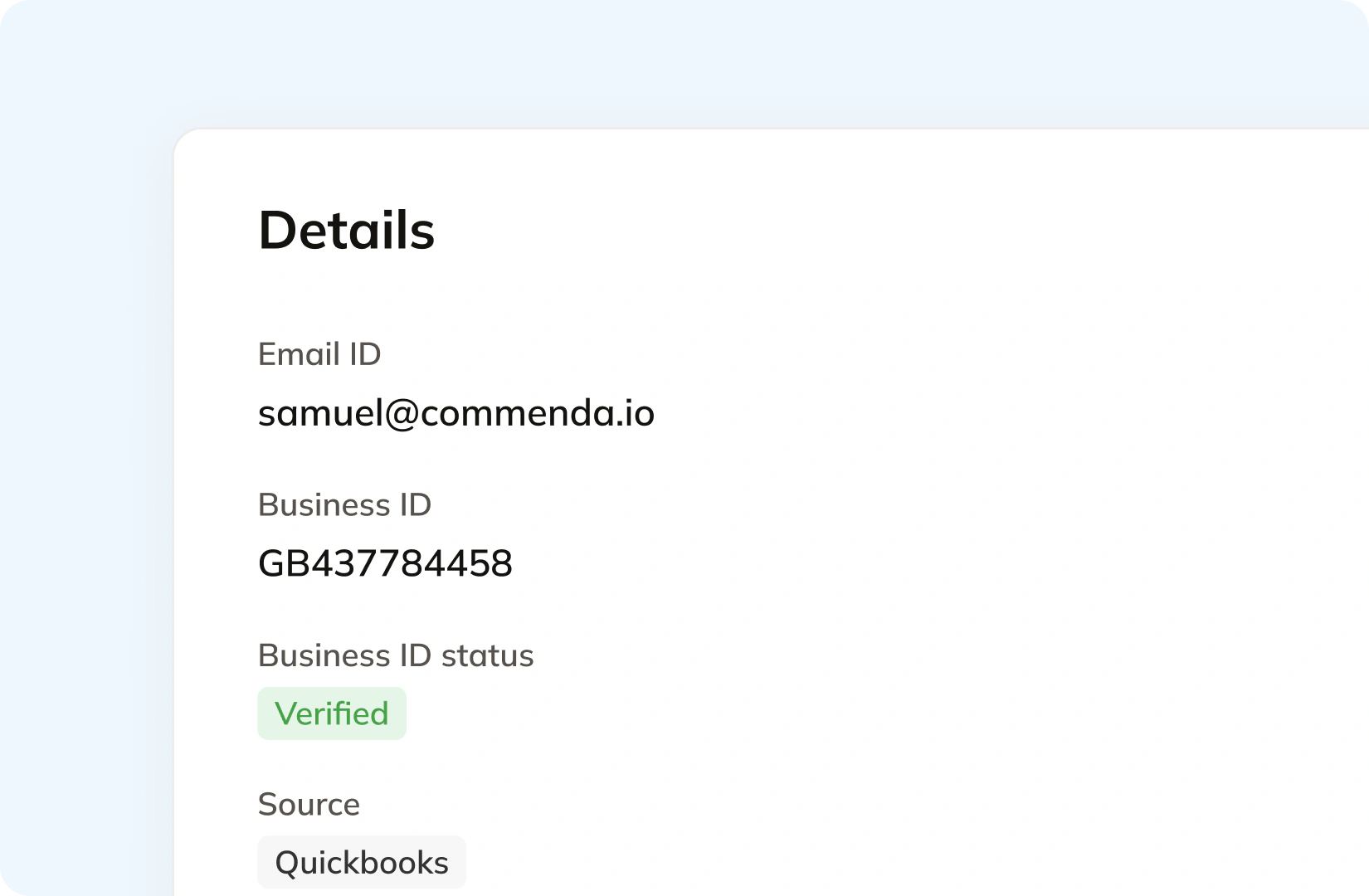
Mollie asks for a billing address to improve fraud protection and conversion, and only its buy-now-pay-later methods require one. Commenda holds the customer behind the payment, with the tax ID it verified and the system the record came from. For US sales, exemption certificates are collected through a portal, validated on upload, and applied in the states where they are valid.
Consolidation
Why a Mollie payment does not tell you which return it belongs on
Mollie moves the money and reconciles it accurately. A VAT return needs a different set of facts: which country the supply happened in, whether the customer was a business, and how close you are to a registration you do not have yet. Commenda supplies those.
Mollie checks your VAT arithmetic and takes the rate as given
A Mollie payment line takes a VAT rate as a string and a VAT amount as money, and Mollie's reference states that any deviation from the formula between them results in an error. So a wrong rate passes cleanly as long as the amount agrees with it. Mollie's help centre is direct about where the rate comes from: the VAT you charge your customers depends on your situation and the country you are registered in, and your local tax authorities can advise you.
A payment record rarely fixes the place of supply
Billing and shipping address are optional on a Mollie payment, and Mollie describes both as a way to improve fraud protection and conversion. Only alma, in3, klarna, billie and riverty require a billing address, no method requires a shipping address, and Mollie's docs say either field is satisfied by an email address in place of a postal one. Its migration guide recommends sending an address for every payment, and the reason it gives is chargebacks and fraud.
Local payment methods identify the bank and stop there
iDEAL is listed under one available country code, NL, and Bancontact under BE. What a local method records is the payer's bank. Mollie's settlement report carries the consumer's name, bank account and BIC, and no country, no jurisdiction and no tax. That is the file most finance teams reach for at period end.
One ledger behind every channel
Mollie is rarely the only place revenue arrives. A storefront, a marketplace, and a billing platform each connect to one ledger, across 100+ supported integrations. Every transaction carries its origin, its product tax code, and any tax already collected, so marketplace revenue stays separate from revenue that still needs tax. The result is one exposure figure per jurisdiction and one return per period.
What it takes
What VAT compliance takes on Mollie
Mollie publishes a rate per payment method, and no tax feature is priced because none exists to price. What its docs do set out is what each VAT-adjacent capability depends on, and where the responsibility sits.
| What you need | What Mollie gives you | Source |
|---|---|---|
| A VAT rate on a payment line | A string you pass in, for example 21.00. Mollie stores the rate your checkout decided and does not determine it | Create payment |
| A VAT amount Mollie will accept | Exactly the line total multiplied by the rate over 100 plus the rate. Mollie's docs state that any deviation from that formula results in an error | Create payment |
| A billing address on the payment | Optional. Mollie advises providing it to improve fraud protection and conversion, and requires it only for the alma, in3, klarna, billie and riverty methods | Create payment |
| A shipping address on the payment | Optional on every method. Mollie's docs say it should include an email address or a full postal address, so an email address on its own satisfies the field | Create payment |
| Order lines at all | Optional, and required only for the billie, in3, klarna, riverty and voucher methods. Mollie recommends sending them to reduce chargebacks and fraud | Orders to Payments |
| A tax report | Not offered. Mollie's reporting is a balance report, a settlement report, a transactions export, and a bank connection to your accounting software | Reporting |
| Sales data you could file a return from | The settlement export, which carries the consumer's name, bank account and BIC. No country, no jurisdiction, and no tax breakdown of your sales | Settlement report |
| The only VAT figure in your Mollie reports | VAT on Mollie's own fee. The balance report carries a single withheld transaction fees line holding all fees, VAT, and invoice rounding together | Balance report |
| Your own VAT number validated | Checked against VIES, the database of the European tax authorities, and automatically rejected if VIES returns it as invalid. Your customer's number is not checked | Invalid VAT number |
| An e-invoice through the Peppol network | Mollie Invoicing, with you and your customer both based in the Netherlands, Belgium or Germany, and your customer already registered on Peppol | Mollie Invoicing |
A VAT rate on a payment line
A string you pass in, for example 21.00. Mollie stores the rate your checkout decided and does not determine it
Create paymentA VAT amount Mollie will accept
Exactly the line total multiplied by the rate over 100 plus the rate. Mollie's docs state that any deviation from that formula results in an error
Create paymentA billing address on the payment
Optional. Mollie advises providing it to improve fraud protection and conversion, and requires it only for the alma, in3, klarna, billie and riverty methods
Create paymentA shipping address on the payment
Optional on every method. Mollie's docs say it should include an email address or a full postal address, so an email address on its own satisfies the field
Create paymentOrder lines at all
Optional, and required only for the billie, in3, klarna, riverty and voucher methods. Mollie recommends sending them to reduce chargebacks and fraud
Orders to PaymentsA tax report
Not offered. Mollie's reporting is a balance report, a settlement report, a transactions export, and a bank connection to your accounting software
ReportingSales data you could file a return from
The settlement export, which carries the consumer's name, bank account and BIC. No country, no jurisdiction, and no tax breakdown of your sales
Settlement reportThe only VAT figure in your Mollie reports
VAT on Mollie's own fee. The balance report carries a single withheld transaction fees line holding all fees, VAT, and invoice rounding together
Balance reportYour own VAT number validated
Checked against VIES, the database of the European tax authorities, and automatically rejected if VIES returns it as invalid. Your customer's number is not checked
Invalid VAT numberAn e-invoice through the Peppol network
Mollie Invoicing, with you and your customer both based in the Netherlands, Belgium or Germany, and your customer already registered on Peppol
Mollie Invoicing
Figures verified on July 30, 2026.
From the field
Trusted by businesses across the globe


“The platform works exactly the way I need it to. I have one team member who manages all of our exemption certificates, and that functionality has been particularly efficient for us. It allows him to handle everything seamlessly, making the handoff significantly easier.”
VP of Finance, TRX






Compare Commenda indirect tax software with competitors
European sellers usually weigh us against the VAT and e-invoicing suites rather than the US sales tax tools. We compare the alternatives on coverage, ratings, and real pricing, and we say where each one wins.
More indirect tax resources
Guides from the Commenda team on EU VAT, OSS and IOSS, VAT number checks, and US sales tax.
Frequently asked questions
Custom integration support for your business
Where a Mollie payment carries no address, the sale is usually recorded properly somewhere else. We map which of your systems holds the ship-to record, connect that one alongside Mollie, and tell you plainly which sales cannot be sourced. No engineering work on your side.
Indirect Tax
Monitor nexus exposure, register, file, and remit sales tax and VAT in one platform. Commenda keeps you compliant across 100+ jurisdictions.
Explore the product
