Cross-border VAT and sales tax for Daftra
Daftra sends e-invoices straight to ZATCA in Saudi Arabia, the Egyptian Tax Authority, and Jordan's Income and Sales Tax Department. The periodic VAT return is a report you export and submit, and outside those markets there is no calculation, registration, or filing at all. Commenda covers US sales tax, EU VAT and UK VAT from the same data.
Trusted by global businesses

































Monitor your exposure outside the Gulf
Daftra's own knowledge base lists Saudi Arabia, Egypt and Jordan as the countries it supports e-invoicing in. Commenda measures the same sales against thresholds in all 50 US states, every EU member state, and 70+ countries.
File the return Daftra only prepares
Daftra transmits invoice data to a tax authority and produces a VAT return report you export and submit. Paying the tax is a journal entry its documentation asks you to post by hand.
Calculate tax at every jurisdiction level
A Daftra product carries Sales Tax 1 and an optional Sales Tax 2. A US address can need a state rate, a county rate, a city rate and a transit district rate on the same line.
Coverage comparison
What does Daftra cover, and where does it stop?
Daftra's figures come from its own country pages for Saudi Arabia, Egypt and the UAE, plus its ZATCA integration manual and product tax documentation, checked on July 30, 2026, with regime facts from ZATCA and the UAE Ministry of Finance. Middle East VAT filing and provider accreditation are not coverages Commenda publishes, and rows one to three say so.
Sending e-invoices to a tax authority
- Daftra
- Handled. Send buttons for ZATCA, Egypt's ETA and Jordan's ISTD, on a paid plan
- Commenda
- Stays with Daftra. We claim no ZATCA, ETA or ISTD coverage
UAE e-invoicing accreditation
- Daftra
- Claimed. Daftra states it is an FTA-approved Accredited Service Provider
- Commenda
- Not accredited, and we say so rather than let you assume otherwise
Filing the periodic VAT return
- Daftra
- Not handled. The VAT return is a report you export and submit yourself
- Commenda
- Not in the Gulf either. What we do file is the four rows below
US sales tax on your US sales
- Daftra
- Not handled. Nexus and sales tax permits appear nowhere in its documentation
- Commenda
- Permits, calculation, and returns in all 50 states, amendments included
EU VAT on your EU sales
- Daftra
- Not handled. Its e-invoicing coverage is three Middle Eastern countries
- Commenda
- Registration with OSS and IOSS, and returns across every member state
UK VAT
- Daftra
- Not handled. HMRC and Making Tax Digital are not mentioned
- Commenda
- Registered and filed, with Making Tax Digital compatible submission
Knowing where you owe abroad
- Daftra
- Not handled. Nothing measures a foreign registration threshold
- Commenda
- Economic and physical thresholds in 50 states and 70+ countries, with alerts before you cross
| Daftra |  | |
|---|---|---|
| Sending e-invoices to a tax authority | Handled. Send buttons for ZATCA, Egypt's ETA and Jordan's ISTD, on a paid plan | Stays with Daftra. We claim no ZATCA, ETA or ISTD coverage |
| UAE e-invoicing accreditation | Claimed. Daftra states it is an FTA-approved Accredited Service Provider | Not accredited, and we say so rather than let you assume otherwise |
| Filing the periodic VAT return | Not handled. The VAT return is a report you export and submit yourself | Not in the Gulf either. What we do file is the four rows below |
| US sales tax on your US sales | Not handled. Nexus and sales tax permits appear nowhere in its documentation | Permits, calculation, and returns in all 50 states, amendments included |
| EU VAT on your EU sales | Not handled. Its e-invoicing coverage is three Middle Eastern countries | Registration with OSS and IOSS, and returns across every member state |
| UK VAT | Not handled. HMRC and Making Tax Digital are not mentioned | Registered and filed, with Making Tax Digital compatible submission |
| Knowing where you owe abroad | Not handled. Nothing measures a foreign registration threshold | Economic and physical thresholds in 50 states and 70+ countries, with alerts before you cross |
Calculate taxes globally on Daftra using Commenda
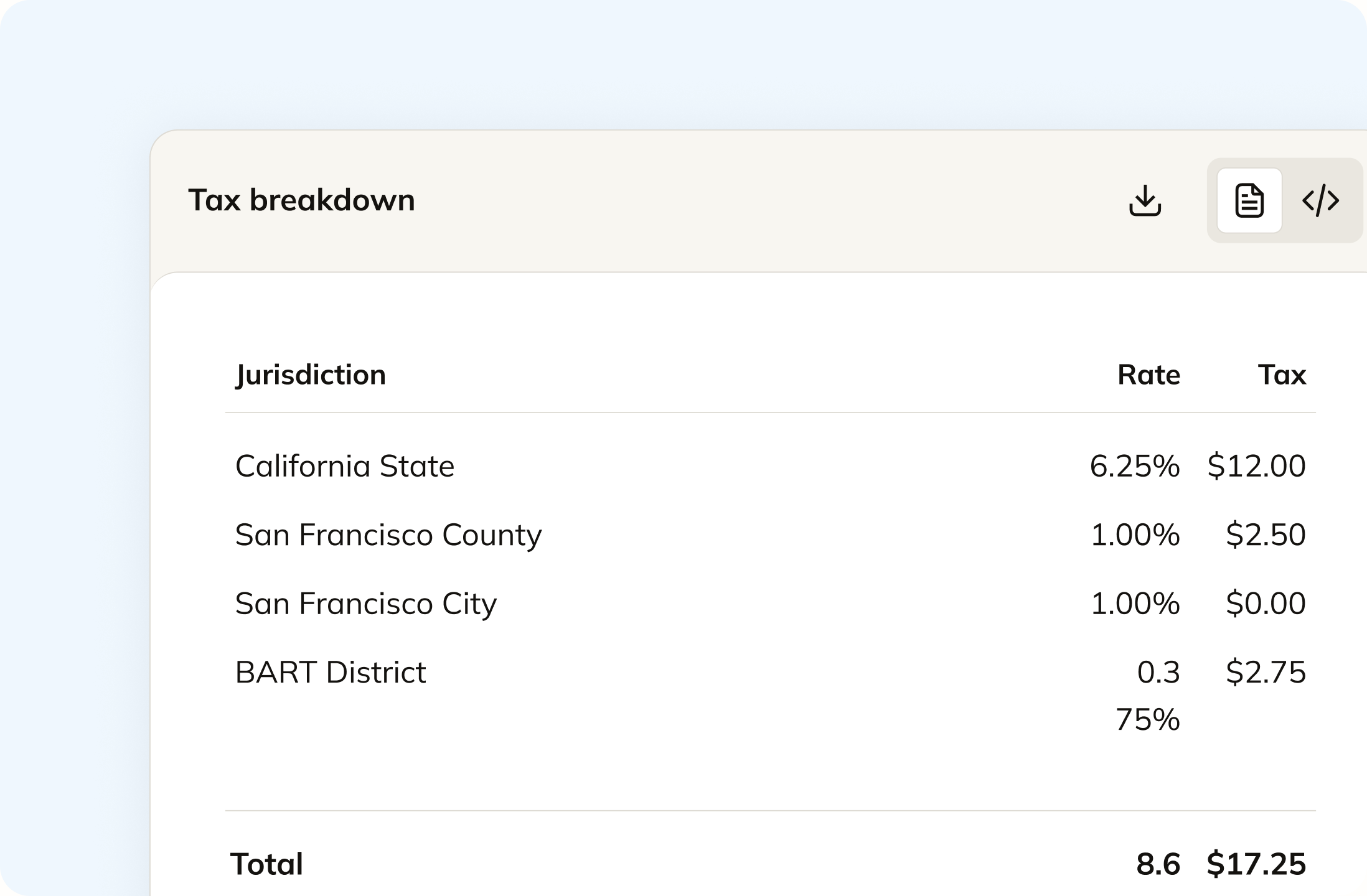
In Daftra a tax is a name and a percentage you type in, with room for two on a product line. A US address can need four rates stacked, and an EU sale needs the right treatment rather than the right number. Commenda works out the state, county, city and district rate on a US sale and the correct VAT treatment on an EU one, with product taxability applied per jurisdiction.
Track your global exposure from Daftra
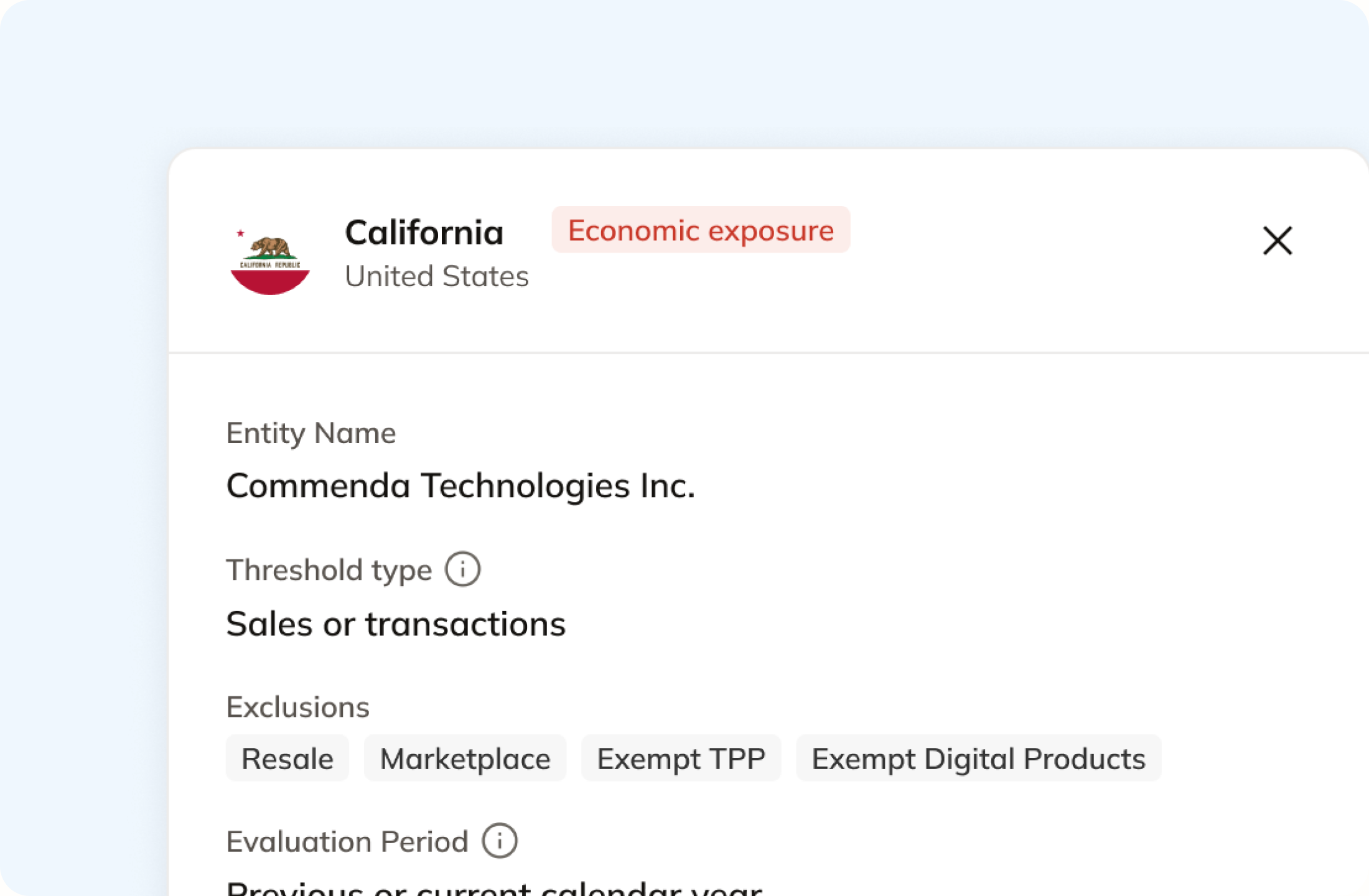
Daftra shows you what you sold. It does not tell you which country that made you a taxpayer in, and nothing in its documentation mentions a registration threshold. Commenda measures the same transactions against economic and physical thresholds in all 50 US states and 70+ countries, and notifies you at 80% of a threshold, before you cross it. A short questionnaire covers physical presence, since a warehouse never shows up on an invoice.
Automatically remit transactions around the world
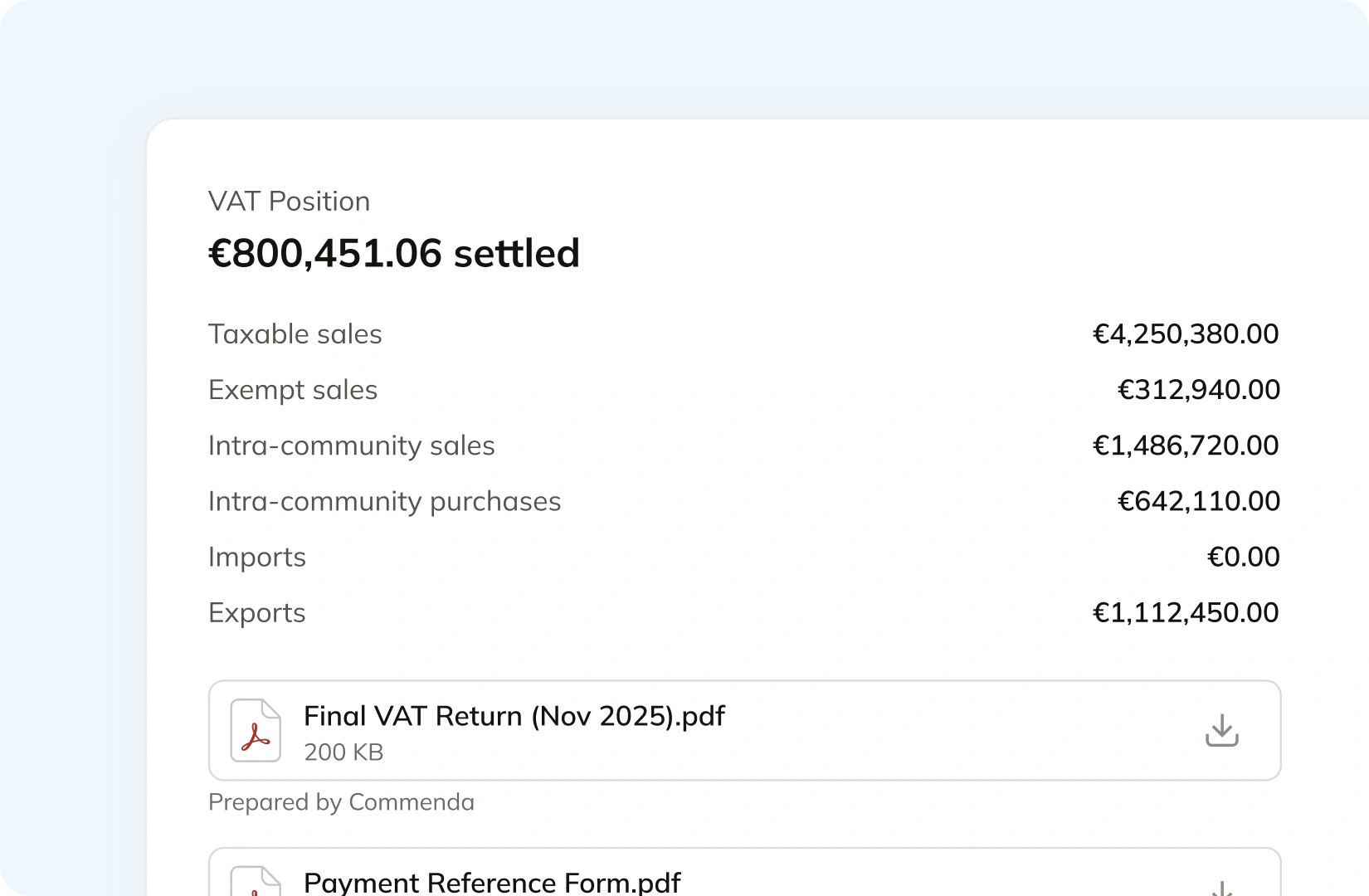
Commenda takes out the permits, files the returns, and tracks the remittance in the markets Daftra was not built for. That means all 50 US states on each state's own frequency, EU VAT with OSS and IOSS, UK VAT under Making Tax Digital, and GST across APAC and Canada. Returns are built from your synced data, and amendments are filed where a period needs correcting.
Manage your customers and exemptions in one place
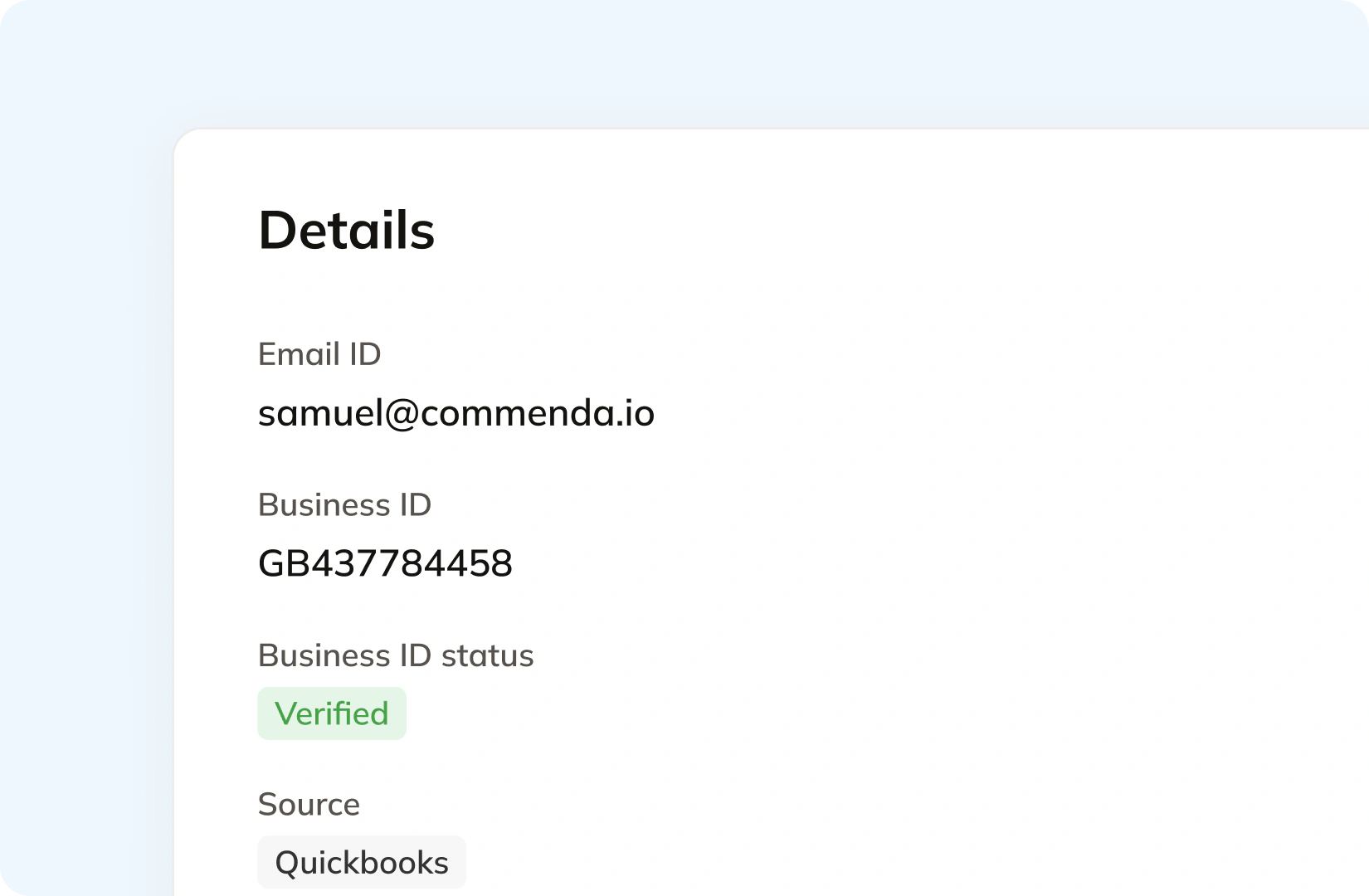
Daftra needs a client's registration number and country before ZATCA will accept an invoice, and records that fail validation are not submitted. Commenda holds the customer, the verified tax ID, and the system the record came from, so a B2B buyer is treated as B2B whether the sale lands in Riyadh or Rotterdam. Exemption certificates are collected through a portal, validated on upload, and applied automatically where valid.
Consolidation
Why does Daftra not know your total exposure?
Daftra was built for the mandates it names, and it handles the invoice side of them. The gap opens the day a customer in Chicago or Cologne places an order, because that sale answers to an authority Daftra was never pointed at.
Three countries connected, and that is the whole list
Daftra's own knowledge base answers the question directly. Asked whether it supports e-invoicing, it names Saudi Arabia, Egypt and Jordan. Its Jordan page describes submitting invoices automatically to the Income and Sales Tax Department. That is real depth in three regimes. No US state, no EU member state and no HMRC appears anywhere, which is where your export sales fall out of view.
Sending an invoice, filing a return, and paying the tax are three jobs
Daftra does the first. On the second, its UAE page offers to prepare VAT returns and manage filing periods, and in the product that return is a report under General Ledger Reports you filter by period and export. The Federal Tax Authority still wants the return within 28 days of the end of the tax period. On the third, Daftra documents a manual journal entry from VAT Under Settlement to Treasury or Bank.
Whose responsibility is the compliance, on paper
Daftra is explicit in its own documentation that it does not bear any legal responsibility if the account owner does not comply with the authority's regulations, and that the account owner alone is responsible. That is a normal software position. It is also the difference: Commenda is a platform with an in-house tax team behind it, so the registration, the return and the deadline are work we do rather than a setting you configure.
Abroad, the gate is a registration
In Egypt the gate is an electronic signature certificate you fetch from Egypt Trust before Daftra can send anything. In the US it is a sales tax permit, and you owe one once you cross economic nexus thresholds of $100,000 or 200 transactions in most states. Several EU countries want a fiscal representative before they will register a non-EU business, and Belgium also wants a security deposit. We arrange those as part of registration rather than leaving you to source them.
What it takes
What does each obligation actually depend on?
E-invoicing is ticked on all three of Daftra's paid plans, so there is no tier to argue about. The real dependencies sit elsewhere, and most of them are documented in its knowledge base rather than on its product pages.
| What you need | What Daftra requires or charges | Source |
|---|---|---|
| Sending anything to ZATCA at all | A paid plan. Daftra's Phase 2 manual states plainly that invoices cannot be sent to ZATCA when using the Free Plan | ZATCA Phase 2 manual |
| ZATCA integration across your branches | One integration per branch. Daftra states that completing it on the main branch does not automatically link the remaining branches, and each needs its own separate process | ZATCA Phase 2 manual |
| An Egyptian e-invoice the ETA will accept | An authorised electronic signature certificate you obtain yourself from Egypt Trust, plus the Egyptian unified standard code on each item, and registering Daftra as your ERP on the ETA portal | Egypt ETA manual |
| A UAE e-invoice that reaches the tax authority | Daftra states it is an FTA-approved Accredited Service Provider. The only UAE output its documentation describes is an Export XML button that downloads the file to your device | Exporting e-invoices in XML |
| A filed VAT return in any of those countries | Your own filing. The VAT return is a report under General Ledger Reports, and Daftra describes exporting reports in multiple formats to simplify submission to tax authorities | Quarterly VAT return |
| Paying the tax across to the authority | A manual journal entry. Daftra documents a settlement entry at the end of the declaration period, then a tax payment entry from VAT Under Settlement to Treasury or Bank | Settling and paying VAT |
| A tax rate for a jurisdiction Daftra has never heard of | You type it in. Taxes are a name and a percentage you add yourself, and no list of supported tax jurisdictions is published anywhere | Tax settings |
| The entry plan, and the two above it | Basic is $30 a month or $240 a year, Advanced $55 a month or $495 a year, Premium $70 a month or $600 a year. E-invoicing is included on all three | Daftra plans |
| US sales tax, EU VAT, or UK VAT on those exports | Not addressed. Nexus, HMRC, Making Tax Digital, OSS, IOSS and resale certificates appear nowhere across its product pages or its knowledge base | Daftra product pages |
Sending anything to ZATCA at all
A paid plan. Daftra's Phase 2 manual states plainly that invoices cannot be sent to ZATCA when using the Free Plan
ZATCA Phase 2 manualZATCA integration across your branches
One integration per branch. Daftra states that completing it on the main branch does not automatically link the remaining branches, and each needs its own separate process
ZATCA Phase 2 manualAn Egyptian e-invoice the ETA will accept
An authorised electronic signature certificate you obtain yourself from Egypt Trust, plus the Egyptian unified standard code on each item, and registering Daftra as your ERP on the ETA portal
Egypt ETA manualA UAE e-invoice that reaches the tax authority
Daftra states it is an FTA-approved Accredited Service Provider. The only UAE output its documentation describes is an Export XML button that downloads the file to your device
Exporting e-invoices in XMLA filed VAT return in any of those countries
Your own filing. The VAT return is a report under General Ledger Reports, and Daftra describes exporting reports in multiple formats to simplify submission to tax authorities
Quarterly VAT returnPaying the tax across to the authority
A manual journal entry. Daftra documents a settlement entry at the end of the declaration period, then a tax payment entry from VAT Under Settlement to Treasury or Bank
Settling and paying VATA tax rate for a jurisdiction Daftra has never heard of
You type it in. Taxes are a name and a percentage you add yourself, and no list of supported tax jurisdictions is published anywhere
Tax settingsThe entry plan, and the two above it
Basic is $30 a month or $240 a year, Advanced $55 a month or $495 a year, Premium $70 a month or $600 a year. E-invoicing is included on all three
Daftra plansUS sales tax, EU VAT, or UK VAT on those exports
Not addressed. Nexus, HMRC, Making Tax Digital, OSS, IOSS and resale certificates appear nowhere across its product pages or its knowledge base
Daftra product pages
Figures verified on July 30, 2026.
From the field
Trusted by businesses across the globe


“The platform works exactly the way I need it to. I have one team member who manages all of our exemption certificates, and that functionality has been particularly efficient for us. It allows him to handle everything seamlessly, making the handoff significantly easier.”
VP of Finance, TRX






Compare the cross-border indirect tax options
The tools in that comparison are built for US sales tax and a few extend to EU VAT. We compare them on coverage and real pricing, we say where each one wins, and we are clear about which ones would leave your export sales uncovered.
More indirect tax resources
Guides from the Commenda team on selling into the EU from outside it, European warehousing risk, UK VAT numbers, and where sales tax starts.
Frequently asked questions
Custom integration support for your business
Every business runs its accounting differently, and those processes exist for good reasons. We map how yours works and build the integration to match, rather than asking you to work around ours.
Indirect Tax
Monitor nexus exposure, register, file, and remit sales tax and VAT in one platform. Commenda keeps you compliant across 100+ jurisdictions.
Explore the product
