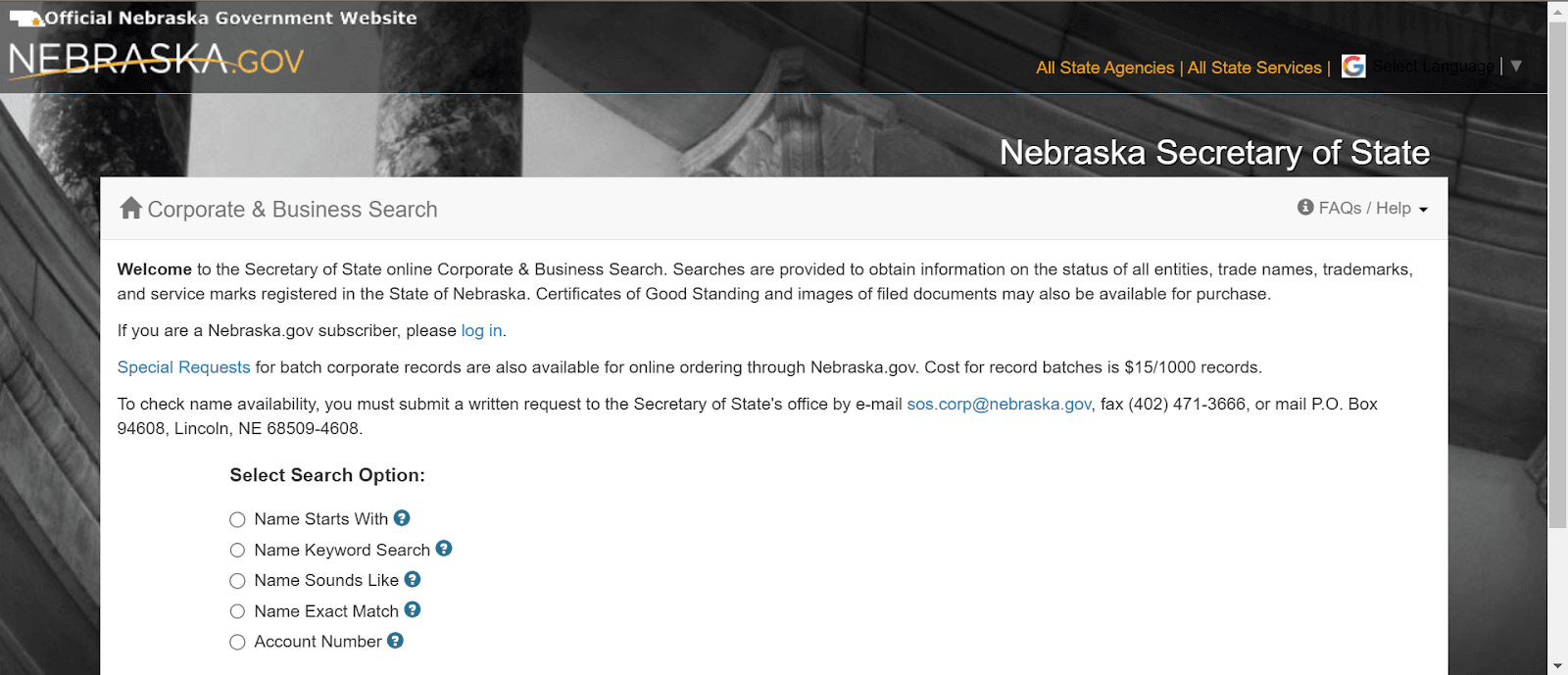
Verifying a Nebraska business is free and takes minutes. The Nebraska Secretary of State (SOS) runs a free public database that shows whether an entity exists, its registration status, its registered agent, and its filing history. The official tool is the Corporate and Business Search, described by the agency as “A free search of the Corporate and Business database for information on all entities, trade names, trademarks, and service marks”.
This step-by-step guide walks the exact lookup, shows how to read the result, and explains how to order formal proof of good standing.
What Is the Nebraska Business Entity Search?
The Nebraska business entity search is a free, no-login public search of the Nebraska SOS Corporate and Business database. It covers all registered entities plus trade names, trademarks, and service marks, and lets you order Certificates of Good Standing and copies of filed documents from the same system, per the SOS Corporate and Business page.
The tool is also called the Nebraska business name search or the Nebraska SOS business entity search. The office operates under Secretary of State Robert B. Evnen, sworn in as the 27th Secretary of State on January 10, 2019.
How Do You Do a Nebraska Business Entity Search? (Step by Step)
Open the SOS search tool, pick one of five search options, enter at least three letters, complete the reCAPTCHA, and click Perform Search. Then click Details on the matching row to open the full record. The search is free and no login is required. The four steps below cover the full process.
1. Visit the SOS search tool
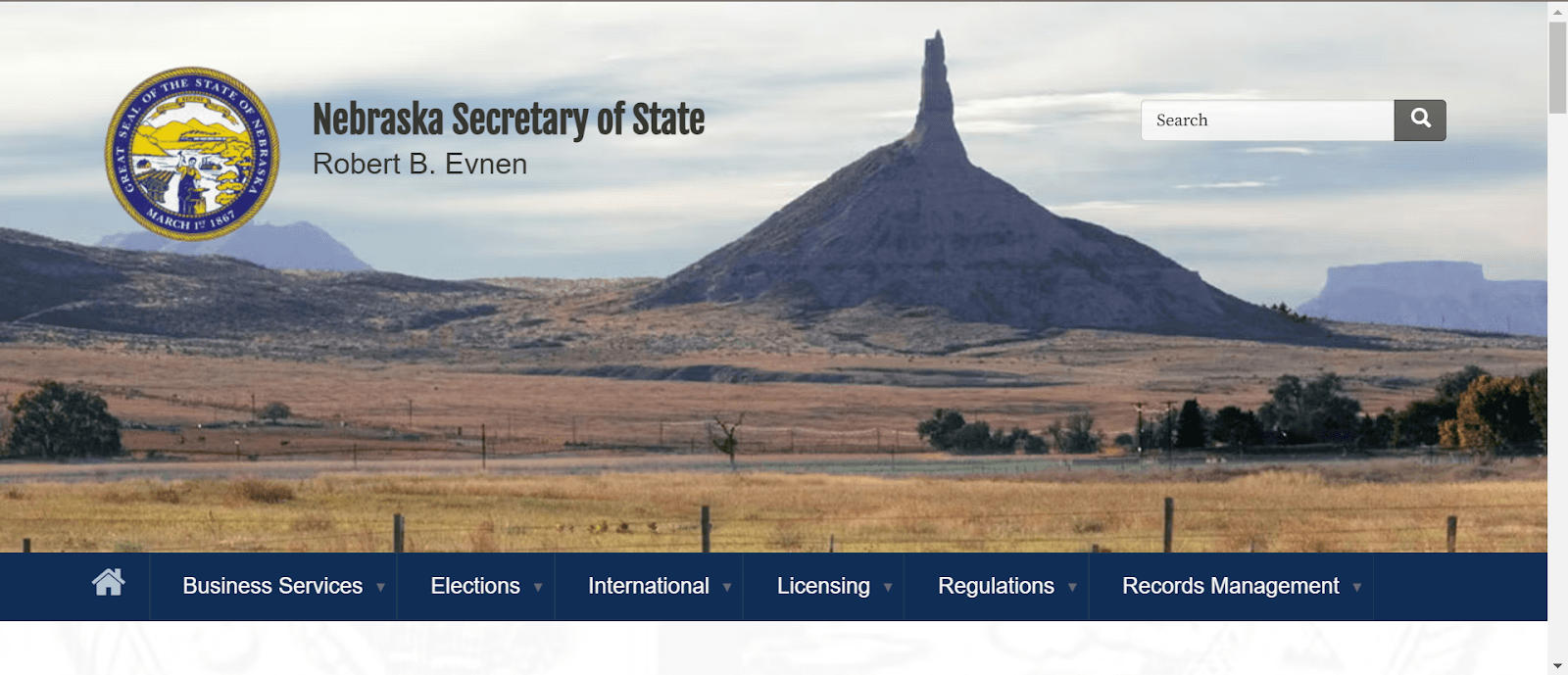
The live search runs at the Nebraska SOS Corporate and Business Search, which the official Corporate and Business page links directly. Only sos.nebraska.gov and nebraska.gov are official state resources. Ignore private lookalike sites that charge for the same free lookup.
2. Choose a search option
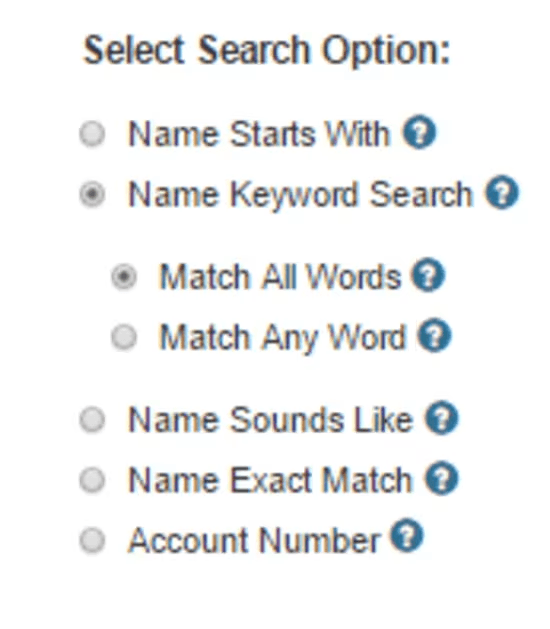
The tool offers five search types. Pick the one that matches how much of the name you know. Four are name-based and each needs at least three letters; the fifth searches by account number.
| Search option | When to use it | Source |
|---|---|---|
| Name Starts With | You know the first words; needs 3+ letters | Nebraska SOS search tool |
| Name Keyword Search (Match All Words / Match Any Word) | You know some words, not the order; needs 3+ letters | Nebraska SOS search tool |
| Name Sounds Like | Spelling is uncertain; phonetic match, broad results; needs 3+ letters | Nebraska SOS search tool |
| Name Exact Match | You have the full legal name with its corporate ending; needs 3+ letters | Nebraska SOS search tool |
| Account | You have the Secretary of State Entity Account Number | Nebraska SOS search tool |
3. Enter the name and complete the reCAPTCHA
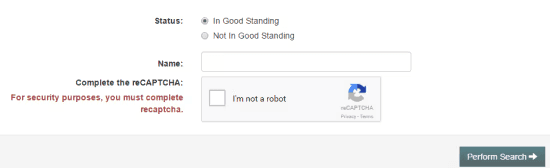
Type the business name or account number. The form requires you to complete a reCAPTCHA before it will run, stated on the page as a security requirement, per the Nebraska SOS search tool. The Perform Search button stays disabled until the reCAPTCHA is solved. Then click Perform Search.
4. Review the results table
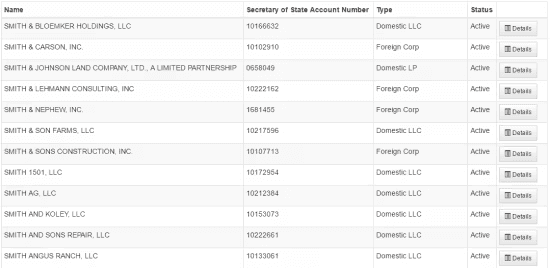
Results appear in a table with columns for Name, Secretary of State Account Number, Type, and Status. This is where you find a Nebraska business entity number: read the Secretary of State Account Number column. Scan for the exact entity, then click Details on its row for the full record.
How Do You Read Nebraska Entity Search Results?
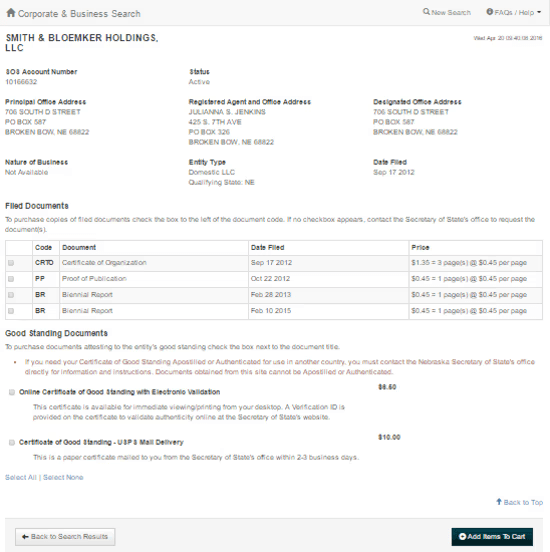
Click Details and check status, entity type, registered agent, and filing history before drawing any conclusion. The list view shows only name, account number, type, and status. The Details page holds the data that matters for due diligence. Filing history documents are listed there and orderable, not all free to view.
| Detail field | What it tells you |
|---|---|
| Entity name | The exact registered legal name |
| SOS account number | The unique state identifier; use it to disambiguate similar names |
| Entity type | LLC, corporation, LP, LLP, or nonprofit |
| Status | Active/Exists, Inactive, Dissolved, or Delinquent |
| Formation/registration date | When the entity was created |
| Registered agent name and address | Who accepts legal service, and where |
| Principal office | The entity’s main address |
| Jurisdiction | Domestic (Nebraska) or foreign (out-of-state) |
| Filing history | Documents on record and available to order |
When two businesses share a similar name, cross-check by SOS account number, not by name alone.
Incorporate in any country with complete legal clarity
Launch faster with guided global setup
What Does Each Registration Status Mean?
Active or Exists means the entity is current and compliant. Inactive, Dissolved, and Delinquent each signal a lapse or closure. Read the Status field first, since it determines whether the rest of the record can be relied on. Delinquent and Dissolved entities can often return through the SOS reinstatement process.
| Status | What it means | What to do next |
|---|---|---|
| Active / Exists | Entity is registered and current | Safe to proceed; order a certificate for formal proof |
| Inactive | No longer active in the registry | Confirm with the SOS before relying on it |
| Dissolved | Entity has been closed or administratively dissolved | Reinstate by filing past-due reports and paying fees, per SOS Reinstatements |
| Delinquent | Missed a required report or fee | File the past-due reports and pay fees to restore active status |
What Entity Types Appear in the Nebraska Search?
The database returns corporations, Limited Liability Companies (LLCs), limited partnerships (LPs), limited liability partnerships (LLPs), and nonprofit corporations, both domestic and foreign, plus trade names, trademarks, and service marks, per the SOS Corporate and Business page. Domestic means formed in Nebraska; foreign means formed elsewhere but registered to do business in Nebraska. The jurisdiction field on the Details page tells you which.
Does the Search Cover Nonprofits and Trade Names?
Yes. Nonprofit corporations and trade names live in the same database as corporations and LLCs, alongside trademarks and service marks, per the official SOS description of the Corporate and Business Search. One search covers all registered entity types and all mark types, so you do not need a separate tool for a Nebraska trade name search or a Nebraska nonprofit entity search.
How Do You Check If a Business Name Is Available in Nebraska?
The free online search shows what already exists, but the official availability determination requires a written request to the Secretary of State’s office. A name missing from your results is a strong signal, not a guarantee, so search defensively before you rely on it.
To catch near matches, run both Name Starts With and Name Sounds Like on your target name. Nebraska naming rules add another filter: LLC names must include “Limited Liability Company,” “LLC,” or “L.L.C.”; corporation names must include “Corporation,” “Incorporated,” “Company,” or an abbreviation such as “Corp.,” “Inc.,” or “Co.” Every new name must be distinguishable from existing entities. Commenda’s company name checker helps you screen a candidate name before you file, and the next step is to register a business in Nebraska.
How Do You Reserve a Business Name in Nebraska?
Searching does not hold a name. To hold one, file the Application for Reserved Name with the Nebraska SOS. The reservation blocks others from registering a matching name while you prepare your formation documents.
| Item | Detail | Source |
|---|---|---|
| Form | Application for Reserved Name | Nebraska SOS forms and fee information |
| Fee | $30 for corporations, LLCs, and limited partnerships (domestic and foreign) | Nebraska SOS forms and fee information |
| How long it holds | 120 days to file formation documents | Nebraska SOS forms and fee information |
| Filing method | Paper form submitted to the SOS | Nebraska SOS forms and fee information |
How Do You Verify a Nebraska Business Is in Good Standing?
Run the search, open Details, and confirm an Active/Exists status with a current registered agent and up-to-date reports. For formal proof, order a Certificate of Good Standing. Nebraska uses a biennial (two-year) reporting cycle for most entities, not annual, and the due year depends on entity type.
| Entity type | Report | Due | Delinquent | Source |
|---|---|---|---|---|
| Business & professional corporations (domestic/foreign) | Biennial occupation tax report | March 1, even years | April 15 | Nebraska SOS Annual/Biennial Reporting |
| LLCs & professional LLCs (domestic/foreign) | Biennial report | April 1, odd years | June 16 | Nebraska SOS Annual/Biennial Reporting |
| Nonprofit corporations | Biennial report | April 1, odd years | June 16 | Nebraska SOS Annual/Biennial Reporting |
| LLPs | Annual report | April 1, every year | June 16 | Nebraska SOS Annual/Biennial Reporting |
Three things knock an entity out of standing: missed biennial or annual reports, unpaid fees, and no registered agent. A Delinquent or Dissolved entity can return through the SOS reinstatement process by filing the past-due reports and paying the associated fees before the state restores active status.
How Do You Order a Certificate of Good Standing in Nebraska?
Order it directly from the Corporate and Business Search document ordering system by credit card. An electronic copy costs $6.50 and is available immediately to view and print, while a sealed mailed copy costs $10.00 and ships within 2 to 3 business days, per the Nebraska SOS. You can confirm an electronic certificate later using the SOS certificate validation tool.
| Item | Cost and delivery | Source |
|---|---|---|
| Online / electronic certificate | $6.50, available immediately to view and print | Nebraska SOS FAQ |
| Mailed sealed certificate | $10.00, delivered within 2–3 business days | Nebraska SOS FAQ |
You need a Certificate of Good Standing for opening bank accounts, foreign qualification in another state, securing financing, mergers and acquisitions (M&A) due diligence, and closing contracts.
How Do You Find a Business’s Registered Agent in Nebraska?
The Details page of any entity record shows the registered agent’s name and Nebraska street address, free. Every Nebraska LLC and corporation must appoint and maintain a registered agent with a physical Nebraska address to accept service of process, at formation and continuously afterward. A lapsed or missing agent is a red flag and can push an entity out of standing.
To change an agent, corporations and nonprofit corporations file the “Change of Registered Agent/Office” form, and LLCs file the “Statement of Change (Designated Office, Registered Agent/Office)” form. The fee is $30 filed in-office or $25 filed online via eDelivery, per the Nebraska SOS forms and fee information.
How Do You Verify a Business Partner’s Legitimacy in Nebraska?
Confirm the entity exists in the SOS database, its status is Active/Exists, its registered agent is current, and its filing history is intact, then order a Certificate of Good Standing for formal proof. The search is free, so there is no excuse to skip it before signing a contract.
Run this checklist:
- Search the entity by name or account number.
- Read its status on the Details page.
- Check that a current registered agent is listed.
- Review the filing history for gaps.
- Order a Certificate of Good Standing for documented proof.
Nebraska Secretary of State Contact Information
Reach the SOS Business Services Division for help with searches, filings, and documents.
- Website: sos.nebraska.gov/business-services/corporate-and-business
- Phone: (402) 471-4079
- Address: 1201 N Street, Suite 120, Lincoln, NE 68508
- Mailing: P.O. Box 94608, Lincoln, NE 68509-4608
How We Help You Stay in Good Standing in Nebraska
The Nebraska SOS search is the free, authoritative way to verify any entity. Staying findable in good standing means tracking biennial reports and registered agent obligations. Miss a due date and your status flips to Delinquent, which anyone running a search can see.
Commenda’s entity management software tracks filing deadlines like Nebraska’s biennial reports, stores your formation documents, and keeps every entity in good standing across each state you operate in. Its compliance calendar auto-generates every applicable filing obligation once you onboard an entity, and 100+ ERP (enterprise resource planning), API, and custom integrations keep it synced with your finance stack. Book a demo to get a free compliance health check on every entity you own.
About the author

Logan leads Commenda’s Services and Operations team, helping controllers, heads of tax, and finance leaders navigate international expansion. He built a global expert network across 70 countries and previously worked in management consulting across the Middle East and Southeast Asia.
Disclaimer: Commenda and its affiliates do not provide tax, accounting, or legal advice. This material has been prepared for informational purposes only, and is not intended to provide or be relied on for tax, accounting, or legal advice. You should consult your own tax, accounting, and legal advisors before engaging in any related activities or transactions.