You need to verify a business name, confirm a company’s status, or vet a counterparty before you sign. In Rhode Island, the official record that answers all three is free to search.
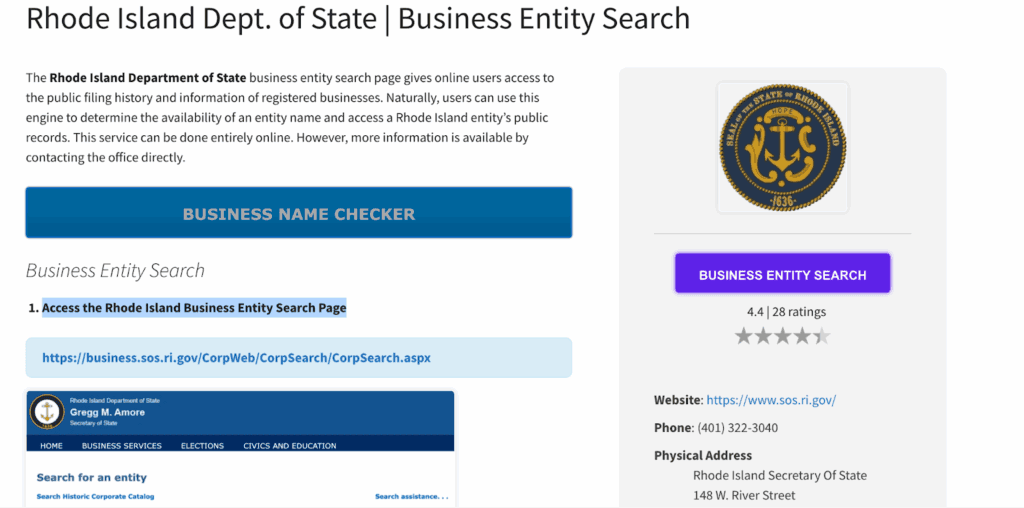
The Rhode Island Department of State runs a free public business entity search on the official RI Business Portal. No account is required. You can also reach it from the Business Services Division home page. This guide covers every search method, what each status means, and how to confirm good standing.
What Is a Rhode Island Business Entity Search?
A Rhode Island business entity search is a free public-records lookup run by the Business Services Division of the Rhode Island Department of State, led by Secretary of State Gregg M. Amore. It confirms four things for any entity on the state registry: name availability, business status, due-diligence details, and compliance standing.
| Question | Answer | Source |
|---|---|---|
| Does it cost anything? | Free, no account needed | RI Department of State, business.sos.ri.gov |
| Who runs it? | Business Services Division, RI Department of State | sos.ri.gov |
| How many search methods? | 8 | business.sos.ri.gov |
| Search-match types? | Begins with, Exact match, Full text, Soundex | business.sos.ri.gov |
| Results per page? | 25, 50, 100, or All | business.sos.ri.gov |
| Current Secretary of State? | Gregg M. Amore, sworn in January 3, 2023 | sos.ri.gov/about-us |
The agency is legally the Department of State, and the Secretary of State heads it, under Rhode Island General Laws (RIGL) section 42-8-1. Most people still search “Rhode Island Secretary of State,” so both terms point to the same office.
How Do You Perform a Rhode Island Business Entity Search?
Open the official RI Business Portal search page, set the Active or Inactive status filter, pick a search method, choose a search type, set results per page, and run it. Then click any result to open its entity summary page. The search is free and takes under a minute, per the Rhode Island Department of State.
- Open the search page at business.sos.ri.gov.
- Choose the Active or Inactive status filter.
- Pick a search method: entity name, individual, identification number, filing number, agent, address, purpose, or NAICS code.
- Choose a search type: Begins with, Exact match, Full text, or Soundex.
- Set results per page: 25, 50, 100, or All items.
- Run the search and open the entity summary page for status, identification number, NAICS code, address, and registered agent.
Tip: strip suffixes like “LLC” or “Inc.” and try name variations. Use Begins with instead of Exact match to catch spelling variants.
What Search Methods Does the Rhode Island Business Portal Support?
The official tool supports eight search methods, far more than name alone. You can search by entity name, individual or officer name, identification number, filing number, registered agent, business address, purpose, or NAICS code (North American Industry Classification System). Two fields enforce strict formats that trip up users, per business.sos.ri.gov.
| Method | Input rules | Best for | Source |
|---|---|---|---|
| Entity name | Begins with / Exact / Full text / Soundex | Name availability, general lookup | business.sos.ri.gov |
| Individual/officer name | First / Middle / Last; 4 search types | Every entity tied to a person | business.sos.ri.gov |
| Identification number | Must be 9 digits (add leading zeros) | Exact entity by permanent ID | business.sos.ri.gov |
| Filing number | Must be 12 digits | A specific filing record | business.sos.ri.gov |
| Registered agent | Begins with / Contains | “Who is my registered agent” | sos.ri.gov search-assistance |
| Business address | Address match | Mapping entities at one location | business.sos.ri.gov |
| Purpose | Keyword | Entities by stated purpose | business.sos.ri.gov |
| NAICS code | Must be 2 to 6 digits | Entities by industry | business.sos.ri.gov |
The 9-digit identification number is the entity’s permanent identifier, while the 12-digit filing number is unique to each individual filing, per the RI Department of State’s search-assistance guide. Soundex catches phonetically similar names, which is useful for name-availability checks.
What Do Rhode Island Business Entity Statuses Mean?
The search filters on Active versus Inactive, and each record shows a specific status. Active means the entity’s Inactive Status field is blank and its latest annual report is filed, per the RI Department of State status guide. Active alone does not equal good standing: good standing requires every outstanding report filed before a certificate will issue.
| Status | Meaning | Can it operate? | Source |
|---|---|---|---|
| Active | Inactive Status field blank, latest annual report filed | Yes | sos.ri.gov determine-status |
| Inactive | Umbrella toggle covering all non-active records | No, or limited | sos.ri.gov determine-status |
| Revocation Notice / Revoked | 60-day notice for a missed filing, fee, or agent; Revoked if no response | No | sos.ri.gov determine-status |
| Dissolved | Ended voluntarily or administratively | No | sos.ri.gov determine-status |
| Void | Terminated status recorded on RI records | No | RI Department of State |
A Certificate of Good Standing is the document that proves good standing, not the search screen itself.
How Do You Check If a Rhode Island Business Name Is Available?
Search your proposed name three ways: Exact match, then Begins with, then Soundex to catch confusingly similar and phonetically similar names. No match means the name is likely available. Rhode Island requires new names to be distinguishable from existing entities, so checking variants before you file prevents a rejected formation.
Once a name looks clear, hold it with the Application for Reservation of Entity Name: $50 for 120 days, per the RI Department of State fee schedule. Commenda’s company name checker runs a fast availability check before you commit.
What Types of Business Entities Appear in the Search?
The name search covers six core entity types. Sole proprietorships never appear because they do not register with the state. Non-resident Landlord filings show up in the tool as well, but that is a filing category, not a business entity type, per business.sos.ri.gov.
| Entity type | What it is | Note | Source |
|---|---|---|---|
| Corporation | Shareholder-owned entity that issues stock | Strong liability protection | business.sos.ri.gov |
| LLC (limited liability company) | Flexible entity with liability protection | Common small-business choice | business.sos.ri.gov |
| LP (limited partnership) | General plus limited partners | Used for investment ventures | business.sos.ri.gov |
| LLP (limited liability partnership) | Partnership with partner liability protection | Common for licensed professionals | business.sos.ri.gov |
| Nonprofit Corporation | Entity for charitable, educational, or public benefit | Files annual reports | business.sos.ri.gov |
| PC (professional corporation) | Corporate form for licensed professionals | Meets professional licensing rules | business.sos.ri.gov |
How Do You Search for a Foreign or Out-of-State Business in Rhode Island?
Out-of-state companies that register to do business in Rhode Island appear in the same search, and the record shows their registration status. This process is called foreign qualification: a company formed in another state files to operate legally in Rhode Island. Search by name to confirm whether a foreign company is registered here.
The Department of State’s “For Foreign Businesses” track on the Business Services Division page covers the register, maintain, and withdraw paths for out-of-state entities.
How Do You Get a Certificate of Good Standing in Rhode Island?
Order it through “Request a Certificate of Good Standing” under Quick Links on sos.ri.gov. A Certificate of Good Standing (Certificate of Status) costs $22 online or $20 by mail, phone, or in person for most entities, and $7 or $5 for non-profits, per the RI Department of State certificate order page.
Three documents get confused, so keep them separate:
- Certificate of Good Standing proves current compliance, ordered via Quick Links.
- Certificate of Incorporation is the document issued at formation.
- Certified copies of articles or formation documents are ordered separately from the Department of State, each with its own fee.
What Are Rhode Island’s Business Filing Requirements?
Staying searchable as Active means filing your annual report and keeping fees current. Rhode Island LLCs, corporations, and nonprofits file an annual report between February 1 and May 1 each year, per RIGL 7-16-66. The LLC report costs $50, with a $25 late penalty after May 31.
| Requirement | Fee | Detail | Source |
|---|---|---|---|
| LLC Articles of Organization | $156 ($150 plus $6 enhancement fee) | One-time formation | RI Department of State fee schedule |
| Corporation Articles of Incorporation | Varies by authorized shares | One-time formation | RI Department of State fee schedule |
| Name reservation | $50 | Holds a name 120 days | RI Department of State fee schedule |
| LLC annual report | $50 (plus $25 late after May 31) | Filed February 1 to May 1 | sos.ri.gov annual report (RIGL 7-16-66) |
| Certificate of Good Standing | $22 online / $20 by mail | Proof of compliance | sos.ri.gov order-certificates |
A revoked entity still owes Rhode Island’s $400 minimum annual tax, administered by the RI Division of Taxation, whether or not it operates. Reinstatement runs through the “Reinstate Your Business” Quick Link and requires a $50 Division of Taxation application fee for a Letter of Good Standing, plus Department of State penalties that grow the longer you wait, per the RI Department of State revoked-entities guidance.
How Do You Verify a Rhode Island Business for Due Diligence?
Combine search vectors. Run an officer or individual search to find every entity tied to a person, then use agent and address searches to map related companies, and read the filing history on each entity summary page. The portal adds official tools no private aggregator offers.
- New Entity Listing shows recently formed entities.
- Check Filing Status tracks a submitted filing.
- Search Historic Corporate Catalog covers archival records.
- Fraud Protection Notification Service alerts you to activity on your own record.
Ownership and member lists are not public. In the US, only the certificate of incorporation is filed with the state. Bylaws, cap tables, and shareholder registers stay internal, so a search shows structure and status, never who owns what.
How Commenda Helps You Stay Searchable and in Good Standing
The search tells you where an entity stands today. Commenda’s entity management platform keeps yours compliant: it tracks annual report deadlines, manages filings, and monitors good standing across every state and country you operate in. No more discovering a revoked status after the fact.
Pair it with Commenda’s compliance calendar to see every filing deadline by entity and jurisdiction in one view.
Book a demo to get a free compliance-status check of your Rhode Island entities and every other jurisdiction you touch.